

In brief: Track staffing job requisition changes without losing approved requirements. Use version control, manager sign-off, candidate updates and follow-up questions.
Why a changing requisition needs its own follow-up process
Staffing job requisition change tracking keeps everyone recruiting against the same authorised version of a role. A hiring manager may change the work location, shift pattern, salary range, required credential, reporting line or start date after candidates are already being contacted. When those changes live in scattered emails and conversations, the recruiting team may keep screening against an obsolete brief.
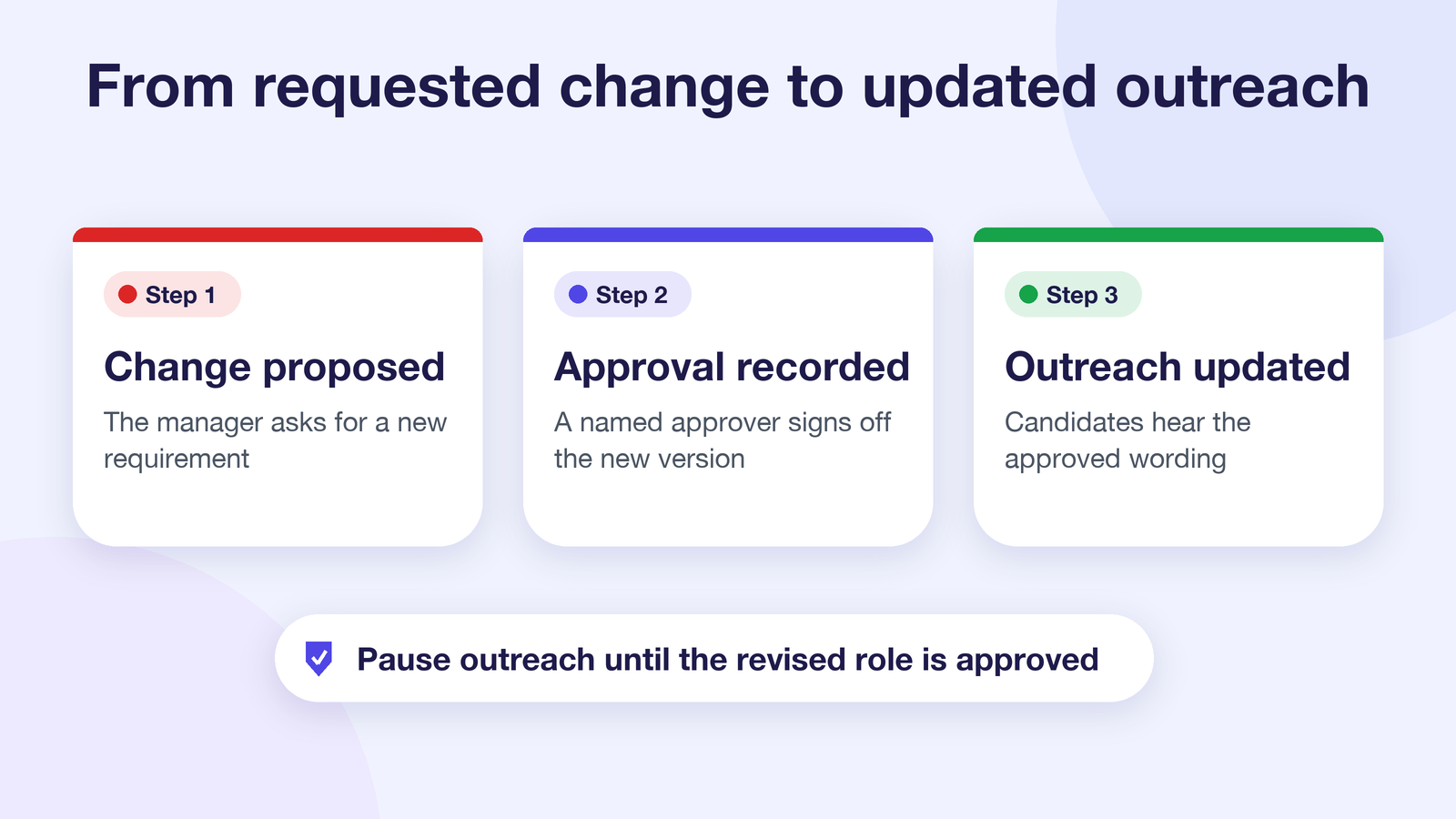
The solution is not simply to send more reminders. It is to create one controlled change record, identify who has authority to approve it, pause affected candidate communications where necessary, and follow up on the outstanding facts until an approved version exists. Automated status calls may help gather progress, but they should not approve a vacancy, modify contract terms or determine who can be hired.
Separate proposed changes from approved job requirements
Start with a baseline requisition that the client has signed off. Each material update needs its own change record: requested by, effective date, impacted fields, business reason, approval owner, candidate communication impact and current decision. Treat ‘manager mentioned a new salary range on a call’ as Proposed change, not as a new official offer. A status report is evidence of a request, not evidence of approval.
Some changes affect scheduling only, such as a different interview panel. Others change candidate expectations or job-related eligibility, such as shifts, site location, required professional registration or responsibilities. The latter may require a fresh assessment of applicants under consistent, non-discriminatory criteria. The EEOC’s employer guidance makes clear that employment decisions remain subject to applicable anti-discrimination rules.
Create a controlled monday.com change register
A useful proposed project structure has one item per requisition and a linked change log for each material amendment. Suggested columns include requisition reference, baseline version, proposed version, changed field, change type, requester, approving manager, recruiter lead, impact category, decision deadline and approval evidence link. Use controlled labels: Proposed, Clarification requested, Under review, Approved, Rejected, Superseded, and Communicated.
Keep approval evidence—such as the signed requisition or authorised email—in its approved record system. A phone-call summary may link to that evidence but does not replace it. If several staffing coordinators support the role, assign one version owner who updates the master job brief and confirms which copy can be shared externally.
Follow up using a decision checklist
- Identify the specific field. Ask whether the requested change concerns duties, rate, hours, location, reporting line, skills, contract period or start date.
- Find the authority. A department contact may suggest changes, but only the designated hiring manager or client representative may be able to approve them.
- Confirm impact. Are candidates already interviewing? Have job advertisements been published? Would the update change a candidate’s pay or commute expectations?
- Agree a deadline. Request a specific decision date, not a vague promise that ‘HR is checking’.
- Publish the approved version. Update the central requisition, brief recruiters, review affected advertising and tell candidates the relevant facts in an appropriate way.
For example, a client might initially require on-site attendance three days a week and later request five. The staffing coordinator should freeze the unapproved revision, ask for written confirmation from the authorised person, assess which candidate conversations need correction and avoid presenting the new arrangement as agreed until approval arrives. The example demonstrates governance; it is not a real client outcome.
Questions to ask the hiring manager
A focused follow-up call can ask: ‘Which requisition are we discussing?’ ‘What field has changed since the approved version?’ ‘Is your request a suggestion or an authorised decision?’ ‘Who will confirm the final wording?’ and ‘By when should the recruiter expect the approved brief?’ For ambiguous answers, the caller should flag a human follow-up instead of editing candidate-facing text.
The caller must never ask a manager to state protected personal characteristics as hiring preferences, approve exclusionary requirements or supply confidential candidate details through an unsecured call. If a questionable instruction appears, stop the routine status process and escalate to recruiting leadership or legal review. The software should not silently normalise the instruction into a new eligibility rule.
Decide when candidate outreach must pause
Not every edit requires a stop, but salary, site, contract, hours and essential qualification changes may make current outreach misleading. Create a decision table: Minor administrative correction—update after the owner verifies; Candidate-facing condition changed—pause affected messaging until approval; Potential discriminatory or unclear requirement—escalate for formal review; Approved change—revise advertising and brief the team. Record who decided, not just the resulting status.
If an applicant has already been told a different arrangement, communicate the correction plainly without pretending it never happened. Keep candidates informed only about changes relevant to them; do not disclose other applicants or the client’s confidential internal debate.
Use automated calls for evidence, not authorisation
The published Autoza AI proposition involves scheduled calls and updates to monday.com project boards. In a custom recruitment workflow, this pattern could request an approval status, anticipated decision date or assigned contact. The buyer should first confirm that fields, call recipients, permissions and escalation rules can be configured appropriately for their systems. Do not imply that requisition approvals or applicant tracking integrations happen automatically out of the box.
Consider also the hiring-manager feedback follow-up guide for a different stage of the recruitment cycle. One topic concerns evolving role requirements; the other concerns feedback after interviews. Keeping the two workflows separate prevents message confusion.
Review what the process actually improves
Measure time from proposed change to authorised decision, percentage of recruiters working from the latest version, candidate-facing corrections required, and how often unapproved requirements enter live advertisements. Review an exception sample weekly. A good result is fewer contradictory instructions and more accurate communication—not a higher volume of calls for its own sake.
Next step: Take one active requisition with several owners and create a visible change log. Define approval authority and candidate-communication rules before introducing any scheduled follow-up. Explore the Autoza workflow for the routine status questions; keep every formal hiring-brief approval with the client and recruiting lead.
If your team uses monday.com and wants dependable follow-up on narrow, well-governed tasks, explore Autoza AI or request a workflow discussion.
Frequently asked questions
Who should approve a revised job requisition?
The person or group authorised by the client’s hiring governance should approve material changes. A recruiter may document and chase a request but must not infer authorisation from an informal status answer.
When should candidate communications pause?
Pause messaging affected by unapproved changes to pay, hours, location, contract type or essential requirements. Resume when the authorised version is confirmed and the recruitment team has reviewed the impact.
How do agencies capture role changes without losing history?
Use a versioned requisition record, separate change log, approval evidence and a named owner responsible for publishing the current brief. Retain superseded versions under appropriate access controls.
Can an AI caller automatically approve a vacancy amendment?
No. A scheduled call can record whether a decision is pending or reported as approved, but the formal decision and verification of approval evidence must remain with authorised people.
What should happen if the proposed requirement raises discrimination concerns?
Do not implement it as a live screening rule. Route it for human recruiting and legal review using the organisation’s employment-law and equal-opportunity procedures.
Related reading
- Responsible AI Calls in Staffing: Consent, Privacy and Escalation
- Interview Panel Follow-Up Calls: What Can and Cannot Be Automated?
- Hiring Manager Feedback Delays: A Follow-Up Workflow for Staffing Teams
- Credential Renewal Tasks: How Staffing Agencies Track Expiring Documents
- Candidate Availability Checks: Confirm Timing Before Sending a Shortlist
- Autoza AI for monday.com: scheduled status calls
- Workflow automation services