
Quick answer: A staffing timesheet dispute workflow records the worker’s reported hours, client approval status, reason for disagreement, supporting attendance evidence, payroll deadline and named resolution owner. It must not equate an unsigned timesheet with hours not worked. The staffing agency’s payroll and legal responsibilities remain subject to applicable wage law; routine automated reminders should never make or withhold wage decisions.
A temporary worker finishes a shift on Friday. The staffing agency expects the client supervisor to approve hours by Monday morning. The supervisor disputes a break deduction and does not sign. Payroll closes Tuesday. The system shows one red item: “Timesheet not approved.” It does not reveal who has the facts, which hours are contested or who must make a lawful payroll decision.
That is a poor foundation for automation. A useful staffing timesheet dispute workflow divides collecting evidence, reconciling competing accounts, meeting payroll obligations and resolving a commercial invoice issue into separate tasks. The client’s billing dispute and the worker’s right to be paid must not be treated as interchangeable.
Separate the four records that often get merged
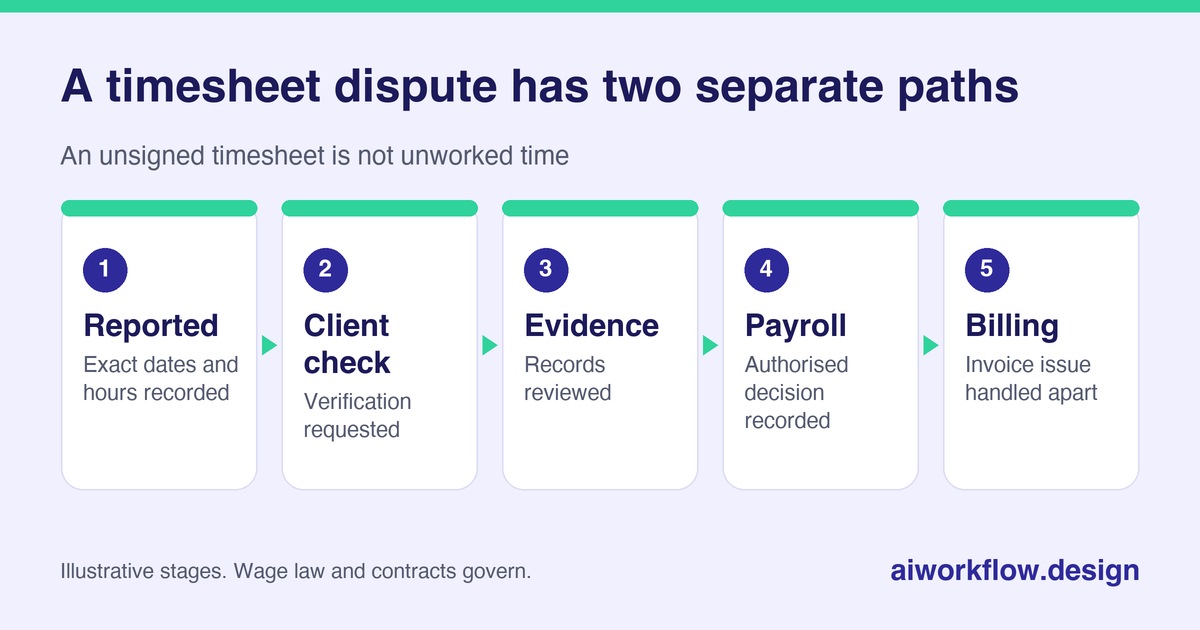
First is the worker’s time record: dates, start and finish, breaks, approved leave where relevant, and the hours the worker says were worked. Second is the client’s operational verification, which may use gate logs, schedules or supervisor notes. Third is the payroll determination made by the responsible employer or payroll specialist under applicable law. Fourth is the agency’s invoice or contractual adjustment with the client.
One record can inform another without replacing it. A supervisor may be wrong or unavailable; a worker may have a genuine correction to report; a timesheet may be approved for billing but still contain wage-rate errors. Do not use a single “Approved” column to conceal these differences.
The U.S. Department of Labor explains that employers may use different timekeeping methods but must maintain complete and accurate records under the Fair Labor Standards Act. Requirements vary with employment arrangements, jurisdiction and any applicable collective agreements. When the hours are disputed, the agency should involve its payroll and legal decision-makers promptly, not wait for a call bot to obtain client acceptance.
Design a clear exception intake
Create an exception only when a specific mismatch is found. Record the assignment ID, worksite, worker identifier, pay period, hours originally submitted, hours questioned, reason code, who raised the dispute, evidence location and the cutoff for lawful payroll review. Use neutral reason codes such as Unapproved, Missing punch, Break disagreement, Overtime question, Wrong rate, and Client contact unavailable. A reason code describes the issue; it is not a conclusion about the worker.
Collect only what is necessary and authorised. Do not place sensitive personnel or medical details in open board comments. If the disagreement concerns an accommodation, injury, safety complaint or protected leave, refer it to the employer’s appropriate specialist through a restricted workflow.
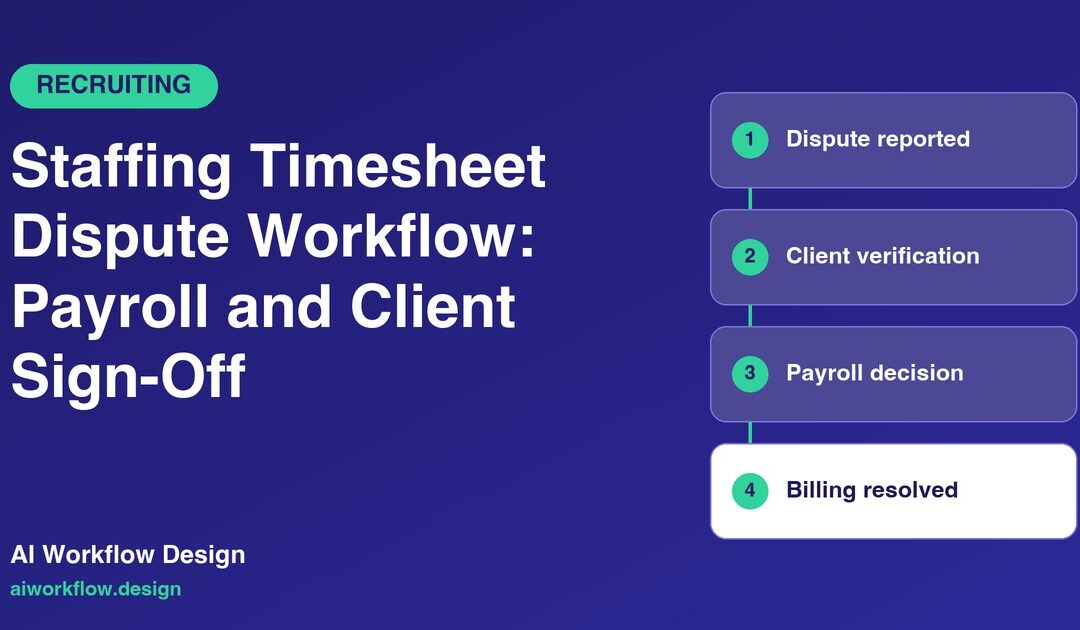
Set a reliable status sequence: Reported, Client verification requested, Evidence under review, Payroll decision pending, Payroll action recorded, Billing issue pending, and Closed. “No reply” must remain a documented lack of response.
Work to the payroll cutoff, not to an arbitrary reminder schedule
A practical checklist begins before the pay period ends. Confirm which supervisors are designated approvers, their backup contacts and the approval deadline. Provide workers with a clear process for reporting missing punches and corrections. Identify the agency payroll owner who can act when a supervisor is absent.
As the cutoff approaches, send a targeted query specifying the assignment, disputed dates and the information needed. Avoid attaching unnecessary worker details in a widely forwarded email. If a response does not arrive, escalate to the client account lead and payroll manager according to a written procedure. Do not assume silence means the hours are denied or accepted.
If the client disputes a period, ask what specific interval or event is contested and request contemporaneous records where available. The payroll specialist must then apply the relevant wage laws and evidence, including any obligations to pay for hours worked despite incomplete customer sign-off. Commercial recovery can be handled separately.
For the approval stage before disputes arise, see who should be chased before payroll cutoff.
Use a monday.com exception board with decision controls
A board can be organised by pay period, with one item per dispute and linked views for operations, payroll and accounts receivable. The operations view needs site, supervisor, next follow-up, evidence request and due date. The payroll view needs only authorised wage-relevant details and a secure link to the controlled payroll system. The billing view tracks client invoice adjustments after the lawful payroll path has been handled.
Sensitive employee records should stay in approved HR/payroll systems, not unrestricted task attachments. Audit who entered a figure, who verified it and who made the payroll decision. If an approved change alters the time record, preserve the original submission and correction history rather than rewriting the entry without explanation.
Dashboard measures can include exceptions opened per pay period, disputes resolved before cutoff, unresolved client verification requests, corrected hours, and the share of delays linked to approver absence. Do not rank workers by the number of disputes without investigating the cause; a problematic client timekeeping process can create repeat exceptions.
Where AI calls are useful—and where they are not
An appropriately configured status agent may call a designated client contact to ask whether an identified timesheet is ready for review, whether the approver is away, or which secure channel should receive a correction request. It can log that response to monday.com or another approved tracker. It should not ask a person to dictate private payroll data over an unverified call, decide that overtime does not count or instruct the agency to withhold pay.
AI Workflow Design’s Daily Check-in Agent supports scheduled status calls and tracker updates; Autoza AI for monday.com supports board-oriented status calls. Using either in a payroll-adjacent workflow would require an approved script, access boundaries, retry rules, auditability and human exception handling. The presence of a call log does not prove wage compliance.
A useful call summary is narrow: “Supervisor unavailable until Wednesday; backup contact provided; payroll owner alerted.” An unsafe summary says: “Worker’s overtime rejected.” The latter is a decision, and a call assistant should not manufacture it.
Example: disputed overtime at a warehouse
A temporary worker records nine hours on a shift, while the client rota shows eight. The client supervisor says the extra hour was not authorised. The coordinator opens an exception with the worker submission and the disputed interval. The workforce lead retrieves security exit logs and task notes. Payroll reviews what time was actually worked and the applicable overtime rules. The account manager separately addresses whether the client contract permits billing for the additional hour.
The case may close with the worker paid for time worked and the agency still discussing reimbursement with the customer. Those outcomes are not contradictory. A disciplined workflow prevents a commercial argument from becoming an automatic pay denial.
Handle repeated issues at the process level
If a client repeatedly misses sign-off deadlines, examine staffing levels, supervisor coverage, access to the timekeeping system and clarity of break policies. If corrections concentrate at one location, check whether the schedule and the actual workflow align. Workers need a trustworthy way to flag under-recorded time without fear of an automated adverse consequence.
For quality review, ask three questions each month: Are the original records preserved? Are payroll decisions made by authorised people on time? Are client disputes resolved without masking the worker’s rights? Automation can support those questions with dates, owners and evidence; it cannot substitute for the answers.
Assignment changes also create timesheet exceptions; see temporary assignment extensions and staffing credential expiration tracking.
Next step
Want these follow-ups handled consistently? Explore Autoza AI for monday.com or talk to AI Workflow Design about scheduled, permissioned status follow-ups that leave approvals with the right people.
Frequently asked questions
Can a staffing agency refuse to pay hours because a client has not approved them?
Applicable wage law and the actual employment relationship govern payment obligations. A missing client signature is not, by itself, proof that hours were not worked; payroll specialists should review the facts promptly.
What is the first step when a timesheet is disputed?
Record the exact disputed dates or hours, preserve the worker’s original submission, identify the client contact and route the issue to the authorised payroll reviewer before the relevant cutoff.
Can automated calls confirm hours worked?
They may collect limited administrative status if approved. Verifying and deciding disputed wage facts should remain with authorised staff using appropriate records.
Should payroll and client invoicing share one approval status?
No. Worker pay decisions and customer billing decisions can have different legal, contractual and evidential bases. Track both without conflating them.
How do agencies reduce repeat timesheet exceptions?
Set clear approver backups, teach correction procedures, monitor recurring mismatch causes and review late sign-offs with clients rather than simply increasing reminder frequency.
Related reading
- Staffing Credential Expiration Tracking: Renew Evidence Before a Worker Is Assigned
- Staffing Timesheet Approvals: Who Should Be Chased Before Payroll Cutoff?
- Temporary Assignment Extensions: Confirm Client Approval Before Schedule Changes
- Assignment End Dates: Follow Up on Redeployment and Equipment Returns
- Staffing Background Checks: Follow Up Without Making Screening Decisions