
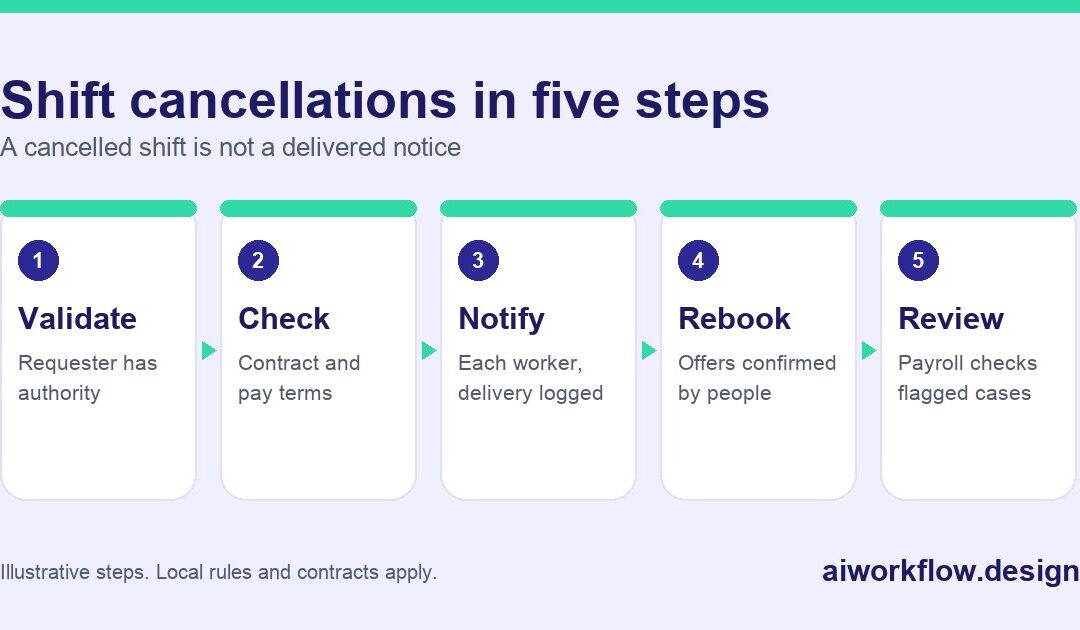
Quick answer: A staffing shift cancellation workflow should record who requested the change, confirm that the requester has authority, identify every affected worker and client contact, deliver the appropriate notice through approved channels, and route pay and scheduling consequences to payroll or HR. A cancelled shift on a calendar is not proof that the worker received notice, and a client cancellation does not automatically erase an employer’s wage obligations. Keep the decision, communication and pay review as separate, auditable steps.
Consider a staffing coordinator who receives a Friday evening message: a distribution center no longer needs six temporary workers for Saturday’s opening shift. The client expects the schedule to disappear immediately. Two employees are already travelling, another has not checked email, and the contract may contain a minimum reporting or cancellation provision. If the coordinator simply removes the shifts, the agency loses the trail of what changed and may leave employees without the information they need.
Separate the client’s request from an authorized cancellation
A supervisor might ask to cancel a shift, but that does not always establish contractual authority. Record the client’s name, site, date, shift start and end time, headcount, reason provided and source of the instruction. Check who can approve changes under the service agreement. If the request changes scope, notice periods or agreed minimum hours, route the commercial issue to the account manager. If there is an immediate site safety emergency, prioritize the safety response while still documenting the subsequent scheduling and payroll steps. Pay questions often follow; see staffing timesheet dispute handling.
A cancellation can also come from the worker, the agency or a third-party facility. Label the source. The action required after a no-show differs from the action required when a client closes a worksite because of severe weather or lacks required supervision. Neither case should be automatically categorized as employee misconduct, and the system should not infer that someone resigned because they did not answer a single call.
Why notice delivery and acknowledgement are different
An outbound text or email may be sent successfully but remain unread. A voice message may reach an old number. A worker may acknowledge the revised schedule yet disagree with an unpaid cancellation. Track these events distinctly: notice prepared, notice sent, delivery confirmed if the channel supports it, worker acknowledged, rebooking offered, and exception referred to HR. Reserve a reasonable escalation path for unreachable workers rather than repeatedly calling throughout their personal time. When a placement ends rather than a single shift, use assignment end follow-ups.
Workers should receive clear, practical information: which shift is affected, whether they should still travel to the site, who to contact, and what follow-up to expect. Never use a vague message such as “Your assignment is canceled” when only one scheduled shift has changed. Confirm the communication is accessible and consistent with the worker’s language and accommodation needs without circulating sensitive personal details across a client operations board.
Build the cancellation record in monday.com
One record should connect the affected shift to the client work order and authorized worker schedule. Suggested fields are Shift ID, Client/site, Original hours, Change requested by, Authority confirmed, Reason category, Affected worker IDs, Last safe notice time, Notice channel, Acknowledgement status, Replacement shift offered, Payroll review, Client confirmation, Exception owner, and Audit link. Restrict wage information, personal phone numbers and protected worker details to the appropriate HR or payroll system. Replacement offers resemble candidate withdrawal replacement workflows.
If several employees share the same shift, use one parent cancellation event and one child communication item per affected worker. That design allows the account manager to see the overall staffing impact without exposing private responses. It also avoids the false confidence of a single status reading “All notified” when only four of six workers have acknowledged their messages.
A step-by-step cancellation and rebooking workflow
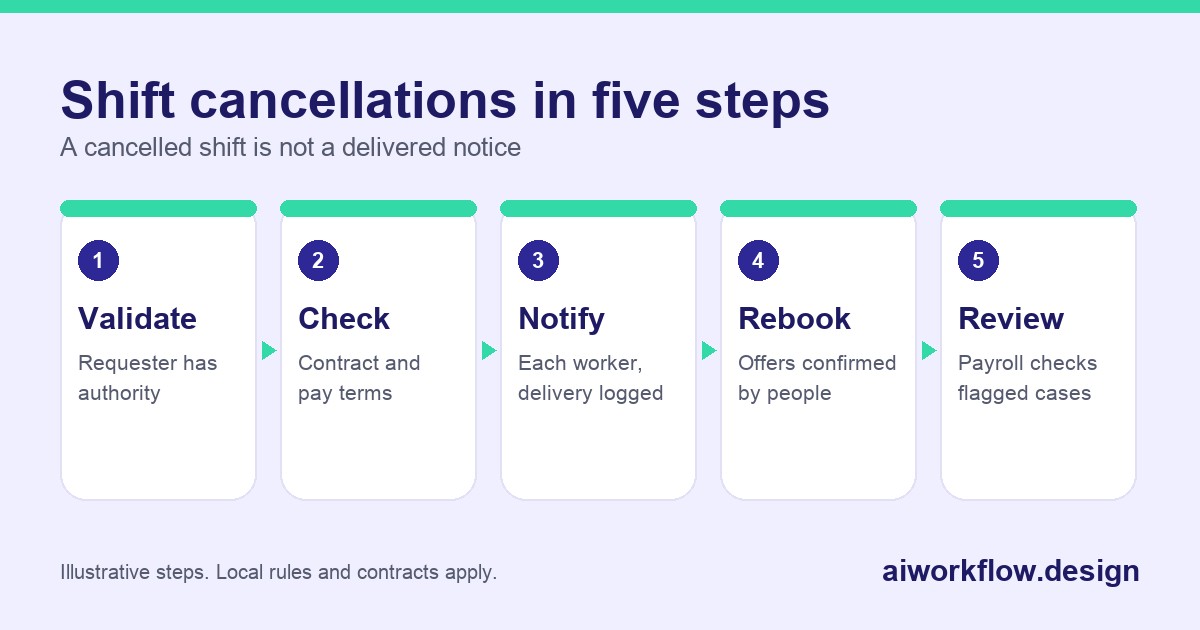
1. Validate the instruction and identify the time pressure
Record the original schedule, the requested change and the source message without overwriting it. Calculate the time until the shift begins in the site’s local time zone. If a client sends a late-night change, identify any workers already dispatched or travelling. Maintain a defined urgent-contact path for near-term changes, but do not assume the rules are the same for every client or state.
2. Check approvals and contractual dependencies
The account manager reviews whether the change is within the client’s authorized scope, whether another supervisor must confirm it and whether there are contract consequences. HR or payroll checks applicable law, employer policies and agreements for reporting-time pay, minimum hours, protected leave, waiting time or other matters. State and local rules vary; do not hardcode a national “no work, no pay” rule. A staffing agency and host employer may have overlapping obligations depending on the circumstances.
3. Communicate individually and document delivery
Send a clear notice through the channel approved for the worker. Include the exact date, shift and location, and a contact route for urgent questions. Ask for acknowledgement if operationally appropriate. If the worker cannot be reached, escalate to a human coordinator with a limited, documented contact cadence. Avoid disclosing the reasons for another person’s scheduling change or making promises about pay that have not been reviewed.
4. Coordinate client staffing and alternative shifts
The client may reduce headcount rather than cancel a whole shift. Update the coverage plan only after determining who is still scheduled. If suitable alternative work is available, let a human recruiter review skill requirements, safety training, travel and worker preferences before offering it. Do not auto-assign a person to a new hazardous workplace solely because their old shift disappeared. The alternative offer and the worker’s acceptance need their own timestamps.
5. Resolve time and pay questions before export
Reconcile clock-ins, travel-to-site reports, on-call requirements and any work performed before the cancellation was communicated. Payroll decisions must be based on the correct jurisdiction, agreement and facts. A shift disappearing from the roster must never delete hours that were worked. Link the signed-off adjustment to the pay-period record and prevent an unreviewed cancellation flag from changing the pay file.
6. Confirm closure with the right parties
The staffing desk confirms the client schedule is accurate, the worker has been appropriately notified or escalation is complete, open replacement offers are resolved and payroll has addressed applicable exceptions. Close the event only when those branches have owners and decisions. Retain original and revised shift versions rather than rewriting history.
Where AI calls and automations help
A permitted check-in may ask a worker whether they received a scheduling notice, whether they can discuss a replacement opportunity with a recruiter, or whether they need a callback. It can ask a client contact whether the revised headcount is still correct. It must not discipline employees, promise compensation, assess protected personal circumstances or confirm acceptance through silence. A human coordinator should review ambiguous responses and situations involving safety, accessibility or disputed pay.
For teams using monday.com, use automations for deadline reminders and exception routing, not payroll adjudication. AI Workflow Design’s Daily Check-in Agent supports structured status conversations, while a workflow automation sprint can map an agency-specific roster handoff after the team defines the approval boundaries. See AI Workflow Design’s product overview, Autoza AI for monday.com and the workflow automation service for what can be configured; availability depends on your setup.
Measure communication quality, not just cancellation volume
Review time from authorized cancellation to first notice, number of workers with confirmed acknowledgement before the shift, percentage of late-change exceptions reviewed by payroll, and frequency of client requests outside contracted notice windows. Segment by shift lead time and site; large volumes of last-minute changes may signal upstream client planning issues. Avoid treating “number of calls made” as the primary success metric. The important result is an accurate schedule, informed workers and correctly handled exceptions.
Next step
Pilot the workflow with one client account where shifts regularly change. Version each affected roster, track notice delivery and set a mandatory payroll review on flagged cases. When the team can see precisely which worker and pay questions remain open, it can use automation to follow up responsibly without turning routine scheduling into an unreviewed employment decision.
Want these follow-ups handled consistently? Explore Autoza AI for monday.com or talk to AI Workflow Design about scheduled, permissioned status follow-ups that leave approvals and decisions with the right people.
Related guides:
- Form I-9 Reverification: A Fair, Deadline-Based Staffing Workflow
- Staffing Timesheet Disputes: Resolve Missing Approvals Without Delaying Wage Review
- Assignment End Dates: Follow Up on Redeployment and Equipment Returns
More guides: browse our recruiting and staffing workflow guides or see all industries we support.
Frequently asked questions
Can a client cancel a temporary worker’s shift without paying them?
It depends on applicable wage laws, contracts, the worker’s circumstances and whether work or compensable reporting occurred. Do not assume that a roster cancellation automatically means no pay is owed. Refer the case to qualified HR or payroll personnel.
Is a sent text message enough to show the worker was notified?
Not always. Sending, successful delivery and actual acknowledgement are different events. Use the organization’s approved communications policy and preserve a human escalation route for urgent unacknowledged changes.
Can an AI agent rebook a cancelled worker automatically?
It should not assign a worker without appropriate role, safety, availability and consent checks. It may collect interest or schedule a recruiter callback, while a human recruiter confirms suitability and the revised employment terms.
What if the worker already arrived at the worksite?
Document the arrival, any time worked, site instructions and the timing of notice. Escalate immediately to HR or payroll for a jurisdiction-specific pay review rather than deleting the shift from the system.
How should a cancellation differ from a worker no-show?
Maintain separate reason categories, documentation and review paths. A client-requested cancellation is not an attendance infraction. A suspected no-show may require contact and fact-finding before any employment decision.