
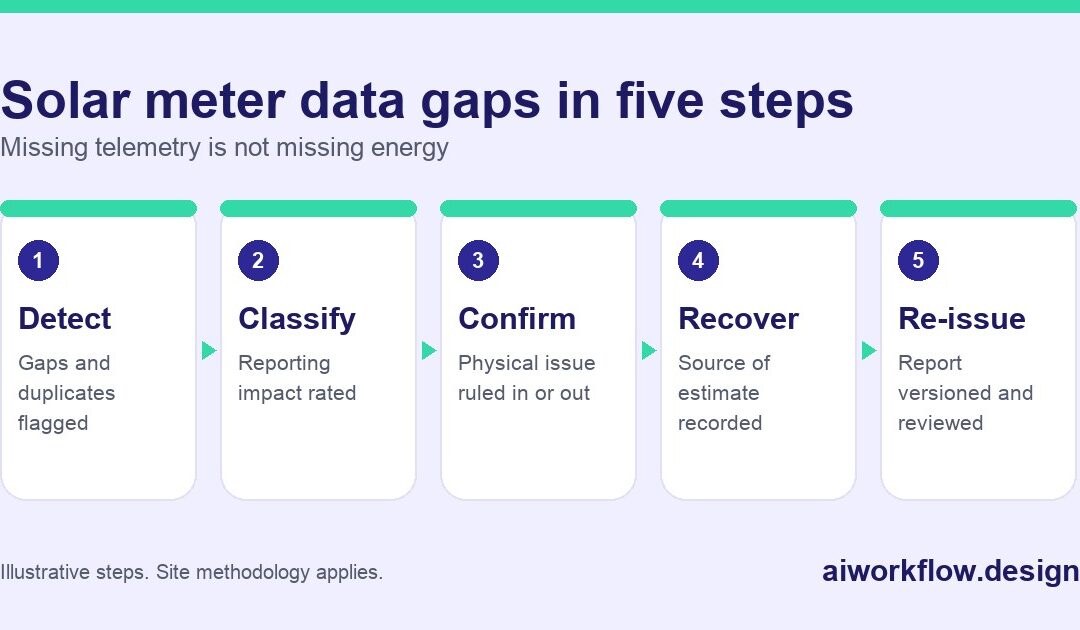
Quick answer: A solar meter data gap workflow should flag missing or implausible readings, identify the affected meter and time window, confirm whether the issue is communications, measurement or actual production, and route corrective work to a qualified owner. Preserve the raw data, record the source of any approved estimate and do not publish an unqualified performance claim while material gaps remain. A status board can chase evidence, but it must never silently fill missing kilowatt-hours or confuse missing telemetry with a solar plant outage.
Solar operations teams are often asked to deliver clean monthly performance reports, even when the monitoring export is anything but clean. A gateway loses connectivity over a weekend. A revenue meter changes registers during service. A daylight-saving adjustment produces duplicate intervals. A weather sensor stops reporting irradiance while the inverter continues producing power. Without a transparent solar meter data validation process, a routine reporting deadline can turn uncertain data into a misleading owner update.
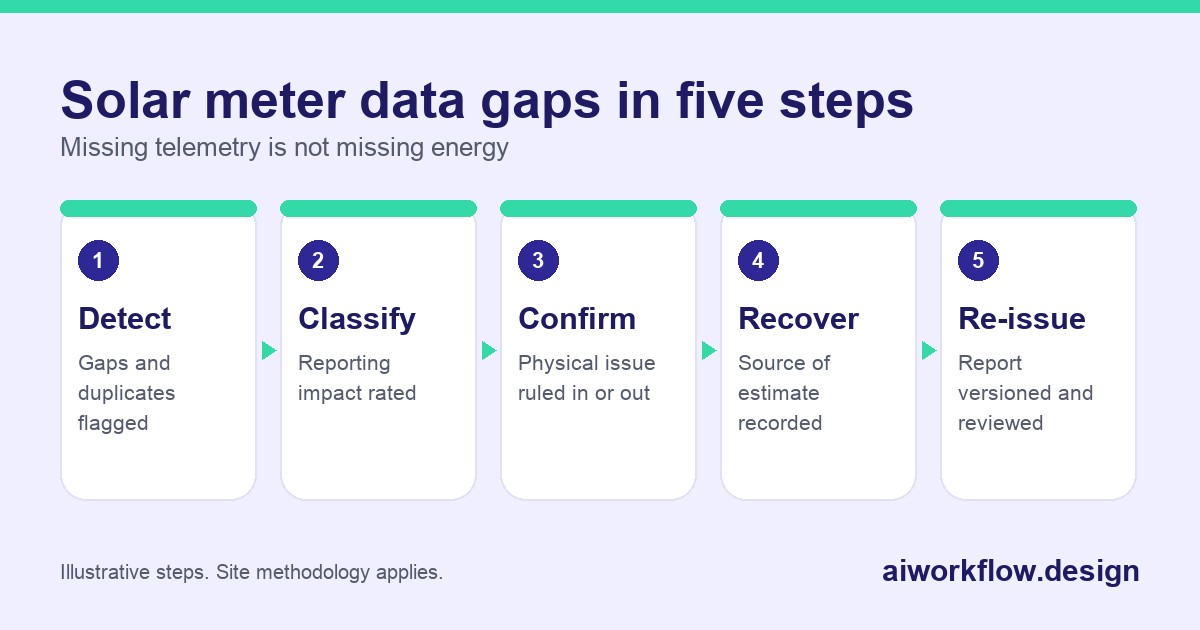
Missing telemetry is different from missing energy
Start by separating four conditions: no measurement received, measurement received but invalid, production confirmed to be zero, and production unknown. A flat zero from a functioning, checked meter may represent a genuine event. A blank field may mean communications failed. An implausibly high reading may indicate unit scaling, cumulative-versus-interval confusion, register rollover or an import issue. Those conditions demand different questions and cannot be merged into a generic “underperformance” category. Performance concerns follow a related path; see commercial solar underperformance investigations.
Site owners may use utility meters, inverters, gateways, irradiance sensors and external weather feeds, each with different purposes and accuracy. Define the authoritative source for each reporting metric. An inverter portal screenshot does not automatically replace a revenue-grade utility record; nor does a utility bill answer every engineering performance question.
Create a source-to-metric map before chasing gaps
Document the site ID, inverter or meter ID, data provider, metric name, unit, expected interval, time zone, normal operating schedule, data extraction method, and person authorized to accept corrections. Make the time zone explicit, including how daylight-saving changes are handled. A gap of four 15-minute intervals is not necessarily a “one-hour plant outage”; it is one hour of absent readings from a named source until someone confirms what happened physically. Firmware changes can create gaps; see inverter firmware update planning.
Give each exception an immutable identifier. A useful record might read: “Site S-14 / Meter M2 / energy delivered / 2026-10-12 11:00–12:00 local / four 15-minute records absent / inverter data available / utility meter review pending.” Avoid pasting the customer’s full metering credentials into task comments. Store approved links to protected telemetry systems and use least-privilege access for analysts, vendors and AI status agents.
The six-stage solar data-gap resolution workflow
1. Detect missing, duplicate or suspect intervals
Run a consistent validation check on each import before reports are built. Flag unexpected gaps, repeated timestamps, impossible negative values where unsupported, implausible spikes and stale data streams. Compare timestamp conventions and sampling periods before assuming an equipment fault. Keep the original extract intact and create a documented exception; do not overwrite a source file merely to make a dashboard chart look continuous.
2. Classify severity and reporting impact
An irradiance sensor that is missing while energy measurements remain sound can compromise performance-ratio calculations without necessarily affecting billed energy. A missing revenue meter interval may affect a billing or guarantee review. Define which metrics, contracts and reporting dates depend on the affected measurement. Escalate material financial, safety or compliance implications according to site policy rather than relying on a single global severity score.
3. Confirm whether a physical issue occurred
Ask the site operator or equipment vendor for communications alarms, gateway status, data logger restarts, meter service records and known curtailment or outage notices. Reconcile against independent sources only where technically appropriate. An AI call can ask whether a technician has inspected a gateway and when the service report will be available. It must not declare the plant operational or instruct a remote electrical reset without the approved technical procedure.
4. Recover evidence and document any correction method
If the monitoring provider can restore original intervals from a local buffer, record the file version and recovery method. If source data are permanently unavailable, the technical owner must decide whether an estimate is permitted under the applicable report or contract, what method to use and how to label it. Keep original, recovered and estimated values separable. An estimate is not equivalent to a verified meter reading, even when it is reasonable for a specific analytical purpose.
5. Review the corrected report as a new version
Regenerate affected charts and totals using the approved dataset and attach a change log: what changed, why, by whom and whether the reported outcome changed materially. Require sign-off from the responsible analyst or asset manager. If owner reports were already issued, assess whether an amended report or explicit clarification is needed. Do not edit past numbers without leaving a discoverable explanation.
6. Close the root cause, not only the data ticket
A recovered export can fix last month’s data while the faulty modem continues to disconnect. Track communications, firmware, sensor calibration, meter replacement or vendor configuration actions separately. Capture the post-fix monitoring period and evidence that new data are arriving as expected. Close the reporting exception and the equipment defect through their own approval gates.
A practical monday.com exception board
Set up columns for Site, Measurement source, Metric, First affected interval, Last affected interval, Data classification, Reporting materiality, Technical owner, Vendor owner, Recovery method, Report version, Decision date, and Next follow-up. Statuses might be Detected, Triage, Vendor investigation, Data restored, Estimate review, Reporting sign-off, and Closed. Make a filtered view for exceptions that threaten the next report’s due date, rather than sending every telemetry event to the executive team. Physical checks may need a visit; see solar O&M site visit coordination.
Scheduled check-ins can remove unnecessary manual chasing. A bounded call might ask a monitoring vendor, “Has the logger export for Site S-14 been recovered? Is the original interval data available? What is the next delivery date?” The answer can populate a status or ETA field after review. It should not directly edit production totals or publish owner reports. AI Workflow Design’s product options include structured check-in workflows, while a bespoke reporting integration may fit a workflow automation project. See AI Workflow Design’s product overview, Autoza AI for monday.com and the workflow automation service for what can be configured; availability depends on your setup.
Reporting language that protects credibility
If a material gap is unresolved, use an explicit qualification such as: “The displayed production figure excludes a four-hour telemetry gap; final totals remain pending meter data recovery.” If a permitted estimate is used, specify the covered intervals and approved method, and distinguish estimates from measured results. Avoid statements such as “System output was normal” based solely on the absence of equipment alarms. Stakeholders need to know both what the data show and what they cannot establish.
A disciplined exception note includes the affected interval, source, downstream metric, owner, next action and reporting consequence. It becomes even more valuable when multiple vendors provide competing exports or an external reviewer asks why last month’s total differs from today’s dashboard.
Measure reliability separately from performance
Useful operational indicators include data completeness by source, number of unresolved intervals at report cutoff, median time to recover original readings, recurrence by gateway or meter, and percentage of report adjustments with recorded approval. Those measures help teams improve monitoring reliability. Keep them separate from solar performance indicators such as delivered energy or availability; an asset can perform well while its communications fail, and vice versa.
Next step
Pilot the exception board on one month of exports from a single solar site. Label missing intervals before a report is prepared, appoint a reviewer for each material gap and use automation only to chase missing facts and deadlines. That simple discipline can improve auditability without pretending a workflow board is a metering or engineering system.
Want these follow-ups handled consistently? Explore Autoza AI for monday.com or talk to AI Workflow Design about scheduled, permissioned status follow-ups that leave approvals and decisions with the right people.
Related guides:
- Solar Panel Recycling Logistics: Track Decommissioning, Pickup and Recycler Receipts
- Commercial Solar Underperformance: Investigate Alerts Before Opening a Warranty Claim
- Inverter Firmware Updates: Plan Vendor Windows and Change Records
More guides: browse our solar and renewable workflow guides or see all industries we support.
Frequently asked questions
Does missing solar monitoring data mean the system stopped producing electricity?
No. It may reflect a communications or data-acquisition problem. Confirm equipment operation with qualified personnel and appropriate independent records before classifying the interval as a production outage.
Should missing intervals be filled with zeroes?
Not by default. Zero is a measured or otherwise supported outcome, not a substitute for unknown data. Preserve null or flagged intervals until an authorized technical reviewer approves the treatment required for the particular report.
Can an AI agent estimate missing kilowatt-hours?
It should not independently create or approve estimates for formal reporting. A technical team may use a documented estimation method where the contract permits, with source labels, review and approval. AI may help chase evidence or format the exception log.
What if inverter and revenue-meter totals disagree?
Check units, intervals, meter roles, time zones, calibration status and data-source definitions. Do not assume the inverter portal or the revenue meter is always the correct answer for every metric; escalate according to the report’s governing methodology.
When can a data-gap ticket be closed?
Close it when the affected interval has an approved disposition, supporting evidence is linked, any report amendment is addressed and the responsible reviewer signs off. Open a separate technical action if an underlying communications fault still needs repair.