
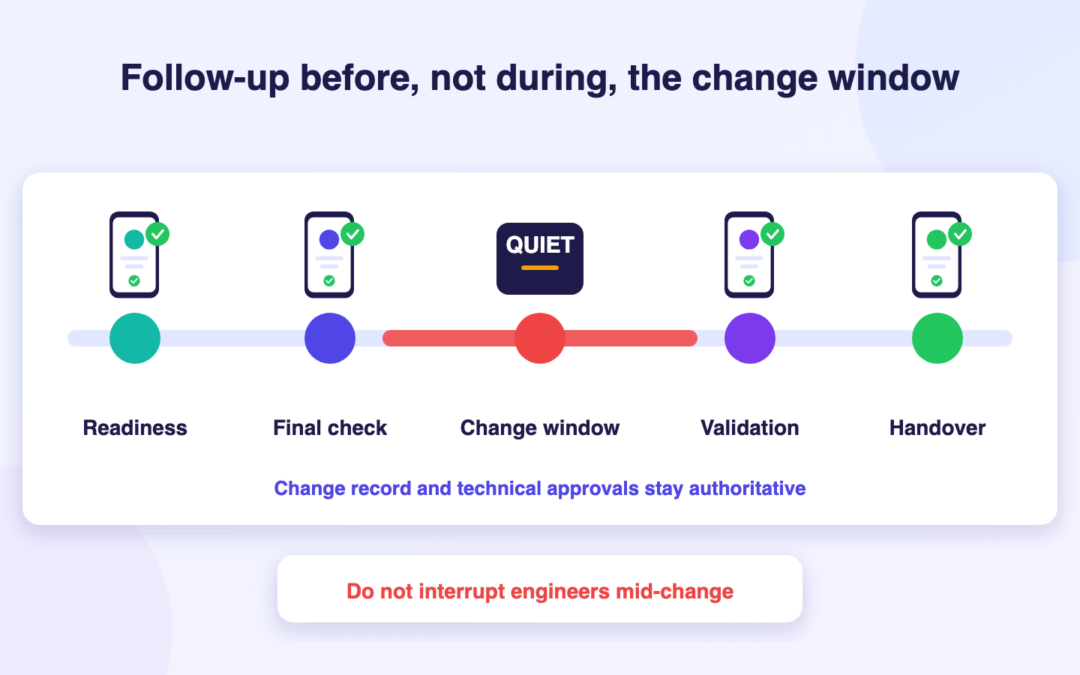
Quick answer: An IT change window follow-up is most useful before a planned deployment, at agreed coordination checkpoints and after technical validation. Calls should confirm people, prerequisites, blockers and handover ownership. They should not interrupt engineers performing a critical change or replace technical go/no-go, rollback and security decisions.
For managed service providers (MSPs) and internal IT project managers, timing matters as much as the questions. A call made too early collects stale intentions; a call placed during a database migration can distract the person carrying out a carefully sequenced task. The right plan uses planned status intervals and a human-controlled change-management process.
Understand the difference between a change window and a calling window
A change window is the approved period in which particular work may be performed on a system or service. It may include implementation, verification and contingency time. A calling window is a pre-agreed time when selected task owners can safely answer coordination questions. These should not be assumed to be identical.
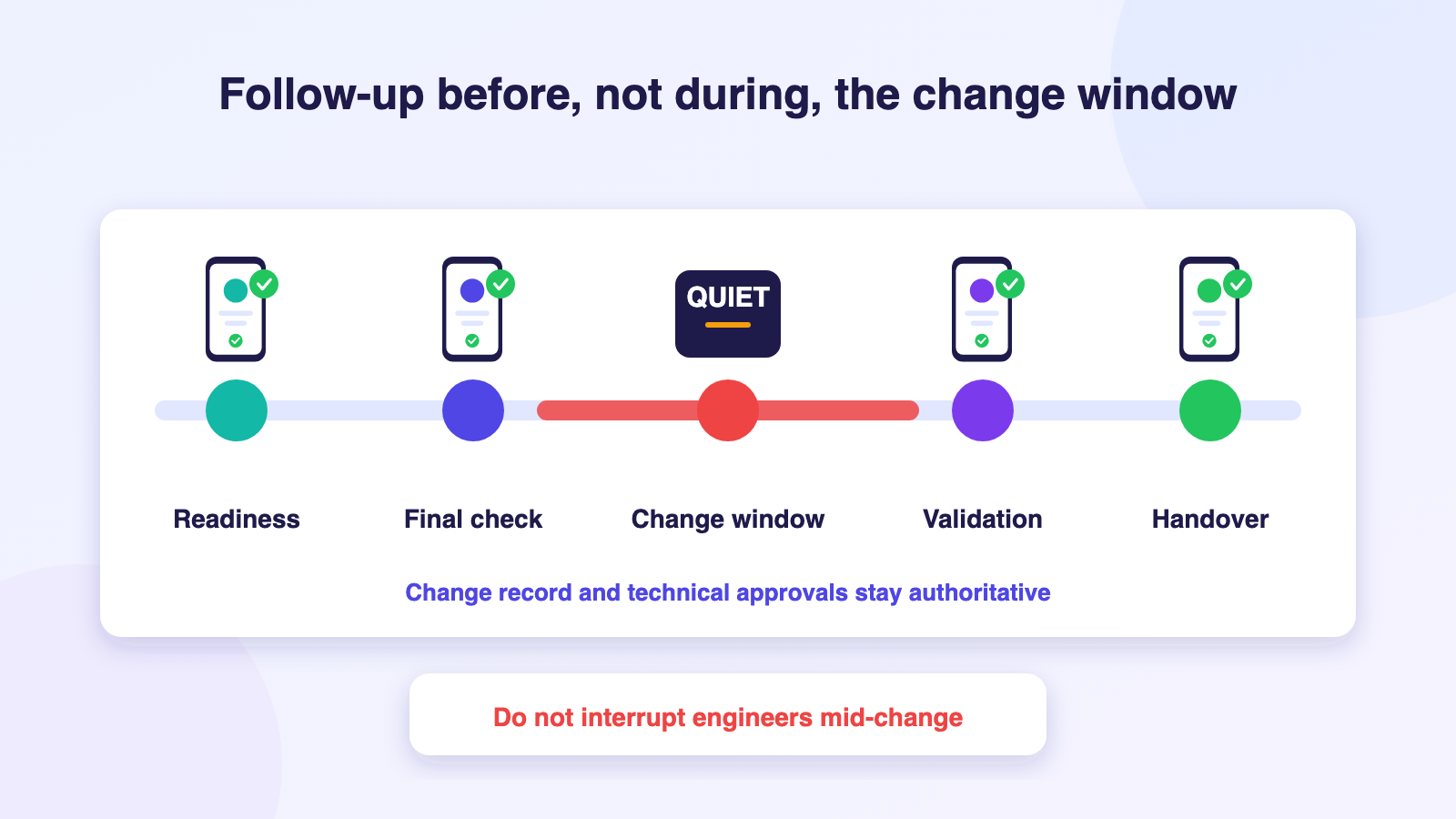
For example, a SaaS configuration release scheduled between 10pm and midnight might require readiness confirmations during business hours, a bridge call with the change manager shortly before execution, a short post-change update from a nominated coordinator and a follow-up the next working morning. It does not require an AI caller to ring every engineer repeatedly between 10pm and midnight.
The monday.com IT project-management overview describes the need for clear scope, stakeholder alignment and phased delivery. Apply that principle here: keep technical execution in the change-control system and use project follow-ups only for status information that supports a named decision-maker.
Build a four-stage contact timetable
| Stage | Example timing | Useful question | Who owns the decision? |
|---|---|---|---|
| Readiness | Two or three working days before | Are approvals, backups and people scheduled? | Change manager and technical owners |
| Final checkpoint | Shortly before the approved start | Has a required dependency changed? | Authorised change approver |
| Execution coordination | Only at agreed safe checkpoints | Is the coordinator reporting on schedule or blocked? | Technical bridge lead |
| Validation and handover | Following execution and at next business checkpoint | Are checks documented and support aware? | Service owner and technical reviewer |
These are examples, not universal service-level rules. Highly regulated infrastructure, financial systems and safety-critical platforms may have stricter procedures. Some organisations use change advisory boards, formal runbooks, maintenance notifications and on-call rotations; others use a simpler documented process. Configure the communication plan to fit the approved change classification.
Before the window: contact the people who own prerequisites
Most useful follow-up calls happen well before the maintenance period. A project manager can confirm that the designated people acknowledged the schedule, customer notices were issued, a test plan exists, access requests are completed through approved channels and rollback responsibilities are assigned.
Ask questions that return administrative facts: “Has the rollback plan been reviewed by the responsible engineer?”, “Is the application owner available for the planned checkpoint?”, “Does the change record show an outstanding approval?”, or “Is the user communication ready for release?” Do not ask for privileged credentials, security configurations or the contents of a restricted runbook on an automated line.
A useful monday.com work item might contain Change ID, Service, Owner, Planned window, Prerequisite, Reported status, Evidence reference, Last contact, Blocker and Human reviewer. That is a proposed structure for communication, not a substitute for the authoritative change ticket or the production change record.
During the window: avoid interrupting technical work
The most common scheduling mistake is assuming that because the engineer is active, the engineer can take another call. During a failover, patch deployment, firewall update or database conversion, a status call may add risk rather than reduce it. Arrange one coordinator or incident bridge liaison who is permitted to share broad progress at agreed breakpoints.
Use a narrow script for that coordinator: “Is the deployment at the planned checkpoint?”, “Is there a blocker that requires the change manager?”, and “When is the next agreed update?” If the change has entered rollback or an incident state, ordinary routine calling must stop and the relevant real-time process should take over.
Do not program a routine call to recommend pushing ahead because a task owner reports “almost done.” Technical readiness, go/no-go, safety and rollback decisions are based on the approved evidence and accountable experts, not a conversational summary.
After the window: separate reported completion from service acceptance
The conclusion of the maintenance period often creates a second administrative workload. Support needs a handover note, users may need a service restoration update, monitoring dashboards need review and outstanding defects require owners. Follow-up calls can help chase those actions without treating the end of the scheduled window as proof of success.
A well-scoped post-change question asks whether formal validation was completed and where the approved evidence is stored. Another can confirm that the service desk has the updated support instructions. If the answer is “monitoring is still under review”, mark that statement as an unresolved dependency. Do not infer that service health is normal.
The related IT post-deployment handover checklist explores ownership and verification at the transition to support. In this guide the emphasis is on choosing when to collect those updates, rather than duplicating the technical checklist.
Add routing rules for failed or ambiguous calls
A missed call from a nominated coordinator is “not reached,” not “change failed.” Use the agreed retry schedule or contact an approved alternate. If the person reports a production outage, security compromise, user-impacting incident or safety issue, stop the routine workflow and refer the matter to the on-call or incident channel immediately.
The current Autoza AI for monday.com product page describes scheduled calls, updates to board items, delayed retries, email notifications and summaries. Those may help with ordinary project follow-up. They do not justify assuming the product monitors live service health, authorises maintenance windows, operates an incident command bridge or changes production settings automatically.
Review the intended configuration with IT security and change owners, including call times, availability expectations, identity, disclosures, permitted notes and data retention. For a critical system, test a hypothetical failed contact and a conflicting status in staging before any live rollout.
Example: planned firewall policy deployment
Consider an illustrative MSP carrying out a Friday evening policy deployment. The customer account manager must send notice; the network engineer must confirm the approved plan; the service desk must prepare a contact route; and the change manager must hold the final authority. The project manager schedules a Wednesday readiness call to the notice owner and a Friday afternoon administrative checkpoint for the change coordinator.
The Wednesday call finds that the customer notice has not been sent because the distribution list needs approval. That unresolved dependency is recorded and escalated to the account owner. Friday’s final checkpoint is permitted only after the official change record confirms the prerequisite; a status note alone does not authorise the deployment.
During the window the engineer works uninterrupted. After the change, the approved coordinator confirms that validation evidence has been submitted for review. On Monday the project manager checks whether support documentation and customer communications are complete. At no point does the AI phone call decide that the firewall rules are safe.
Make the cadence proportional to risk and attention cost
Frequent calls can give the illusion of control while making an outage-prone environment more distracting. Define which roles should never receive unsolicited calls during a technical operation. Consider time zones, overnight duties, customer support arrangements and recipient consent. Use a coordinator, protected quiet period or project-board update where more appropriate.
A useful pilot metric is not the number of calls made. Measure how many change windows began with known unresolved administrative blockers, how often coordinators were contacted unnecessarily, and how long it took to route exceptions to the right manager. Compare with the current process over several representative changes.
Next step: trial a narrow change follow-up workflow
Start with one lower-risk, formally approved change process, map the administrative prerequisites and choose one or two safe calling checkpoints. Keep the change record and technical approvals authoritative. Explore Autoza AI scheduled check-ins or request a guided workflow conversation to see whether the coordination layer is appropriate.
Frequently asked questions
When should IT project managers schedule maintenance-window follow-up calls?
Usually before a change to confirm dependencies, at specifically agreed safe coordination checkpoints, and afterwards to track validation and support handover. The exact times depend on the approved change process and responsible teams.
Should an AI caller ring the engineer during a production deployment?
Not by default. Interruptions can be inappropriate during time-sensitive work. Contact a designated coordinator at pre-agreed points or use the existing change bridge, and never use routine calls for urgent incident command.
Can a successful status call count as technical change approval?
No. It may record that an approval exists or that someone has a question. Authorised change decisions must follow the organisation’s formal review, testing, evidence and approval process.
What happens if a required task owner misses the call?
Mark the person as not reached, apply the permitted retry or alternate-contact rule, and escalate if a deadline is at risk. A missed call is not evidence of a failed deployment or an unsafe service condition.
Can monday.com replace the service desk change record?
A monday.com project board can coordinate owners and dependencies, but the required change or ticketing system remains authoritative where policy says so. Keep links to evidence and IDs rather than duplicating sensitive system details into call notes.
Related reading
- Post-Deployment Follow-Up: Questions to Ask Before an IT Project Handover
- Cloud Migration Readiness Calls: How to Chase Dependencies Before Cutover
- How MSPs Can Collect Installation Progress Updates From Field Technicians
- IT Service Tickets vs Project Tasks: Which Updates Belong on a Call?
- Autoza AI for monday.com: scheduled status calls
- Workflow automation services
- Daily Check-in Agent