
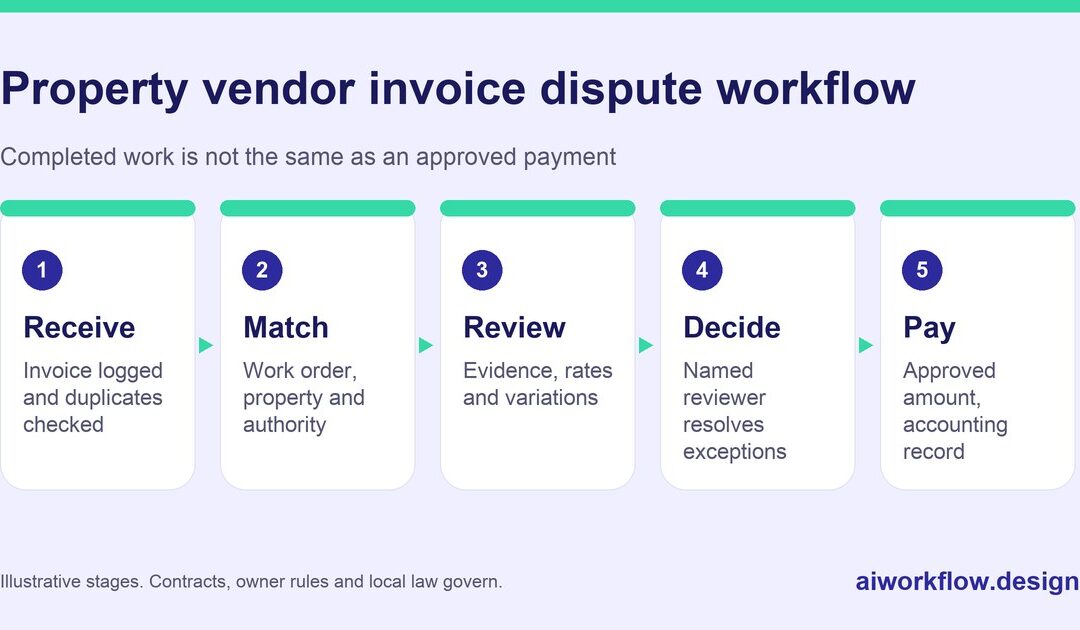
Quick answer: A property vendor invoice dispute workflow compares the supplier bill with the approved work order or contract, documented service, accepted variations, property or owner coding and applicable payment terms. It routes mismatches to a named reviewer and keeps payment authorisation separate from field-service completion. An AI check-in may ask for a missing job report; it must not approve an extra charge, alter a vendor’s banking details or adjudicate a contractual dispute.
A plumbing contractor invoices a multifamily property for an emergency callout, two technicians, materials and a second visit. The manager’s work order shows only the original diagnosis. The technician’s note mentions a part replacement, but there is no approved variation, and the accounting team is about to process the full bill. The issue is not necessarily that the vendor overcharged. It is that service evidence, authority, coding and commercial review have not been brought into one record.
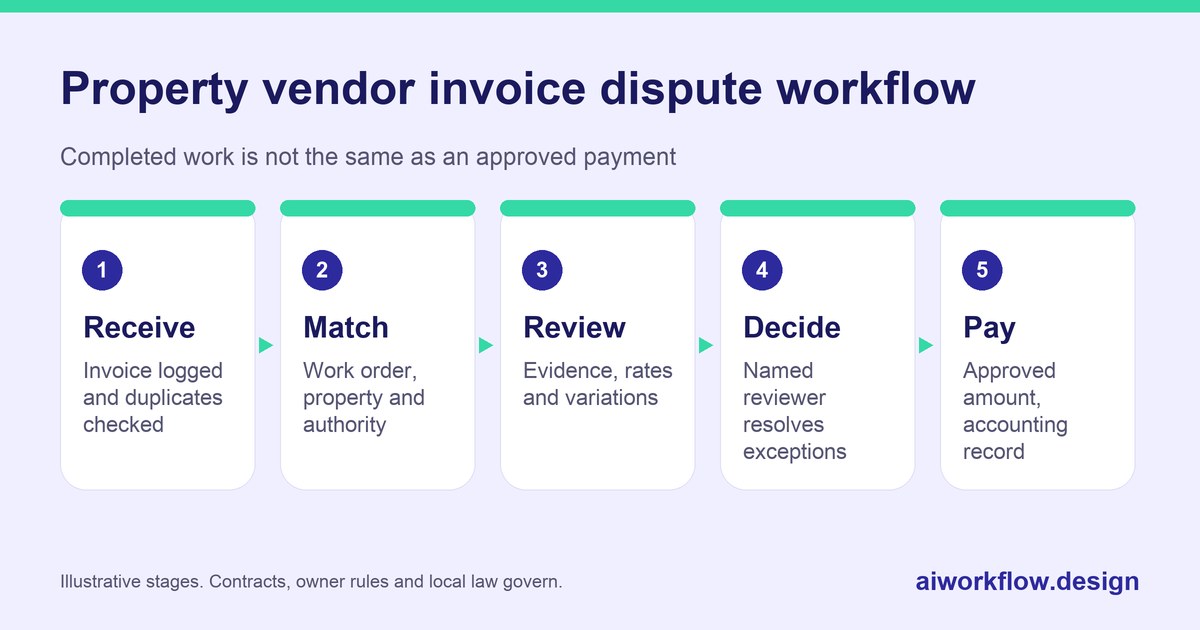
Keep service completion, invoice matching and payment approval separate
A contractor can complete useful work while the invoice remains disputed. Conversely, a correct invoice can arrive before all required service documentation is filed. Design a workflow with independent states for work recorded, scope verified, invoice received, commercial review, approved for payment and paid. Do not use one “done” column for every stage.
Connect work orders and bills rather than re-entering the same maintenance details in separate systems. Follow the actual management agreement, approval limits, trust-account rules and applicable law; no universal cost threshold fits every owner or property.
Match a bill to the right property and authority
Start with vendor identity, invoice number, invoice date, property, building or unit, work order ID, purchase order or contract reference, service dates and an unambiguous description of the completed work. Check the legal entity to be billed, tax treatment where applicable, payment terms and currency. Verify that the vendor is active and authorised under the property’s procurement and insurance requirements.
Next compare the original scope and approved price basis to the invoiced items. For fixed-fee work, check the agreed deliverable and conditions for additional charges. For time-and-materials work, review time records, approved labour rates, materials or subcontractor charges, agreed markups and supporting receipts where required. Do not use raw timesheets or a photo alone as automatic proof that each line is payable.
Give every discrepancy a specific reason
A generic “invoice problem” status provides little guidance. Useful exception categories include missing work order, wrong property, duplicate invoice, incorrect rate, quantity mismatch, unapproved variation, insufficient completion evidence, disputed workmanship, unsupported emergency surcharge, tax or coding question, and possible payment-detail fraud. Each category has a different owner and required evidence.
For example, a manager may confirm that a repair happened but dispute an additional callout charge. The accounting team can hold that portion for review while the contract owner checks the terms. Whether undisputed portions can be paid separately depends on accounting controls, contract terms and the relevant jurisdiction. Do not invent an automatic partial-payment policy in a board formula.
Treat variations as a controlled decision
Emergency work frequently exposes additional problems. A vendor may discover a second failed valve or damage hidden behind a wall. The field report should describe the finding and any immediate safety action, but a diagnosis does not automatically authorise unlimited billable work. Identify the person permitted to approve a change and the evidence required by the agreement.
Preserve the original work order, requested variation, vendor quote, approval or emergency exception basis, change time and revised work record. If the extra work was undertaken without approval, the manager should escalate the commercial question to the authorised owner rather than retrospectively changing the original purchase order without an audit trail. Technical completion and financial entitlement are separate determinations.
Use a review sequence that protects both vendors and owners
Begin with Invoice received, then Identity and duplicate check, Work-order match, Service evidence review, Rate and variation review, and Property and ledger coding. A clean invoice moves to Authorised approval and the accounting system’s scheduled payment process. A disputed one moves to Exception raised, Evidence requested, Commercial decision pending, Revised or approved disposition, then Payment processing when properly authorised.
Assign a response owner to every exception. The vendor should receive a precise request—such as a signed service sheet or the purchase order authorising extra materials—instead of repeated vague messages saying “invoice on hold.” Record the vendor’s answer and whether a revised bill, credit note or formal commercial decision is needed. A long silence should generate escalation, not an automated rejection or approval.
Avoid duplicate payments and account-change fraud
Duplicate invoices can appear with altered punctuation, a new PDF name or a different internal reference. Review the supplier, legal entity, invoice number, amount, service period and work order together. A duplicate flag is a reason for checking, not proof of dishonesty. Retain evidence of the comparison and the final reviewer decision.
Never let an AI check-in or a routine email change a vendor’s payment bank details. Route such requests through the accounting team’s verified out-of-band confirmation controls, access restrictions and dual-approval process where required. The board can show “payment-details review required” without storing sensitive banking credentials in a project item.
Build a monday.com exception board around one invoice ID
Recommended columns include Invoice ID, Vendor, Property/Legal Entity, Work Order ID, Service Date, Invoice Amount with Currency, Contract/Pricing Reference, Approval Limit Owner, Evidence Link, Discrepancy Category, Vendor Response Due, Property Manager Reviewer, Accounting Reviewer, Decision Status, Approved Amount, Payment-System Reference and Final Resolution Date.
Use subitems only for distinct disputed lines or documents, and link back to the authoritative property-management or accounting platform. A monday.com board can coordinate reviews but should not become an uncontrolled duplicate general ledger. Restrict cost, owner and banking information based on role. Attach the minimum evidence necessary for operational follow-up.
Use AI status checks for paperwork, not accounting authority
A scheduled status call can ask an approved vendor contact whether the revised invoice has been sent, whether a missing service report is available or who can clarify a disputed part number. An internal call can remind the property manager that a documented approval is pending. It should not negotiate a price, declare the disputed work accepted, change tax coding, direct payment or announce a decision that has not been made.
AI Workflow Design’s product overview describes check-in agents that can record task updates, while its workflow automation service may help coordinate a constrained, cross-system handoff. Any proposed integration must respect the accounting platform’s permissions, review gates and segregation of duties. Start by automating evidence collection, not funds movement.
Reconcile the outcome across systems
When a dispute is resolved, note the precise outcome: invoice approved as submitted, revised invoice requested, credit note received, partially disputed under review, rejected with reason, or referred to a formal contract process. Ensure the general ledger, property code and supplier account reflect the authorised result. Keep the original invoice and any corrected version with a linked change history.
A property manager might have a repair “closed” because the tenant says the leak stopped, while finance still awaits the contractor’s certificate and revised bill. That is legitimate as long as technical closure and commercial closure remain visible. For related property maintenance processes, see the multifamily pest-control scheduling checklist, which also distinguishes service evidence from a completed invoice.
Measure process quality without punishing legitimate questions
Track unmatched invoices, duplicate flags resolved, average time to obtain missing service evidence, exceptions due to unapproved variations, and the proportion of payments with a traceable approval. Review whether particular properties generate repeated coding mistakes or whether approval authority is unclear. Do not equate fast payment with accurate payment, and do not automatically classify vendors as poor performers merely because an invoice was questioned.
The best outcome is a vendor who understands what evidence is needed, a property manager who can explain the decision, and an accounting team that has an auditable instruction. The dashboard should make that chain visible without deciding the dispute on its own.
Next step
Want these follow-ups handled consistently? Explore Autoza AI for monday.com or talk to AI Workflow Design about scheduled, permissioned status follow-ups that leave approvals and decisions with the right people. For a companion workflow, read Multifamily Elevator Outages: Coordinate Repairs and Resident Updates. More guides: browse our property management workflow guides or the property management automation page.
Frequently asked questions
What should be checked before approving a property maintenance invoice?
Match the vendor and invoice to the correct property, authorised work order, completed service evidence, agreed rates, approved variations, cost allocation, approval authority and payment terms. Keep the accounting system as the final payment record.
Can a work order marked complete automatically approve an invoice?
No. Work completion describes operational status. The invoice still needs commercial verification, coding and approval under the property owner’s and manager’s controls.
How should an unapproved extra charge be handled?
Record the specific disputed line, ask for the supporting instruction or variation evidence, preserve the original work order and route the issue to the authorised contract or property owner. Do not silently change scope or reject all work without review.
Can AI approve vendor invoices or bank-account changes?
No. AI may chase missing documents or log administrative responses. Financial approval, contract interpretation and payment-detail changes require governed human and accounting-system controls.
What evidence should be saved after an invoice dispute is resolved?
Retain the original invoice, work order, supporting service report, relevant contract or approval, vendor correspondence, revised bill or credit note, decision record and accounting payment reference, subject to applicable retention rules.