
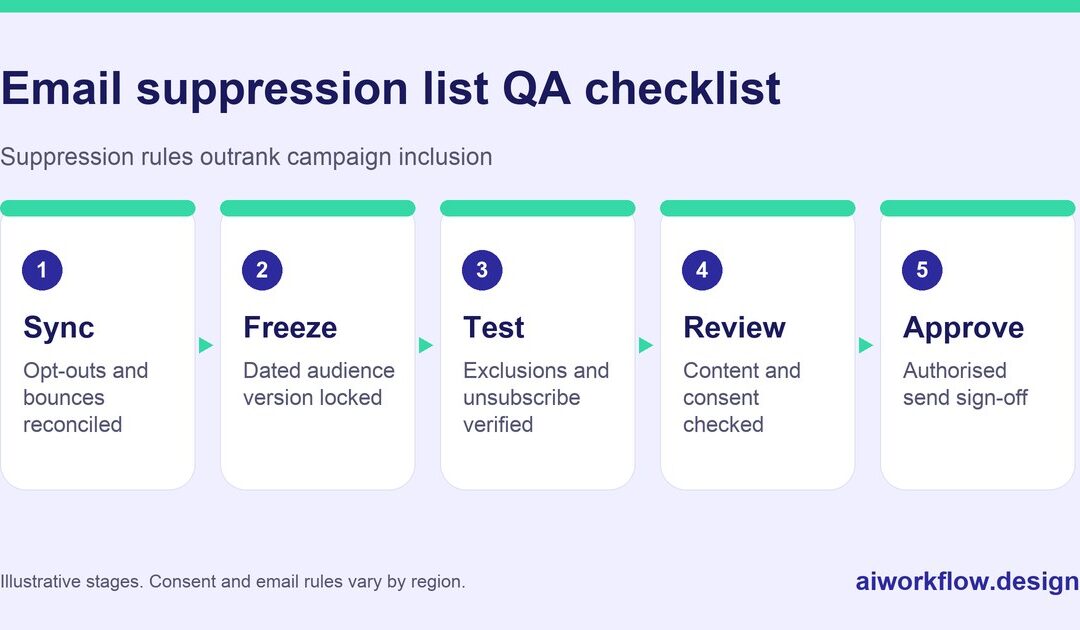
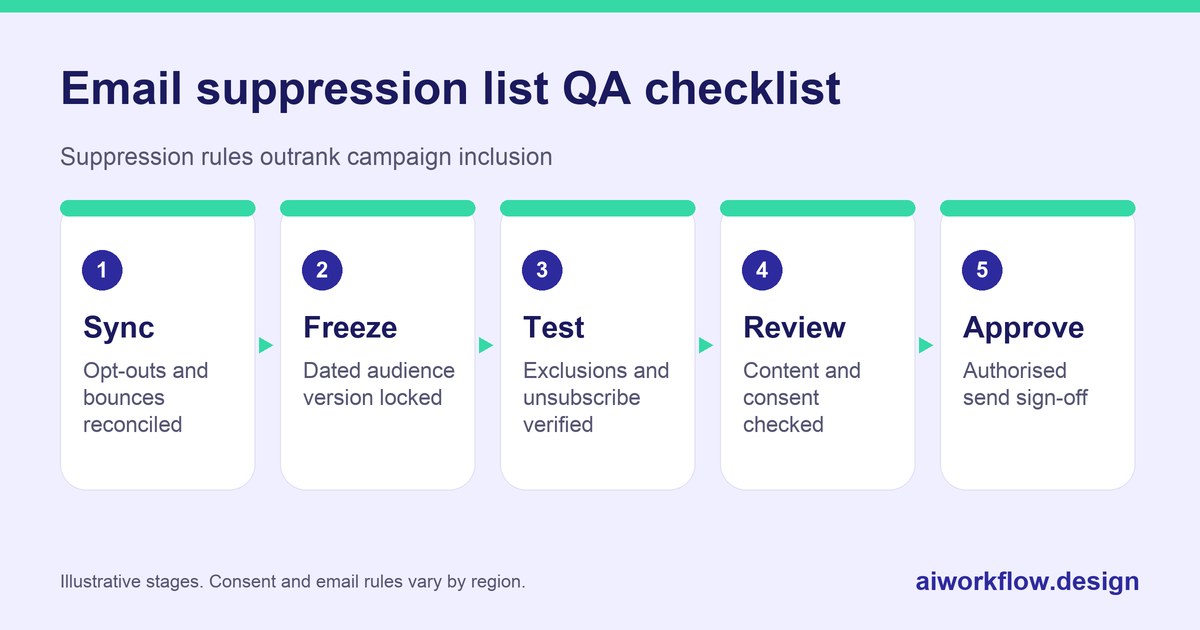
Quick answer: Email suppression list quality assurance should reconcile opt-outs, complaints, hard bounces and applicable preference restrictions across the sending platform and connected CRM before a campaign launches. Freeze a dated audience version, test the exclusion logic, confirm required content and get an authorised send approval. An AI agent may chase checklist owners, but it must never infer consent or override a subscriber’s objection.
The creative team finishes a promotional email minutes before launch. Meanwhile, support has added opt-out requests in the CRM, an older uploaded list still exists in the marketing platform, and a saved segment includes a group that subscribed only to product-service messages. A designer’s preview looks perfect, yet the audience is not ready. Email QA must verify people and permissions as carefully as images and links.
Treat suppression as a system of record, not a spreadsheet attachment
Suppression is the prevention of sending certain messages to contacts who must not receive them. It can arise from unsubscribe requests, complaints, hard bounces, organisational exclusions, channel preferences or legal restrictions. Those reasons are not interchangeable: a temporary operational hold may later be removed under controlled policy, while a marketing opt-out must not be casually overwritten by a list import.
Commercial email rules typically require a functioning opt-out mechanism and timely processing, and consent and other requirements can differ by region, audience and channel. This article is an operational checklist, not a substitute for region-specific legal review.
Identify every system that can change contact eligibility
Map the sign-up form, CRM, email platform, customer support desk, e-commerce system, event registrations and any sales outreach tool. Which system records the original permission? Where can someone unsubscribe? How are complaints and bounces processed? Can a manual import override a suppression status? Who owns reconciliation when sync jobs fail?
Build a data-flow diagram before creating campaign rules. A CRM field called “active” may mean the customer account is current, not that commercial emails are permitted. Likewise, an SMS opt-in does not necessarily cover email, and a webinar registration is not a universal marketing licence. Capture jurisdiction, communication category, collection context and the organisation’s approved legal basis where applicable, in a suitably protected source system.
Use a clear precedence rule for exclusions
The safest operational default is that applicable suppression and legal restrictions prevail over campaign inclusion. A marketer should not resolve a conflict by treating a new “subscribed” import as more recent proof of permission without checking its validity. Maintain a suppression or do-not-contact list so that opted-out people are not accidentally reintroduced through future datasets.
Set separate rules for global marketing opt-out, category-level preference, channel-level preference, complaint or bounce handling and internal exclusions. The exact eligibility decision needs the company’s approved policy and local legal requirements. When suppression criteria conflict, flag for privacy or marketing-operations review rather than allowing a generic automation to choose a favourable interpretation.
Freeze and document the campaign audience
Before scheduling, identify the campaign, intended purpose, sender or brand, audience selection rule, geography, sending platform, import files, list version and the time of the latest suppression synchronisation. Record the underlying query or segment definition, not merely its display name. A segment called “November Offers” can change silently if someone edits its filters after review.
The campaign owner should capture a dated audience snapshot or reproducible query, including counts of eligible and excluded contacts where the platform supports this. Counts are a QA signal, not proof of compliance. If exclusions drop unexpectedly after an integration change, stop and investigate the reason. Do not treat a higher send volume as inherently desirable.
Run pre-send tests in the correct order
First confirm the sending purpose and target regions. Second verify that the source permission or applicable exception is appropriate for this message type. Third check freshness and integrity of opt-out, complaint and bounce feeds. Fourth compare the saved segment to the approved audience definition. Fifth use designated test contacts to confirm suppression and preference logic without contacting real opted-out people. Sixth check the email’s sender identity, subject and headers, required postal address where applicable, unsubscribe mechanism, tracking settings, links, mobile design and accessible content.
Finally ask the authorised reviewer to approve the actual audience version and final creative. A successful test send to employees does not prove that live segmentation is correct. A working unsubscribe link in a screenshot does not prove the destination processes requests. Test the flow in the approved staging or low-risk process, record the outcome and keep troubleshooting evidence without exposing unnecessary personal data.
Deal with late changes rather than rushing the send
A new unsubscribe request arrives after the audience was frozen. If the platform can process it before dispatch, ensure the exclusion remains effective. If not, pause or rebuild the audience according to the compliance process. If a large audience import is added on launch day, the reviewer should revalidate both inclusion criteria and suppression sync; the earlier approval no longer necessarily covers the changed audience.
A team member may propose simply deleting suppressed contacts. That can cause the next CRM import to recreate them. Follow the organisation’s approved data-retention and suppression policies instead. Track objections and respect preferences.
Build a monday.com QA workflow without storing raw lists
Create a campaign item with columns for Campaign ID, Message Type, Region, Sending System, Audience Owner, Segment Version, Suppression Sync Time, Exclusion QA Result, Consent/Eligibility Reviewer, Creative Version, Unsubscribe Test, Link Test, Approved Sender, Final Approval, Send Window, Post-Send Audit Owner and Exception Status.
Keep contact-level information in restricted CRM and marketing systems. A public project board needs status, sample-independent control evidence and an owner, not a downloaded list of email addresses. A redacted screenshot of a sync result or an audit-log reference is often enough for operations, subject to internal policy. Store a verified final audience definition for auditability; do not scatter CSV exports across chat channels.
For an adjacent approval workflow, review the campaign budget reallocation process. The same distinction applies: internal readiness is not authorisation to execute a change, and version-control matters whenever the scope changes.
Make AI check-ins narrow and permission-aware
A scheduled check-in could ask the CRM administrator if the suppression sync finished and whether an exception remains open. It could remind the creative reviewer to approve the final version. It should not call subscribers to ask for consent, scrape lists from tools, re-enable suppressed addresses or override a rejection flag.
AI Workflow Design’s product overview describes status-call and monday.com workflows; any custom implementation should use least-privilege access, a written escalation map, and explicit controls that prevent write access to eligibility decisions unless separately authorised and governed. Capturing the phrase “ready to send” from an internal call does not replace the platform’s approval and compliance checks.
Perform a post-send control review
After launch, verify the job ran against the intended audience version, check suppression or unsubscribe errors, record delivery and complaint anomalies, and confirm that new opt-outs enter the correct master system. Escalate potential wrongful sends promptly under the organisation’s incident-handling process. Do not conceal errors or automatically classify them as harmless.
Review recurring causes: stale segments, broken API synchronisation, outdated imports, mismatched preference categories and unclear ownership between sales and marketing. A useful operational metric is the proportion of campaigns with documented audience QA and timely exception resolution—not simply the number of emails sent.
Next step
Want these follow-ups handled consistently? Explore Autoza AI for monday.com or talk to AI Workflow Design about scheduled, permissioned status follow-ups that leave approvals and decisions with the right people. For a companion workflow, read Agency Case Study Approvals: Verify Client Permission and Performance Claims. More guides: browse our marketing agency workflow guides or see all industries we support.
Frequently asked questions
What is an email suppression list?
It is a set of contacts or identifiers excluded from certain communications because of opt-outs, complaints, bounces, preferences or other applicable restrictions. The scope of each exclusion must follow the relevant policy and law.
Should a new CSV import override existing unsubscribes?
No. A new import does not automatically supersede an opt-out. Reconcile consent and suppression status in the authorised source systems and escalate conflicts before sending.
How often should suppression data sync?
Set a cadence that meets the applicable legal deadlines and reduces the risk of sending after an objection. Synchronisation should also be verified immediately before high-volume sends, particularly when multiple platforms manage preferences.
Can AI decide whether a contact is legally eligible for marketing email?
Not as an unreviewed administrative shortcut. Legal basis, consent scope, preference interpretation and exceptions require governed rules and accountable human oversight. AI can flag missing evidence or a failed sync.
What should be stored as proof of pre-send QA?
Keep the approved segment definition and version, suppression sync result, test outcome, final creative version, reviewer, approval timestamp, any unresolved exceptions and the sending platform’s campaign identifier.