
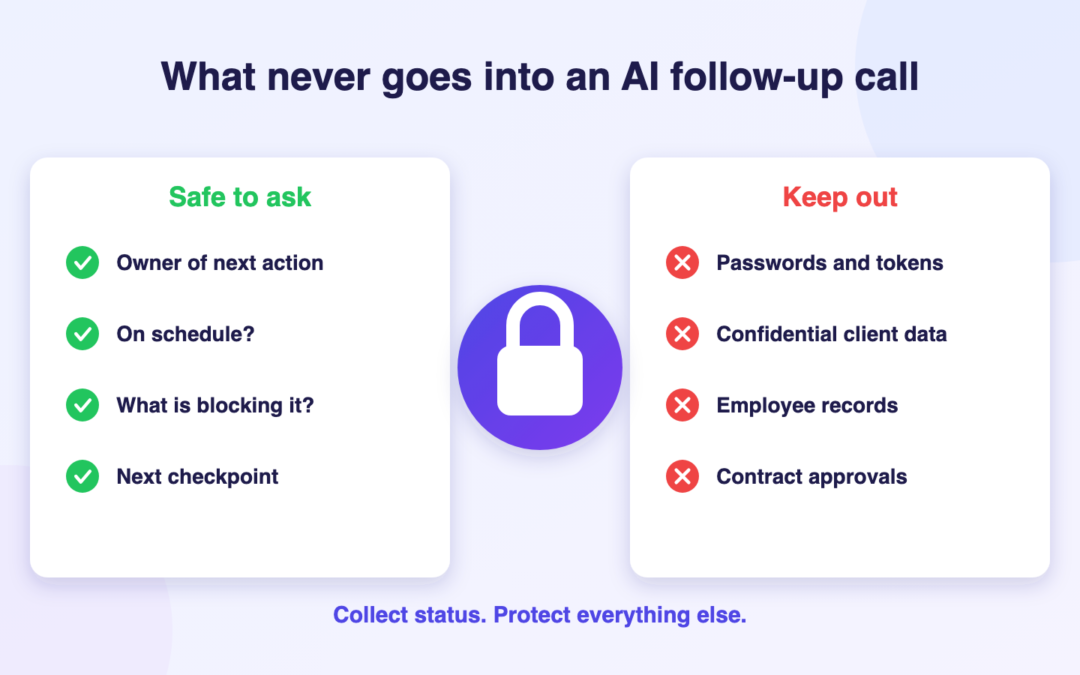
Quick answer: An AI consulting project follow-up call should collect only the information needed to move an authorised task forward: who owns the next action, whether it is on schedule, what is blocking it and when the project manager should check again. It should not be used to collect passwords, confidential client records, legal advice, sensitive employee information, commercial negotiations or unapproved project changes.
That boundary matters because consulting teams routinely work with material that belongs to clients, not to the consultancy’s general status system. A conversation that starts as “Has the analysis been completed?” can quickly become a discussion of financial performance, identifiable employees or a disputed contractual decision. Good governance means designing questions and escalation rules before making calls.
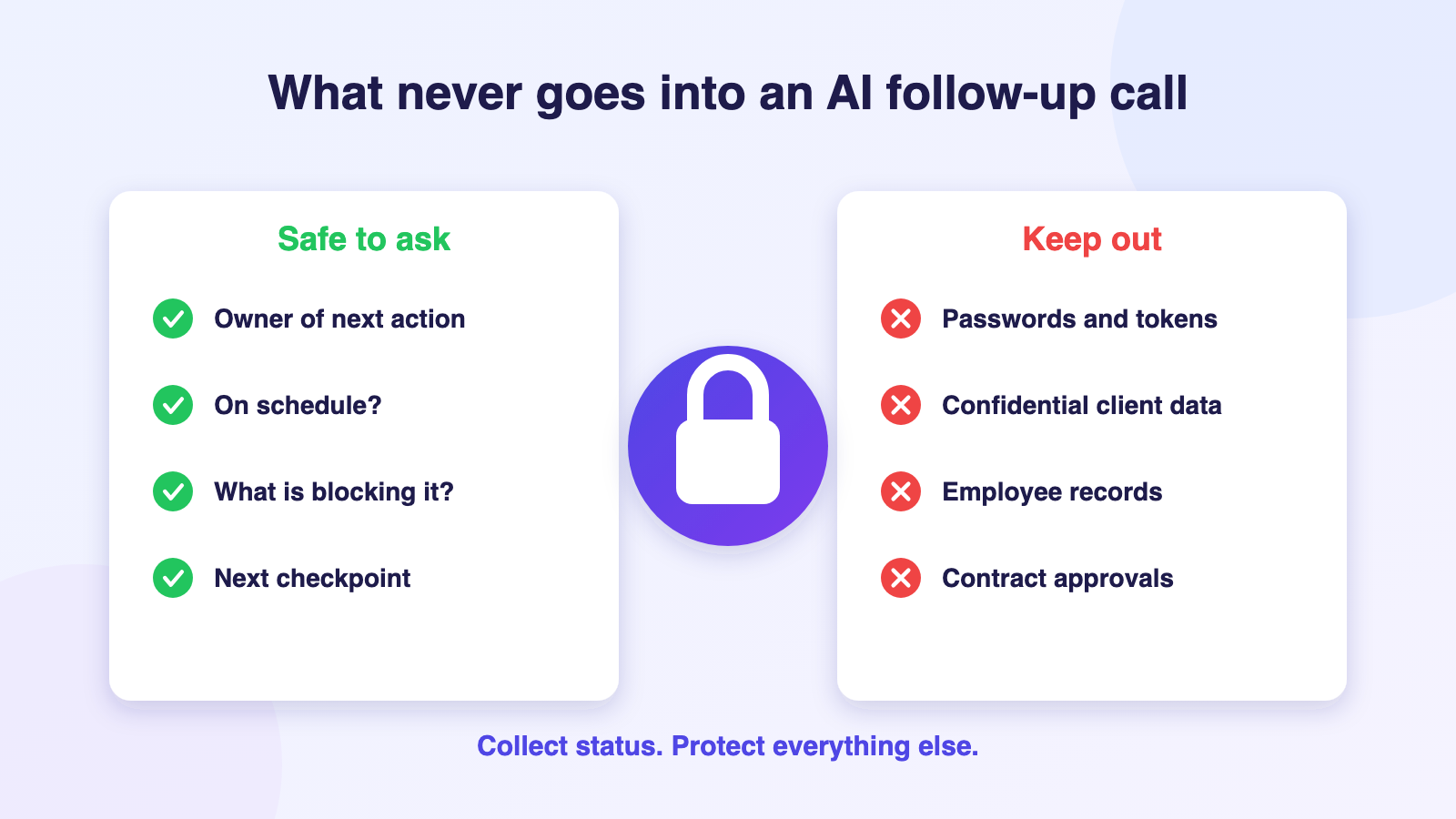
The five categories of information to keep out of routine calls
1. Credentials, secrets and access tokens
Never ask the person receiving an automated call to read out passwords, one-time passcodes, API keys, privileged account details, security questions or recovery codes. If a system-access task is outstanding, ask only whether the authorised access request has been raised or approved through the client’s secure identity workflow.
An acceptable update is: “Access request AC-124 remains with the client identity team.” An unacceptable question is: “Please provide your VPN password so we can verify access.” Authentication and access validation require properly controlled mechanisms, not a conversational transcript.
2. Identifiable personal, employee or client information
Avoid obtaining private addresses, compensation, health details, disciplinary information, employee evaluations or individually identifiable customer records unless a separately approved and legally reviewed use case expressly permits it. Most operational follow-up tasks need only a non-sensitive reference and a yes/no or status response.
For example, ask whether the HR data governance review is complete, not which named employee appeared in the draft findings. The NIST Privacy Framework provides a useful approach to evaluating privacy risk alongside business objectives. Its principles are relevant to deciding which information belongs in a general-purpose voice workflow at all.
3. Confidential commercial and intellectual-property details
Consultants may handle draft acquisition valuations, pricing models, unpublished financial forecasts, proprietary client processes, supplier terms and legally privileged material. A routine progress call should ask whether the authorised document was submitted to its approved repository, not invite a summary of sensitive conclusions over an automated line.
A status field that says “Forecast uploaded; finance lead reviewing” may be appropriate after policy review. A verbatim transcript of a confidential board presentation usually is not. Retention and access for audio and transcripts should be approved, not assumed.
4. Contractual decisions, approvals and changes in scope
Do not ask an AI caller to agree new fees, waive an obligation, accept a statement of work, negotiate a delay or promise delivery on behalf of the consultancy. These decisions depend on authority, evidence and contract terms. The monday.com scope-of-services guidance explains why inclusions, exclusions and change procedures need to be explicit.
A call can safely record, “The sponsor requests a scope-change meeting.” The actual request should enter the formal review workflow. Treat a comment such as “that should be fine” as a reported sentiment, never a signed change order.
5. Investigations, disputes and protected conversations
Escalate immediately when someone raises suspected fraud, workplace misconduct, a security event, a legal dispute, a safety issue or an urgent complaint. A short status-check agent is not an investigator, grievance officer or emergency-response channel. It must not probe for evidence or persuade the person to continue discussing a sensitive matter.
Build an approved handoff message: “I cannot handle that issue in this check-in. I will flag it for the authorised contact; please use your existing urgent reporting channel if immediate action is required.” The specific mechanism must be designed with legal, security and client stakeholders.
Choose the communication channel before the question
| Information or decision | Better channel | AI follow-up role |
|---|---|---|
| Workshop date or contact confirmation | Approved scheduled call or project board | Confirm logistical status |
| Draft deliverable location | Secure document system | Ask whether upload occurred |
| Budget or contract amendment | Engagement partner and formal change control | Record that a discussion is required |
| Employee or customer sensitive record | Approved restricted system | Do not request the record |
| Active cyber incident | Security incident procedure | Redirect; do not delay escalation |
| Client dissatisfaction or conflict | Relationship owner | Flag human follow-up |
This decision matrix helps the project manager see that automation is a channel for limited administrative status, not a new destination for all project information. Where the appropriate channel is unclear, pause and obtain authorisation rather than defaulting to recording a call.
Design a privacy-first question script
Start with identity and context, without revealing unnecessary information. Say which organisation is calling, identify the automated nature of the interaction where required, and describe the non-sensitive project task. Check whether the person is available and permitted to discuss it. Offer a clear alternative if they prefer not to proceed.
Keep questions narrow: “Is the approval meeting scheduled?”, “Has the named owner uploaded the document to the agreed location?”, “Is the workstream blocked?”, and “What is the next expected checkpoint?” Avoid open-ended prompts such as “Tell me everything you know about the client.” If the reply includes unsolicited confidential information, stop the sensitive discussion and follow approved handling rules.
Use the minimum detail necessary for the board. An operator may record a permitted outcome such as Awaiting review or Owner unavailable, not a long verbatim account of a privileged conversation. Your firm’s call-retention policy should define whether recordings or transcripts are required at all and who can access them.
Safeguards to implement before using an AI caller
Agree the purpose, permitted recipient types, calling jurisdiction and legal basis with the relevant decision-makers. Confirm AI identification, any recording disclosures, allowable contact hours, frequency, opt-outs, vendor contracts and data retention. Check role-based access and whether the project board itself is suitable for the information being recorded.
The publicly described Autoza AI for monday.com includes scheduled status calls, configurable questions, updates to board items, retries and call summaries. Those published capabilities do not by themselves establish that any particular consulting use case meets a client’s security, confidentiality or regulatory requirements. Validate the exact configuration, service providers and data flows before using it with live client information.
Set a rule that no-answer means not reached. It does not mean consent, noncompliance or refusal. If the recipient says “I cannot discuss this,” the caller should stop, record only an allowed high-level outcome and redirect through the approved route.
Example: a finance transformation status request
Imagine a fictional consultancy assisting a client with a finance-system redesign. A workstream owner has been assigned to deliver an updated reconciliations checklist. The project manager wants to know whether the checklist was uploaded before Thursday’s workshop.
A suitable call asks, “Has the reconciliations checklist been placed in the secure project repository?” If the owner says “not yet; the controller is reviewing it,” a safe response is “Pending controller review; next checkpoint Wednesday.” The call should not seek transaction-level details, bank-account information or a copy of the spreadsheet read aloud.
If the owner begins describing suspected irregular transactions, the scripted process should stop collecting details and refer the matter to the approved client reporting channel. That response preserves the workstream follow-up without converting a project-status tool into an uncontrolled investigation record.
Decide which fields may be updated and which must be protected
Maintain a list of permitted administrative statuses, for example Scheduled, Waiting for owner, Blocked, Response received and Human review required. Keep sensitive notes, contractual acceptance, audit findings and access-control decisions out of the automatically writable fields. Confirm what the configured product actually does with partial answers, contradictory replies and transcript storage.
Require a human reviewer to inspect exceptions. If the caller receives an answer that includes confidential details, the correct response may be to restrict access, use the established incident or privacy escalation process, and correct the board entry where necessary. Do not rely on an AI-generated summary to make those decisions autonomously.
A practical pre-launch approval checklist
Review the script with the engagement lead; map data categories; verify client consent and contact arrangements; test identity and wrong-number handling; check no-answer and opt-out flows; restrict the status fields; test escalation of a sensitive disclosure; review the retention policy; and confirm who signs off the pilot. Re-test whenever the engagement moves to a new client, country or data category.
The guiding question is simple: Would this answer be safe, necessary and authorised in an ordinary shared project status report? If not, it usually does not belong in a routine AI status call. For an appropriately scoped test, discuss a project follow-up workflow before configuring the automation.
Frequently asked questions
Can an AI consulting follow-up call ask for a client’s confidential financial figures?
Not as part of a routine status check. Ask whether an approved document or milestone is ready and direct sensitive details to the client’s authorised, secure system. Any exceptional use case requires specific contractual, privacy and security review.
Should AI calls to consulting clients be recorded?
Only where there is a legitimate purpose and the applicable legal, consent and contractual requirements have been assessed. Recording can create additional confidentiality and retention obligations; a narrower status log may be sufficient for some workflows.
Can a call confirm that a client has approved a deliverable?
It can report what a person said, but that is not automatically formal acceptance. Use the authorised sign-off process specified in the agreement and make the responsible reviewer accountable for recording acceptance.
What happens when a recipient mentions a sensitive or urgent issue?
Stop collecting unnecessary details and refer the issue to the established human-led reporting channel. Flag an appropriately limited escalation record and do not use repeated AI calls as a replacement for emergency or specialist response.
How can a consultancy reduce privacy risk in monday.com follow-up calls?
Limit the questions, recipients, fields and retention; identify the AI where required; separate status from protected approvals; and test permissions, opt-outs and escalation before involving real clients. Review the controls for each new engagement and jurisdiction.
Related reading
- How Consulting Firms Can Automate Follow-Up on Client Deliverables
- Project Sign-Off Delays: A Follow-Up Workflow for Consulting Teams
- Client Action Items After Workshops: Who Should Be Called and When?
- Managing Several Consulting Engagements Without Daily Status Chasing
- Autoza AI for monday.com: scheduled status calls
- Workflow automation services
- Daily Check-in Agent