
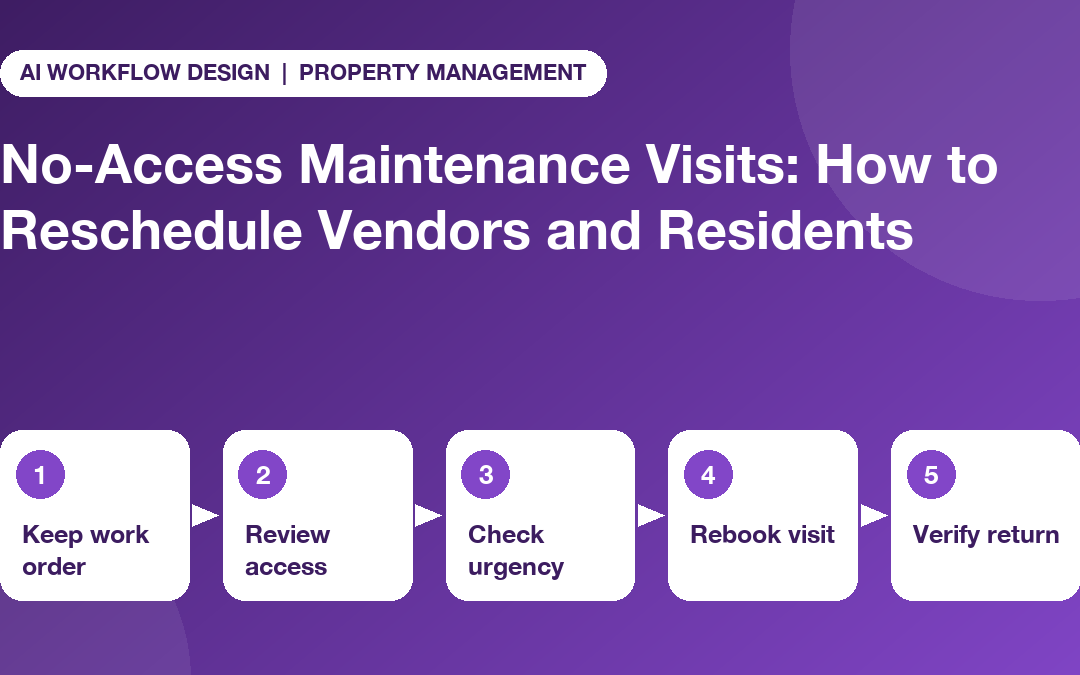
Quick answer: A maintenance no-access follow-up keeps the original work order open, records exactly what the vendor reported, checks the access evidence, reviews urgency, rebooks only after every party confirms, and closes the ticket only after a verified return visit.
A maintenance no access follow-up should preserve the repair, explain what happened and reach an agreed next appointment without blaming a resident or contractor prematurely. The most common error is to treat ‘vendor attended’ as ‘maintenance completed’ or to create a new ticket that loses the original history.
A property manager needs a three-party process: the maintenance coordinator, the vendor and the resident or authorised site contact. Each party may hold different facts. Proper documentation and respectful contact matter as much as choosing the next date.
First establish what ‘no access’ means
No access might mean nobody answered an agreed appointment, a building concierge was unavailable, a required escort did not arrive, the contractor went to the wrong entrance or site conditions made the visit unsafe. These are not interchangeable outcomes.
Have the vendor report the attempted attendance time, location, approved contact method, reason the job could not proceed and whether there is an immediate risk. The coordinator then checks the appointment record and any resident communication. Use neutral statuses such as ‘access issue reported’ until the facts have been reviewed.
Keep local entry and notice requirements separate from the workflow. They vary by jurisdiction and tenancy agreement. A calling agent should never make legal entry decisions or convey door codes through an unapproved channel.
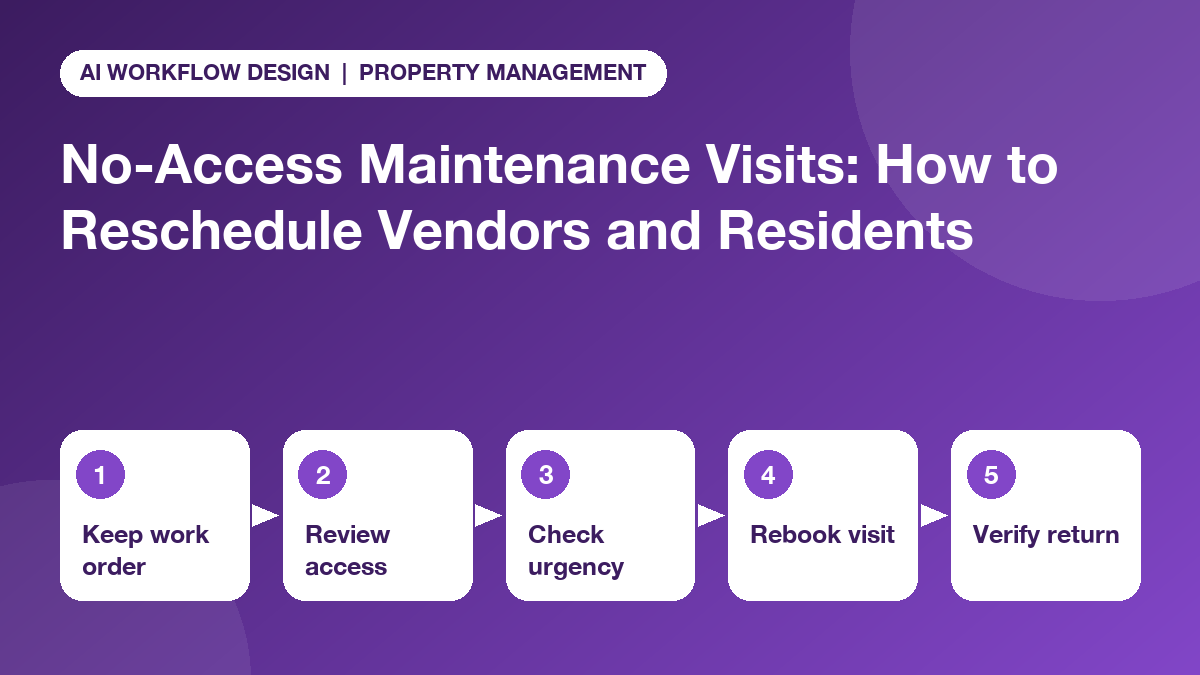
Use a five-step recovery workflow
- Preserve the original work order. Record the appointment attempt under the existing ticket so service history, warranty or cost questions do not become fragmented. The underlying repair remains open until accepted.
- Review the access evidence. Check what the resident was told, the contact route, the vendor’s time-stamped update, any authorised access restrictions and whether a property representative was expected on site.
- Determine urgency. A cosmetic fitting problem may allow routine rebooking; an active leak, unsafe electrical fault or loss of essential service needs immediate human review under the property’s established emergency protocol.
- Offer an authorised rebooking route. The coordinator proposes viable appointment windows, checks vendor capacity and communicates with the resident through the approved channel. Only mark ‘rebooked’ after the necessary parties have confirmed.
- Verify the return visit. After attendance, require a service outcome and supporting record. Record any remaining parts, follow-on visits or access restrictions before a reviewer closes the ticket.
This approach avoids making a new appointment look like an entirely new maintenance issue and keeps responsibility clear. Our repair completion follow-up checklist shows how to keep time-critical repairs on track after a failed visit.
Keep vendor and resident communications separate
A vendor status call can ask: ‘Did you attend at the scheduled time?’ ‘Were you able to start work?’ ‘What prevented access?’ ‘Did you report an urgent defect?’ and ‘What new slot could you offer?’ These are operational facts the vendor can reasonably supply.
Resident contact serves a different purpose. The property team may need to explain the outstanding repair, apologise for disruption, check agreed access arrangements and offer suitable slots. Consent, entry rights, quiet hours and communication preferences must be handled through the appropriate resident process.
Do not automatically send the resident an unreviewed AI transcript describing their behaviour. An ambiguous reply like ‘could not get in’ may reflect a building-office error rather than resident unavailability.
Set up a no-access board without losing audit history
For teams using monday.com, consider a maintenance item with linked appointment attempts rather than overwriting the same status after every call. An illustrative set of fields includes:
- Work order ID, unit or location reference, property and repair owner.
- Original appointment, reported arrival time and attempted access outcome.
- Resident communication completed, access instructions verified and contact owner.
- Urgency review, outstanding risk and approved escalation route.
- Rebooking proposed, rebooking agreed and contractor reconfirmation.
- Service evidence, completion verification and closure approval.
Keep personal information in the system authorised for resident records; expose only the minimum necessary data to any calling workflow. Our article on mapping vendor replies to maintenance status fields gives a related distinction between reported and verified job progress.
Which follow-ups should be automated?
A task-owner call may be useful after a vendor misses the agreed reporting window or needs to reconfirm the proposed return visit. The published Autoza monday.com product supports scheduled calling, summaries, retries and board updates, subject to configuration. Those mechanics do not imply built-in authority to contact residents or access a property.
A sensible rollout only calls consenting or otherwise lawfully contacted business participants on selected tasks. The system records ‘unanswered’ rather than assuming refusal. If an incident involves disputed entry rights, urgent safety, harassment allegations or vulnerability concerns, stop scripted follow-up and assign a human manager.
Our comparison of vendor calls vs portal notifications provides useful background: not every unanswered portal message requires a phone call, but some blocked repair decisions do.
Example: an access failure during appliance repair
Imagine that a refrigerator repair is scheduled, and the technician reports arriving at the agreed property entrance but receiving no answer. The coordinator checks the appointment history and finds that the approved access procedure required a building representative who was called away.
The record should not say ‘resident no-show’. It should show ‘visit attempted; authorised escort unavailable’, the vendor’s availability, a confirmed coordinator action and an agreed new slot. If food safety or essential-service concerns are raised, the property team assesses urgency and any interim response; the caller does not decide it.
At the next visit, the vendor reports the repair performed and submits the work order. Only then does the manager review evidence and mark the work complete.
Prevent repeat no-access appointments
Review recurring causes by property and vendor: inaccurate phone numbers, unsuitable appointment windows, weak internal handoffs, unclear notice records, inaccessible entrances and missing escorts. Fixing one systemic cause may prevent more missed visits than making additional reminder calls. Confirming readiness and access before the visit, as described in our preventive maintenance vendor confirmation workflow, is the most effective prevention.
Consider two measures: the percentage of attempted visits requiring rebooking and the percentage of rebooked visits completed with valid evidence. Do not use no-access rates as a resident reliability score, because many reported reasons need factual review.
Build a clearer follow-up path
A good no-access process protects the repair history, the people involved and the right to decide how entry occurs. Teams managing maintenance in monday.com can explore scheduled vendor check-ins or discuss the workflow while keeping resident arrangements, legal notice and work acceptance under human control. Explore more property management workflows too.
Frequently asked questions
What counts as a no-access maintenance visit?
A no-access visit is an attendance attempt that could not proceed because required lawful or authorised access was unavailable. Record the reason reported by the contractor and verify it; do not assume the resident refused entry or that a valid notice was served.
Who should contact a resident after a failed visit?
The authorised property-management or resident-services contact should use the agreed channel and applicable notice rules. A vendor or AI tool must not unilaterally arrange entry, disclose keys or override privacy and access restrictions.
When should management intervene?
Escalate when an urgent hazard exists, essential services are affected, repeated attempts fail, access rights are disputed or a deadline could be missed. Treat non-response as unknown until verified, and route emergencies through existing procedures.
Can a vendor mark a job complete after a no-access call?
No. No access means the underlying maintenance remains open unless a separate authorised process establishes otherwise. Keep attempted visit, service performed and closure approval as different fields.
What should a rescheduled appointment record include?
Keep the original work-order number, first attempted appointment, documented access outcome, resident communication status, new date agreed by all necessary parties, vendor confirmation and any safety or escalation notes.
Related reading
- Preventive Maintenance Visits: A Vendor Confirmation Workflow for Property Managers
- Seasonal Property Maintenance: Plan Vendor Check-Ins Before Weather Changes
- Mapping Vendor Call Answers to monday.com Maintenance Status Fields
- Vendor Calls vs Portal Notifications: Which Repair Updates Need Human Attention?