
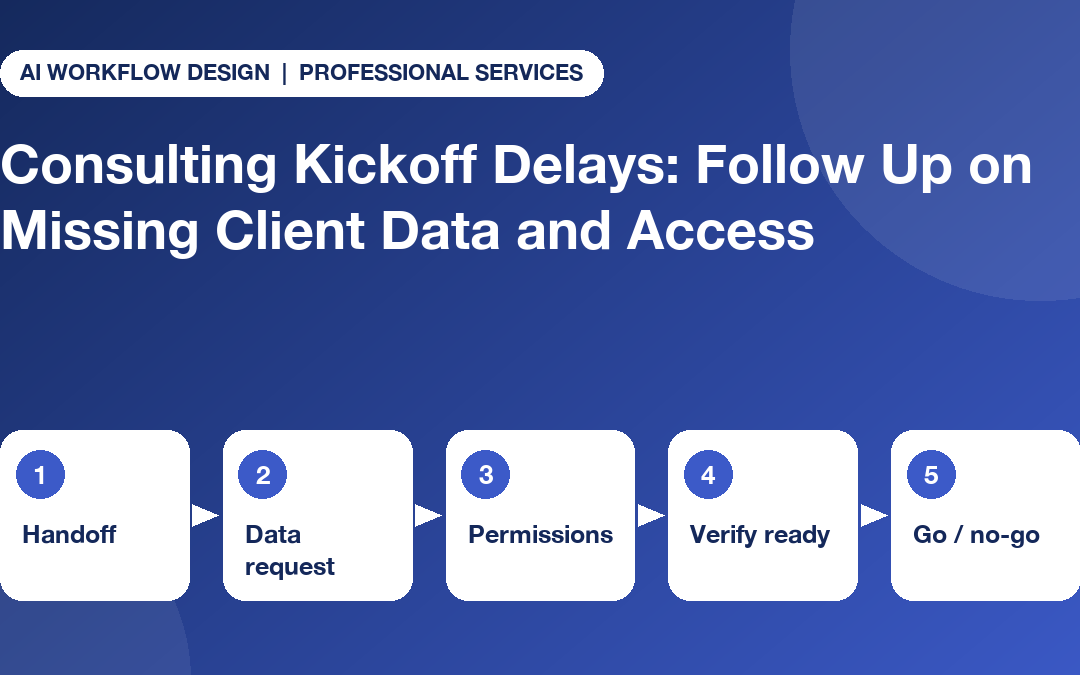
Quick answer: A consulting project kickoff checklist should name an owner, secure sharing route, due date and proof-of-readiness test for every client data request and system permission. Use status calls to ask whether items were delivered, never to collect the confidential contents, and verify access before work depends on it.
A useful consulting project kickoff checklist does not simply count invited attendees. It identifies the precise client data, decisions and system permissions required to start the agreed work. Kickoffs slip when teams confuse ‘requested’ with ‘received’ or ‘invited’ with ‘access verified’.
The best follow-up workflow gives each prerequisite a named owner, an approved sharing route, a due date and a proof-of-readiness test. It also protects client confidentiality: a call can ask about status without asking anyone to disclose the data itself.
Define what the first consulting deliverable needs
Start from the signed engagement scope and the next deliverable. A commercial due-diligence project may need data-room permissions, nominated reviewers and a list of open data questions. A transformation workshop may need organisational charts, confirmed sponsors and process owners. Not every document is critical on day one.
Separate must-have for kickoff, needed before a later workstream, and optional background. Mark a specific owner for each request. Otherwise a generic ‘client to provide data’ item can stay amber for weeks without showing who is empowered to act.
Record the acceptance test: the file is in the authorised repository, the named reviewer can access it, and the version matches the request. For system access, check the actual permitted role, not whether somebody said they clicked a link.
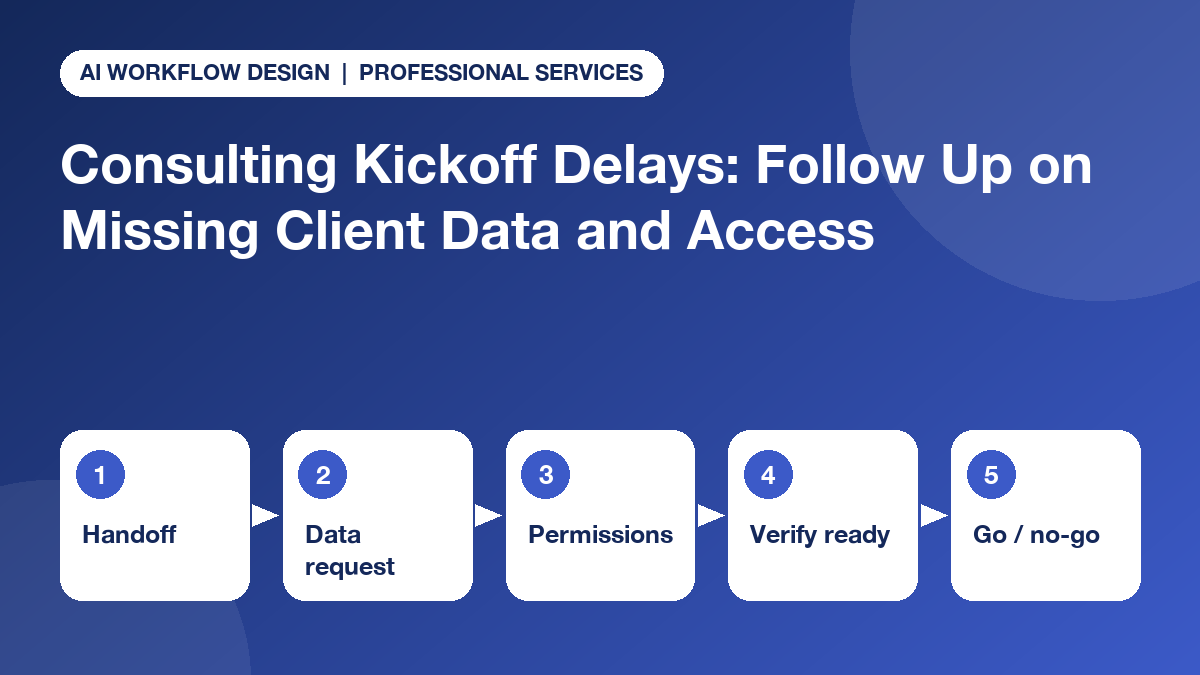
Five checkpoints in a readiness workback plan
- Commercial to delivery handoff: Confirm the contract, workstream boundaries, stakeholder map, reporting cadence and change-control authority.
- Data-request clarification: Specify the dataset or document category, period, format, responsible client owner, secure delivery path and purpose. Avoid requesting excessive data ‘just in case’.
- Permissions and security: The client system administrator grants the minimum appropriate permissions using the platform’s native workflow. Never ask a staff member to share a password or MFA code over the phone.
- Readiness verification: The consultant or permitted reviewer tests that the required resource can be accessed and used, while logging any version or quality problem in the correct repository.
- Go/no-go checkpoint: The engagement manager decides whether to start, re-sequence activities, or escalate the blocker to the authorised sponsor. A caller can collect an update; it cannot make that contractual decision.
A standard RAID approach distinguishes actions still to be completed from issues already affecting a project and decisions needing a recorded authority. That distinction prevents a missing data item being treated as a vague administrative inconvenience. For tracking blockers that span several teams, see our guide to cross-workstream dependency tracking for consulting PMOs.
A practical prerequisite register for monday.com
A proposed kickoff board can include ‘deliverable dependency’, ‘request owner’, ‘client contact’, ‘due date’, ‘status reported’, ‘evidence verified’, ‘critical path’, ‘escalation decision’ and ‘approved repository link’. Do not place raw client data or credentials into status columns where broad teams can see them.
An effective set of statuses is: not requested, requested, client working, submitted for review, verified ready, blocked and no response. Keep accepted data and system access verification separate, because they have different tests and owners.
For multi-engagement teams, our guide on managing several consulting engagements without daily status chasing explains how to prioritise calls by the impact of the missing answer, rather than chase every open item every morning.
Ask for readiness status, not confidential contents
A suitable check-in might ask: ‘Has the approved source file been uploaded through the agreed portal?’ ‘Who is responsible for completing the access request?’ ‘Is there an approval or technical problem delaying it?’ ‘When can the project manager expect a confirmed status?’ These questions are designed to produce an owner and next action.
Do not ask a respondent to dictate payroll information, customer records, unreleased strategy, legal advice, secrets or credentials. If the person starts sharing restricted content, the workflow should stop collection and route the conversation to the approved human channel. A useful boundary is set out in what should never go into a consulting AI follow-up call.
Even an apparently simple answer such as ‘data is uploaded’ needs validation. The source may be the wrong version, a permission error may persist, or an important field may be missing. No AI status update should silently mark the consultant’s review task complete.
Choose when a call adds value
Use a scheduled call where the client contact has agreed to it and the answer will change an immediate plan. If a workshop is tomorrow and the necessary process map has not arrived, a short call to the accountable owner may be proportionate. For a later-phase optional reference file, a dashboard reminder is usually enough.
The published Autoza AI product describes scheduled calls, selected task updates, summaries and retries for monday.com users. Those features may fit a limited status-collection process, but do not imply that Autoza has secure access to client data rooms, can judge their contents or possesses delegated change authority.
Check call consent, permitted hours, recipient preferences and escalation rules before any pilot. No answer means ‘not reached’, not ‘client non-compliant’.
When the kickoff must change
Imagine the client has provided the process-owner list and accepted calendar invitations, but finance system read-only access is still awaiting security approval. The engagement manager can proceed with interviews that do not depend on the finance data while isolating later analysis as blocked. If the contract requires complete readiness before starting, follow that contractual requirement instead.
The PMO should record the impact, options and proposed decision. Material scope, resource and go/no-go questions are appropriate topics for sponsor escalation. The sponsor, not a phone agent, decides on a revised start, additional cost or scope consequence. Our guide to project sign-off delays covers a similar escalation path.
Kickoff checklist for engagement leads
- One approved first deliverable and success criterion.
- Named owner for each requested data item, invitation and decision.
- Approved secure sharing path and least-privilege access process.
- Verified readiness evidence, not just a verbal promise.
- Clear impact and escalation rules for delayed prerequisites.
- Appropriate status-call script with a safe alternative contact method.
A successful kickoff is not the one with the fewest open items. It is the one where everyone knows what remains open, who can unblock it and what work may legitimately proceed.
Make consulting kickoff readiness visible
If your engagement tasks already live in monday.com, consider Autoza’s project follow-up features and request a workflow review. Use calls to ask about status while preserving client-approved repositories and human decision rights. Explore more industry workflows too.
Frequently asked questions
What should be ready before a consulting project kickoff?
Confirm a signed scope, defined objectives, accountable contacts, relevant permissions, agreed collaboration channels, key data-request owners, decision rights, and a known list of outstanding blockers. Some discovery can begin before every asset arrives if the team explicitly re-plans the sequence.
Can confidential client files be read aloud to an AI caller?
Not by default. A status call should ask whether an approved file was submitted through the authorised secure route; it should not request its contents, credentials or private personal information.
Who should resolve a dispute about client system access?
The client system owner or security authority and the engagement’s authorised decision-maker. Project coordinators can track the request and its blocker but should not circumvent least-privilege controls.
How often should the PMO chase missing kickoff prerequisites?
Agree a cadence based on milestone impact. An impending workshop blocked by missing read-only access may justify a focused call; a later-phase item may only require an asynchronous reminder. Avoid calling people simply because a task is open.
How can the team tell whether access is truly ready?
Use an authorised role-based access test or confirmation by the designated system owner, logged in the approved system. An accepted invitation alone does not always prove the consultant can complete the work safely.