
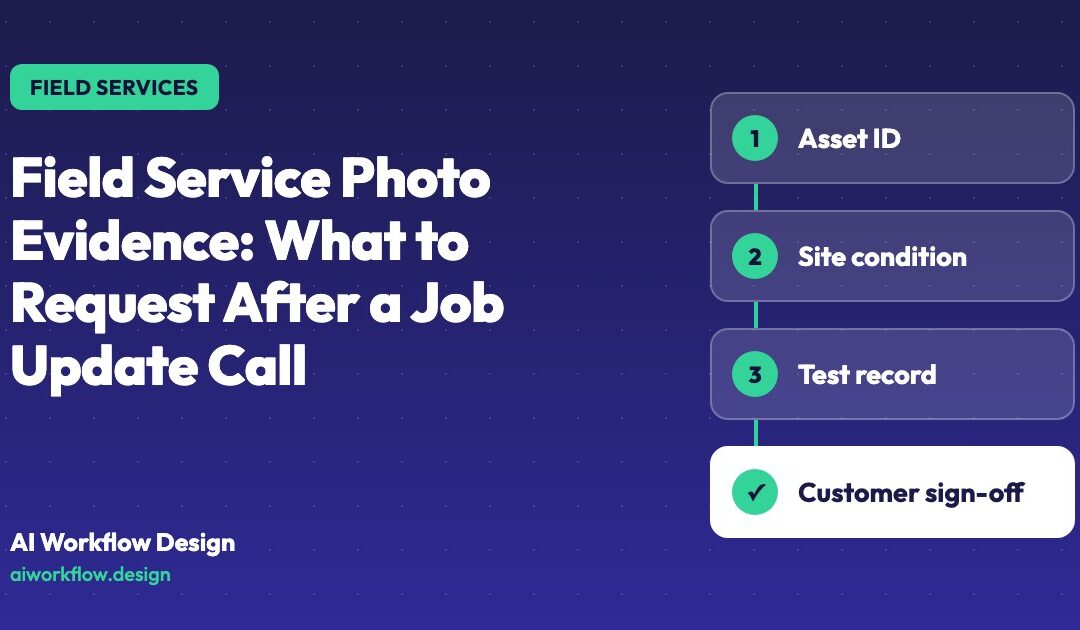
Field service job completion evidence is the documented support for a technician’s claim that work was done—not the claim itself. A useful job update call should establish what work the technician reports, which records are required, and whether the right evidence has been uploaded to the approved system. The final acceptance decision belongs to the responsible supervisor, inspector or customer representative under the service agreement.
Photo requests can create as many problems as they solve. An unclear image with no asset reference may be impossible to interpret later. A photograph of a private property can disclose customer information. A well-framed image can still omit a functional test or a required safety certificate. The right solution is to define an evidence standard for each job type before asking the technician to provide files.
Match the evidence request to the work performed
For routine preventive maintenance, the job might require an asset identifier, work log, readings and an equipment condition photograph. For a replacement, the reviewer may need before-and-after images, fitted part identification, a commissioning result and the correct paperwork. For a customer complaint, documentation may need to capture the reported condition and the technician’s findings without including unrelated personal information.
Use an evidence matrix based on the service contract and internal quality rules, not a universal instruction to “send three photos.” Every image should answer a review question. If a measurement, test sheet or written approval is the real proof, ask for that instead of more pictures. Regulations and client standards may prescribe different records for electrical, fire, gas, medical or other specialised work.
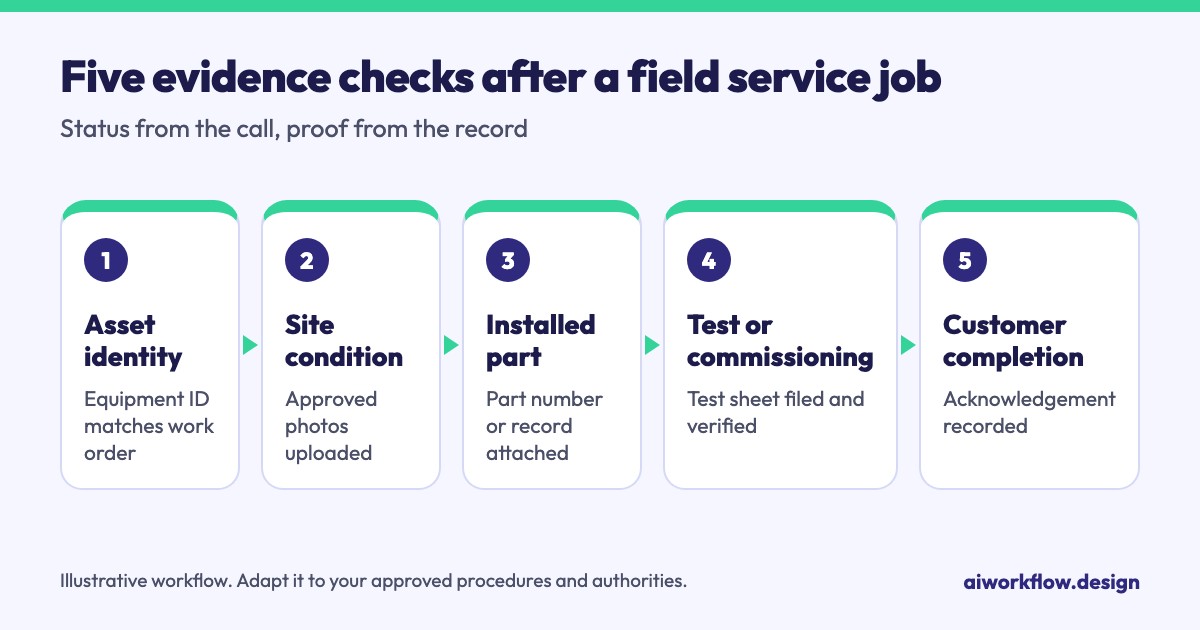
The evidence matrix: what a dispatcher can ask and who verifies it
| Evidence category | Suitable update-call question | Human review requirement |
|---|---|---|
| Asset identity | Is the equipment ID documented in the job record? | Confirm correct asset against work order |
| Site condition | Have approved pre-work images been uploaded, if required? | Confirm they show the relevant condition |
| Installed part | Is the part number or work record attached? | Check compatibility and authorisation |
| Test or commissioning | Has the required test sheet been completed and filed? | Competent person verifies result |
| Customer completion | Has the agreed completion acknowledgement been recorded? | Check contractual sign-off rules |
| Outstanding exception | Which issue still needs a decision or revisit? | Assign owner and next action |
This is a suggested operating template. It does not mean an AI caller can inspect photographs or determine whether an installation is compliant. Treat a technician’s statement “uploaded the test” as a reported document status until someone or an approved verification process confirms the file is present and valid.
Keep the call focused on status, not image transmission
A scheduled call can ask, “Which job are you updating?”, “What work was completed?”, “What supporting images or forms are required?”, “Have you uploaded them to the approved location?” and “Is anything still preventing closeout?” A voice response should not be the place to dictate detailed security configurations, patient data, resident details or confidential photographs. When evidence is missing, send the technician an authorised upload path through the organisation’s existing process.
For example, a service technician reports that a pump has been replaced and that a photo is available. The board can record Replacement reported; photo pending upload. Later, the reviewer can assess the uploaded asset label, completion report and operational test. If the recorded component does not match the order, the reviewer returns the item for correction. Do not convert the spoken phrase “all done” into Verified closed.
Use a controlled storage location and avoid unnecessary data
Use a job-linked repository that supports access controls, retention rules and auditing. monday.com’s Files Column and file-management tools can associate files with board items, but the organisation must configure access and choose whether the material is appropriate for that platform. File access may be broader than a team expects, so review the board’s permissions before uploading sensitive site images.
Avoid photographing identifying documents, computer screens, access codes, customer faces, children, vehicle plates or unrelated possessions unless there is a documented lawful need and proper handling procedure. Encourage technicians to follow the customer’s access and photography permissions, redact unnecessary details where authorised, and use approved mobile upload methods instead of personal messaging apps. Relevant retention periods and cross-border transfer obligations depend on the service and jurisdiction.
Make photo quality observable without micromanaging technicians
Specify a useful framing standard: show the asset identifier when appropriate, capture the actual work area, keep the image in focus and use a consistent naming convention tied to the job number. Avoid requesting visual proof of a hazardous procedure when taking the photo would require entering an unsafe area or distracting someone performing a safety-critical task.
Where an image could be ambiguous, include a short technician annotation using approved terminology. “Unit 2 condensate tray after cleaning” is more useful than “done.” For an installation, a separate close-up and context image may be better than one distant photograph, subject to the contract. The reviewing person should assess image quality as part of the normal acceptance process.
Design a job-completion workflow with separate states
A practical status journey is Work in progress → Work reported complete → Evidence submitted → Evidence reviewed → Closed by authorised owner. Include an Exception / return visit required branch. The technician should update only the steps they can truthfully report; the reviewer retains the acceptance decision. If no evidence is required for a specific job, the reviewer should record that policy exception explicitly rather than inventing a file.
In monday.com, suggested fields are Job ID, Asset, Service type, Evidence required, Reported upload status, Evidence link, Reviewer, Review outcome and Next action. Autoza AI is publicly positioned as scheduled voice check-ins with board updates for teams using monday.com. Its public product description should not be interpreted as proof that it performs visual inspection, photo classification or compliance verification. See the Autoza product overview for its stated scope.
What to do when the evidence is late, incomplete or inconsistent
A late upload should remain awaiting evidence, with an owner and due date. If the technician cannot access the upload system, provide an approved alternative and preserve the reason for the delay. If the photo conflicts with the technician’s verbal account, keep both records and escalate to the service supervisor rather than editing one to match the other. If customer privacy may have been compromised, follow the organisation’s incident process.
A useful companion article is Missed Technician Calls: When to Retry and When to Escalate. No-answer and missing-photo scenarios should not be conflated: the first is a failed contact attempt; the second concerns a specific missing deliverable. Each needs its own owner and follow-up timing.
Make evidence review part of quality improvement
Track the proportion of jobs awaiting evidence, average review turnaround, common document types missing, and jobs reopened after closure. Do not reward teams simply for uploading more photos. A smaller set of relevant, controlled records is better for a customer and supervisor than a gallery nobody can review. Revise the evidence matrix when repeat problems reveal that the wrong information was requested.
If your dispatch team already uses monday.com, a product workflow conversation can identify whether scheduled status calls should help chase outstanding documentation while keeping review and sign-off in human hands.
Frequently asked questions
Are photos enough to close a field service job?
Not always. The acceptance criteria may require test results, part identification, a work report, customer acknowledgement or competent inspection. Photos support evidence review but are not universal proof of completion.
Which attachments should a technician submit after a job update?
Submit only the records required for the service type: relevant asset images, work notes, authorised parts documentation, test sheets or customer acknowledgements. Follow the approved evidence matrix.
How should sensitive site images be handled?
Use an approved access-controlled repository, minimise personal or security-sensitive detail, respect customer permissions and retention rules, and avoid sharing images through personal messaging channels.
Can an AI caller review photographs and approve repairs?
The scheduled calling capability described on Autoza’s public page concerns collecting status and updating authorised fields. Do not assume that it evaluates photos or approves work; competent human verification remains necessary.
What should happen when a technician reports completion but no evidence is uploaded?
Keep the job in a reported-complete or evidence-pending state, assign an upload follow-up and preserve the distinction between the spoken update and verified closure.
Make job-completion evidence easier to follow up
Review scheduled AI check-ins for monday.com for routine status calls and evidence reminders, with human reviewers still verifying photos and records. See the pricing page or browse more industry workflows.
Related reading
- Shift Handoffs for Dispatch Teams: Stop Losing Open Service Jobs
- Missed Technician Calls: When to Retry and When to Escalate
- Warranty Service Follow-Up: Record the Right Evidence Before Closing a Job
- Mapping Technician Call Answers to monday.com Job Status Columns
- How to Capture Job Progress Updates From Technicians Still in the Field