
Quick answer: A multi site software rollout checklist should confirm much more than whether an installer has arrived. For each location, it should establish device eligibility, network readiness, local contact ownership, application prerequisites, scheduled deployment stage, test results and a clear route for failed installations. A short phone check-in can surface a blocker before an entire deployment ring slips.
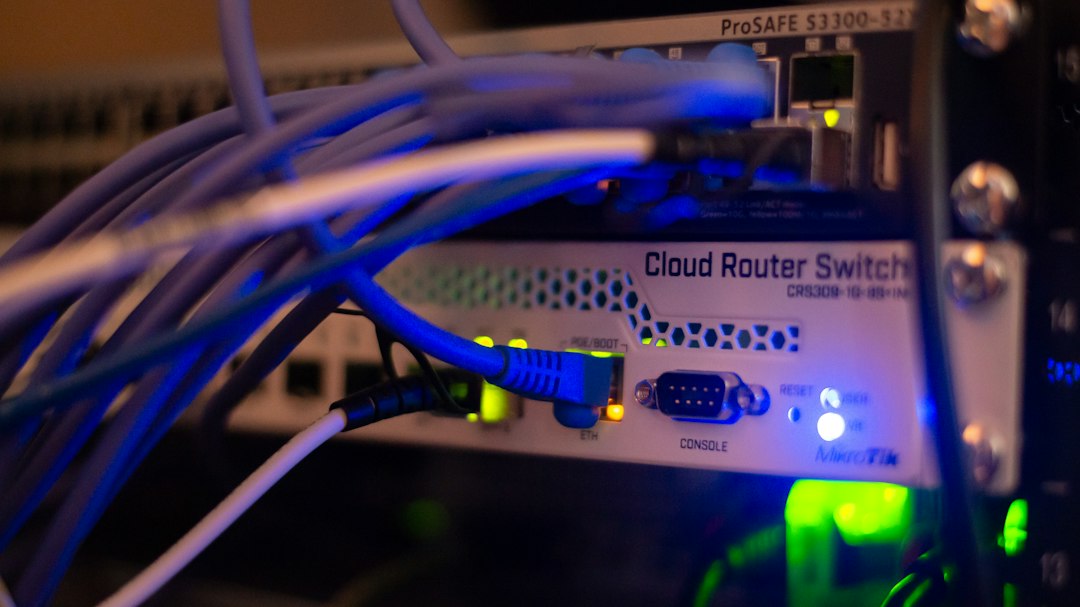
MSPs and IT delivery teams often manage many sites with different operating hours, device types and levels of local technical support. A rollout can look green in a central plan while a branch office has no network access, an incompatible device or a locked meeting room. This guide converts those hidden dependencies into verifiable checkpoints.
Build a site-first readiness register
Start with a list of deployment locations and identify the single accountable person for each. Then define the devices, software package, intended deployment window, local access conditions and required support route. Link detailed endpoint identifiers to the secured device-management system rather than reading them aloud during a call.
A monday.com board might include location code, deployment wave, local lead, device-group reference, assigned technician, installer readiness, connectivity, prerequisite approval, deployment-state report, outstanding blockers, and next authorised follow-up.
A simple readiness rubric can separate not assessed, needs attention, confirmed by site, technically verified, approved to deploy, and deployed pending validation. This language avoids treating one person’s reassurance as proof that the endpoint is ready.
Determine what counts as ready
Device readiness should be based on checkable conditions. Confirm supported operating-system and hardware requirements, sufficient storage or power, accessible management services, network and authentication dependencies, licensed application availability, a local support contact and an approved fallback arrangement when relevant.
For a distributed healthcare administration or retail client, local access times also matter: installing software during peak operating hours could interrupt business even when devices are technically eligible. The change manager must approve timing and risk, and the rollout lead should keep the authoritative deployment state in the relevant endpoint platform.
Microsoft’s Intune deployment plans describe staged deployment groups and timing; the associated deployment reports provide device-side evidence. A project call should complement those records, not replace them.
Work through staged rollout checkpoints
Before the pilot: verify a small representative group, the installation package, support coverage and rollback or recovery instructions. Ask the local owner whether devices and users are available at the agreed time.
Before the first broad wave: review pilot results, documented failures and approved decisions. Do not assume that success at one site proves all device types are compatible.
During each scheduled wave: monitor official deployment reports, capture local access or user-availability blockers and route exceptions to the responsible engineer. Calls should not demand that technicians diagnose live failures while they are performing a risky procedure.
After installation: obtain an evidence-based user-validation result, check unresolved incidents and assign a follow-up owner for remaining sites. A site can be “installed” but still have a failed application sign-in or peripheral integration.
Protect the local support team from conflicting instructions
A rollout coordinator should nominate a single source for site-level updates. If a branch contact reports that installation has not begun but the deployment console shows completion, record the discrepancy and ask the assigned engineer to reconcile it. Do not overwrite verified endpoint evidence from a phone response. The same applies when a user reports a missing application after an install reports success: preserve both facts until technical review determines what happened. Give local contacts clear instructions on where to report operational disruption without waiting for the next scheduled call.
Ask six questions at the right moment
Use questions matched to the status stage rather than a generic “is everything done?”
- Is the scheduled site contact available and aware of the deployment window?
- Are the required devices accessible and connected through the approved management route?
- Are any prerequisite applications, permissions or licences still missing?
- Has the approved deployment engineer started the site task?
- What is the current blocker category and the next checkpoint?
- Where will the engineer record installation evidence and user-validation results?
Phone scripts should never request one-time codes, administrator passwords, remote-control credentials or confidential network architecture. The recipient must be verified and the call must comply with local rules and consent requirements.
If a local owner says “installed successfully”, classify the answer as reported installed, pending verification in official deployment logs and any agreed acceptance test. An unanswered call belongs in a not reached category, not an automatic failure category.
Handle failed installations without confusing escalation
Suppose a six-site rollout reaches its third wave. Two offices report successful installation, one has a network outage and a fourth site reports that its scanner integration is broken. The project board should show two reported deployed, one blocked by connectivity and one needs functional testing. Device management and the change record determine whether the software truly installed and whether the deployment may continue.
Use three exception lanes: logistical issues to the site coordinator, technical deployment failures to endpoint engineering, and business-impact or change-window decisions to authorised change governance. If an installation causes a security incident, the documented incident response plan takes precedence over routine callbacks.
Our guide on IT change windows and follow-up timing discusses how to schedule status requests without distracting engineers at critical moments. For ticket-versus-project boundaries, see IT Service Tickets vs Project Tasks.
A reusable site-ready checklist
- Site owner and backup contact confirmed.
- Deployment wave and human approval recorded.
- Hardware, OS, licences and network prerequisites checked.
- Local business-hours restrictions and access windows agreed.
- Support and recovery instructions assigned to named staff.
- Device-side deployment records and user tests identified.
- Exceptions have categories, owners and a next decision checkpoint.
Autoza AI for monday.com describes scheduled project calls and board updates that could support selected human-status checkpoints. Teams should verify live features, integration permissions and the handling of personal and operational data before using it in a production rollout. Request a guided setup to assess whether these check-ins fit your approved rollout plan.
Make follow-up more focused
If your team coordinates this work in monday.com, see how scheduled AI check-ins for monday.com fit your process, or request a workflow demo. Keep approvals, sign-offs and risk decisions with the accountable people. Explore more industry workflows too.
Frequently asked questions
What should count as a software rollout device being ready?
The exact standard depends on the application and environment. Common checks include supported hardware and operating system, connectivity, licensing, management enrolment, local access, a named support contact and approved scheduling. Treat a local contact’s verbal response as readiness reported, not technically verified, until the relevant device and deployment records confirm it.
How do you handle a failed installation at one site?
Keep the technical failure in the official endpoint or service management system. The project board can record the site, broad blocker category, technical owner and next review time. Authorised engineers diagnose, repair and retest the deployment; the change manager decides whether further rollout rings should pause or proceed. Do not let automated calls trigger unapproved fixes.
Should every site be called on the same day?
Not necessarily. Stagger check-ins around each site’s approved deployment wave, opening hours and local readiness deadlines. Start with the pilot, then contact nominated site owners before their own wave. Daily calls to everyone can create noise without improving delivery, especially when the endpoint platform already records successful installations.
Who can approve moving to the next deployment ring?
Use the organisation’s change governance and release procedures. Project coordinators may gather readiness reports and unresolved issues, but a responsible technical or business approver should assess actual deployment evidence and risk before authorising a broader ring. A spoken ‘looks fine’ from a site contact is not a formal go decision.
Can a monday.com status board replace Intune deployment reports?
No. Endpoint management reports provide device-side evidence and error states, whereas a project board coordinates people, dependencies and scheduled conversations. They can be linked through approved references. Keep deployment success, installation errors and device compliance in the management system that owns those facts.
Related reading
- IT Service Tickets vs Project Tasks: Which Updates Belong on a Call?
- IT Change Windows: When Should a Project Manager Schedule Follow-Up Calls?
- Post-Deployment Follow-Up: Questions to Ask Before an IT Project Handover
- User Acceptance Testing Delays: Follow Up on Test Owners and Evidence
- Vulnerability Remediation Projects: Track Action Owners Without Exposing Findings