
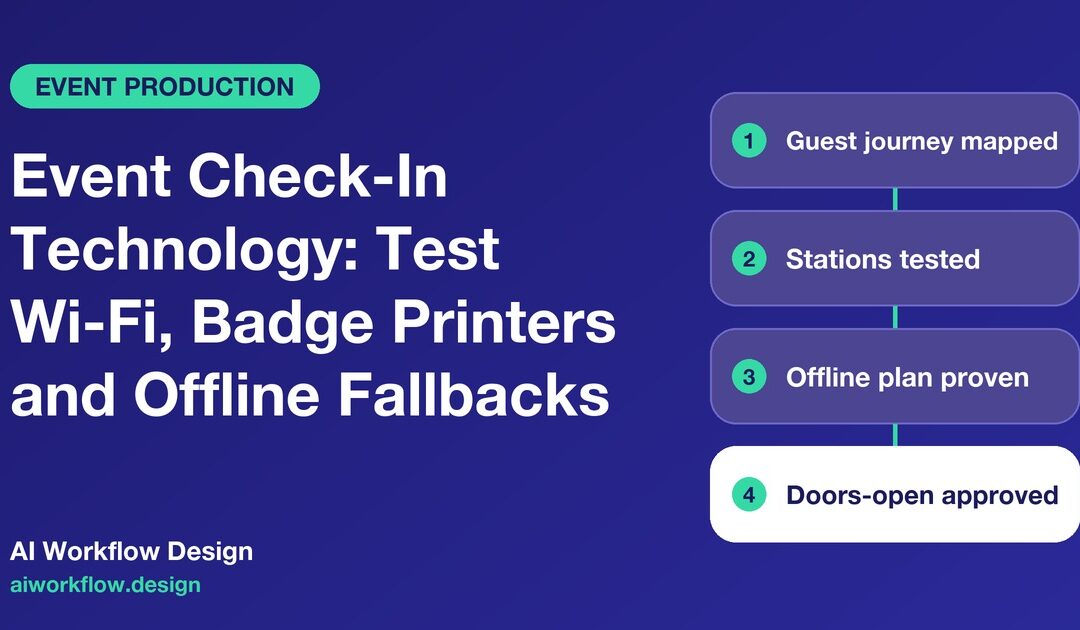
Quick answer: An event check-in technology checklist should test the entire guest journey before doors open: registration data, device access, venue Wi-Fi or wired connectivity, badge printers, scanning permissions, staffed escalation and an approved offline procedure. A successful internet speed test is not the same as a successful admission test. Give each component an owner, record a witnessed result and keep the authority to open registration with the event lead and venue operations team.
A registration desk can appear ready at rehearsal and fail the moment delegates arrive. The laptop connects to the venue network, but one printer has the wrong badge stock. A sponsor’s guest list is still in a separate spreadsheet. A volunteer scans a valid code but lacks permission to check the visitor in. The technology might be functioning exactly as configured; the end-to-end process is not.
For an organizer, the goal is not to buy more devices. It is to turn a loose collection of supplier promises into an event registration readiness decision with evidence, clear exceptions and a workable fallback.

Start with the actual admission journey
Write down what attendees must do at the door, from arrival to entry. A ticketed conference may require a QR scan and printed name badge. A trade show may need exhibitor-specific badges, access-zone rules and separate contractor passes. A small invitation-only event might require a name lookup and a wristband. Do not make one checklist cover all three without identifying the differences.
Map the journey as simple stages: record located → eligibility checked → badge issued → admitted → exception resolved. State which system holds the authoritative registration record and which roles may change it. If the event has restricted sessions or areas, handle access permissions separately from proof that a badge was printed.
In particular, distinguish a guest who is not on the list from one whose record is present but whose badge has already been printed. The first may need an approved registration change; the second may need a reprint. Treating both as a generic scanner problem produces long queues and a weak audit trail.
Build a dependency register, not a shopping list
Each check-in station depends on more than a device. Record the venue’s network contact; SSID or wired-port assignment; authentication method; approved endpoints; registration software version; printer driver and stock; power and cable placement; spare hardware; technical support contact; and the current guest-data sync time. Protect passwords, access tokens and network diagrams in controlled systems, not in widely visible project-board columns.
A practical readiness register has one record for each station or critical service. Fields include Station ID, Area, Function, Supplier, Technical owner, Last verified test, Test evidence, Current blocker, Backup route, Severity, Retest owner and Decision status. If a supplier changes a router, badge template or scanning app after sign-off, the affected tests should be repeated.
Ask the venue how many concurrent devices it expects to support, which network segments are available and whether staff systems can be separated from public guest access. The venue IT team—not the event coordinator or an AI caller—should approve networking architecture and security settings.
Test real workflows under realistic conditions
A check-in test should use synthetic test profiles, not a live attendee’s personal record passed around during a rehearsal. Include an ordinary ticket, an exhibitor pass, a late registration, a duplicate scan, a badge reprint, a missing record and a person requiring a manual assistance route. Record expected and actual outcomes, including who can resolve each exception. Test an accessible check-in path with relevant venue and accessibility owners.
Do not limit rehearsal to a single successful scan. Switch between stations, test concurrent check-ins, and check whether a badge created at one desk is recognized at another. Print at least one example of every approved badge type, confirm orientation and legibility, and verify that reprints do not silently create additional admissions. When scanning rules depend on time or session entitlements, test those conditions too.
If registration data comes from several sources, assign a named person to reconcile the list and freeze changes at the agreed checkpoint. Late VIP additions may still be possible, but they need an approved exception path rather than an untracked local spreadsheet.
Treat offline fallback as a controlled procedure
An offline method is useful only if organisers know what it can and cannot do. Some systems cache scans but not registration edits; some can print badges without connectivity but cannot validate a newly purchased ticket. Ask the supplier to demonstrate actual offline behavior before promising it to the team.
Document the conditions for switching to fallback, who can make the decision, which records may be accessed, how to prevent duplicate admissions, and how offline activity will be reconciled. For example, a limited emergency roster might help staff direct confirmed guests, but it should be stored securely, used only for the approved purpose and deleted according to the event’s retention policy. Do not export full attendee databases to personal devices as a convenience measure.
A connection failure may require a different action for a general-admission event than for a controlled-access event. In the latter, access restrictions still apply; a fallback cannot simply waive identity, eligibility or safeguarding checks.
Set an escalation clock around doors-open risk
Work backwards from the event’s public opening time. The producer should agree a final technical rehearsal, a freeze on nonessential changes, a checkpoint for sponsor and VIP lists, and a final operational go/no-go review. Use an actual event-specific timetable rather than generic ’24-hour’ deadlines that ignore overnight network support or venue access windows.
Classify blockers by effect. A broken spare printer might be manageable if the remaining capacity and repair response are adequate. A scanning rule that admits the wrong credential type can stop opening. The technology lead documents test results; the authorized event lead decides whether the operating plan is acceptable. A supplier’s message that ‘it should work’ is not a passed test.
When a fix is made, record what changed and retest the original failure. A green checklist after a configuration change is meaningless if nobody checked the new state.
Keep monday.com as the coordination layer
A monday.com board can organize station readiness, vendor actions and rehearsal results without becoming the ticketing platform. Group tasks under Network, Registration Data, Printers, Scanners, Staff Training, Accessibility, Security, Fallback and Final Approval. Add a single ‘ready for producer review’ gate that requires evidence links and named owners for unresolved exceptions.
Where approved, Autoza AI for monday.com or a Daily Check-in Agent can ask a vendor whether assigned testing or delivery tasks are complete and write a permitted status back to the relevant board. A voice update cannot verify a packet-loss reading, reconfigure a network, authenticate a guest or declare the registration desk safe and ready. Keep sensitive registration data inside the correct access-controlled platform.
For more involved integrations—such as mapping supplier tickets to an event-readiness board—review the custom workflow automation services. Any integration should use approved interfaces, least-privilege access and a test environment before connecting live attendance records.
Work through the most common day-of-show exceptions
The Wi-Fi is reachable but scans are slow. Confirm whether the delay lies in network connectivity, application responses or data sync. Assign a technical owner to diagnose the fault and an operations owner to manage queues. Do not let volunteers repeatedly retry an uncertain scan until the record shows multiple entries.
The badge printer is working but prints the wrong category. Suspend that badge type, preserve one example and compare the approved template, guest entitlement and station configuration. A local workaround must be reviewed before use, particularly where badge categories control access.
A sponsor sends an amended VIP spreadsheet after the final freeze. Route it through the authorized registration owner. Log the source, update reason, review decision and synchronization status. Do not use an unverified file to override the master list.
A spare device is found during setup. Inventory it and have the technical owner configure and test it. An unapproved personal tablet may introduce an account, privacy or network-security risk even if it appears operational.
What to measure after the event
Record check-in throughput and queue times only if measured reliably. Also review first-pass scan success, number of manual exceptions, lost badges, offline incidents, time to resolve blockers and the quality of handoffs between venue, software supplier and registration lead. Separate process delays from individual attendees’ requests for assistance. A low exception count alone is not evidence that the procedure was inclusive.
The useful output is a revised station test script and clearer ownership for the next event. If the team repeatedly discovers the same printer or permissions issue on show day, the fix belongs in pre-event test design, not another urgent morning call.
Event check-in technology checklist
- Define the guest journey and master registration source.
- Verify network and endpoint ownership with venue IT.
- Test every badge type and access entitlement with synthetic profiles.
- Record printer, scanner, power and spare-device results per station.
- Demonstrate an approved offline procedure and reconciliation path.
- Confirm manual assistance and escalation arrangements.
- Retest failures after changes, not just mark tickets complete.
- Obtain a documented opening decision from the authorized event lead.
Next step
Want these follow-ups handled consistently? Explore Autoza AI for monday.com or talk to AI Workflow Design about scheduled, permissioned status follow-ups that leave approvals and decisions with the right people. For a companion workflow, read Event Sponsorship Deliverables: Track Brand Approvals and Proof of Placement. Related guidance: see our industry automation guides page.
Frequently asked questions
What should an event check-in technology checklist include?
It should cover the registration-data source, devices, printer stock, connectivity, access rules, attendee assistance, exception handling, secure offline fallback, technical tests and the responsible opening decision-maker.
Is a successful Wi-Fi test enough before opening registration?
No. It confirms only part of the system. Test real admission scenarios, badge printing, permission controls, data synchronization and fallbacks end to end before treating check-in as ready.
Can an AI caller confirm that the registration system is ready?
It can collect an assigned supplier’s progress update and flag missing evidence. It cannot run a network test, authenticate attendees, verify privacy safeguards or make the final opening decision.
What happens if internet access fails during check-in?
Follow the vendor-tested offline procedure, preserve access restrictions, document the incident, use authorized manual routes where appropriate and reconcile records when service is restored.
How should attendee information be protected in a backup list?
Use only necessary fields, approved access permissions, secure storage and a defined retention period. Avoid exporting the full database or sharing sensitive details in general-purpose status boards.