
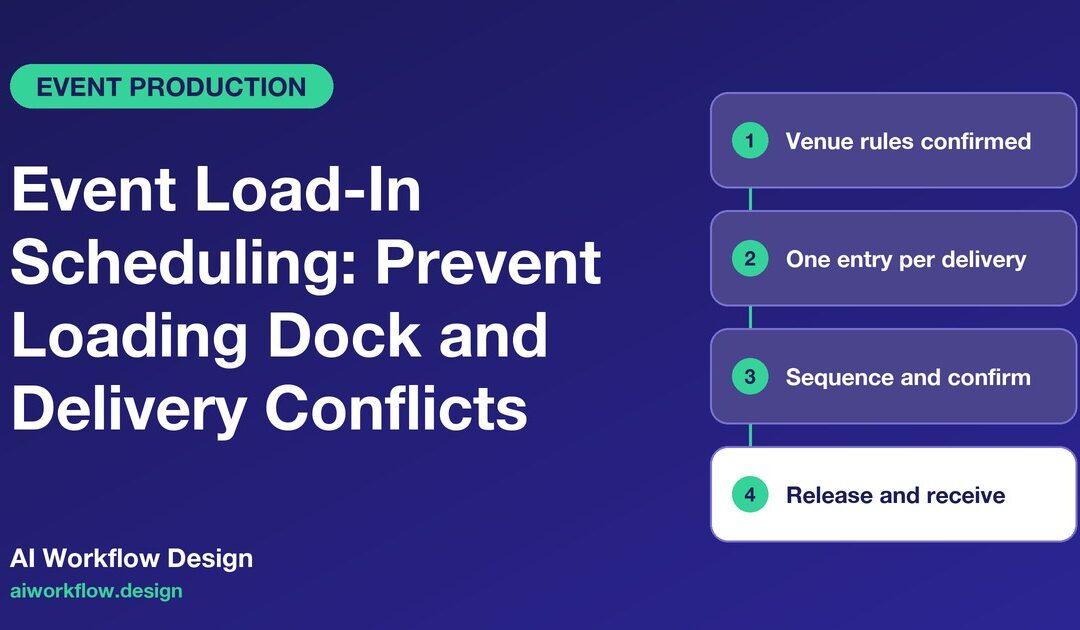
Quick answer: An effective event load-in scheduling checklist gives every delivery a confirmed arrival window, vehicle and cargo details, the correct dock or gate, a receiving contact, unloading requirements and an exception route. It separates an allocated slot from permission to unload. Only the venue’s authorised operations and safety team can release a truck into a working dock. AI status calls can confirm whether the truck is on schedule and record changes; they should never override traffic controls or direct hazardous unloading.
An exhibition build can fail before the doors open even when every supplier meets its deadline. Two trucks arrive for one lift, a staging company unloads on the wrong floor, the sponsor’s branded feature blocks a fire route, and the lighting crew waits outside while its rigging window expires. These are not isolated vendor problems. They are signs that the event load-in schedule was treated as a list of delivery times rather than an operational plan.
A good plan joins four sources of truth: the venue’s approved load-in rules, the production schedule, the supplier manifest and the onsite team’s actual status. It gives teams enough structure to act quickly without pretending an automated calendar is the venue manager.
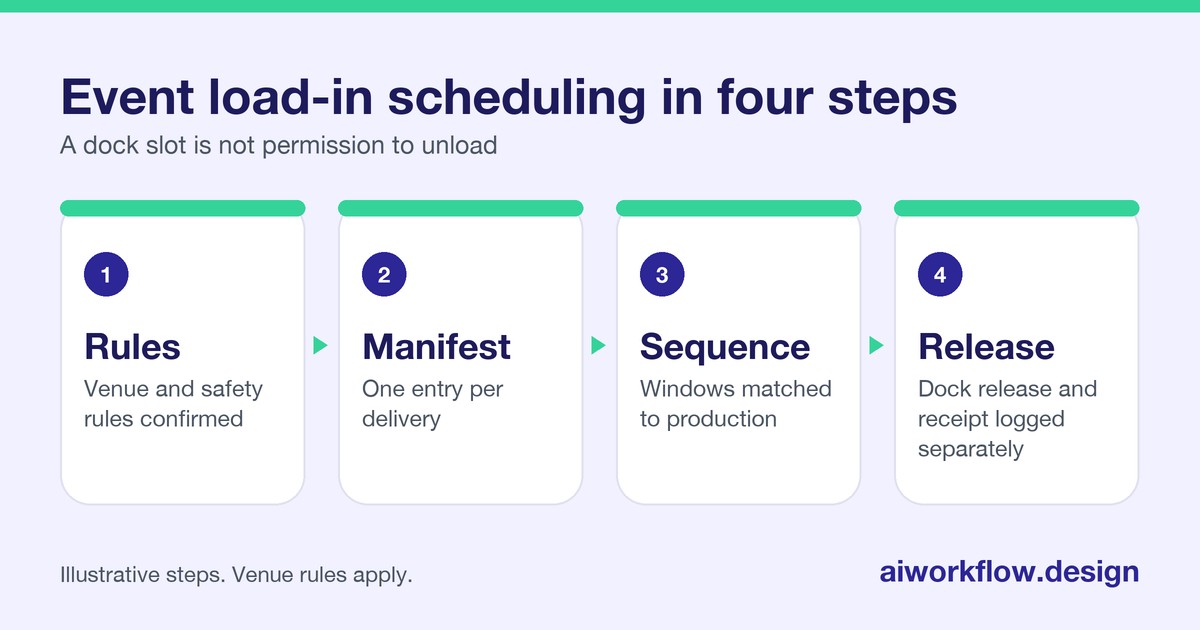
Confirm the venue’s rules before assigning any slot
Start with the event venue or contractor’s written move-in manual. Identify permitted vehicle classes, dock capacities, freight lift availability, marshalling areas, security checks, operating hours, pedestrian exclusions, noise constraints and any required handling equipment. Ask which access routes or delivery methods are prohibited. A truck that fits the schedule but cannot physically reach the dock is not a confirmed delivery.
Record the named venue contact authorised to accept changes. For multi-hall events, note the hall, level, door, dock bay and nearest assembly point; similarly named entrances are a common source of confusion. The venue may control forklifts, dock marshals, lift operators or loading restrictions. Do not assume a supplier’s crew is authorised to operate this equipment merely because it has done so elsewhere.
OSHA’s loading-dock guidance identifies serious hazards around dock edges and powered industrial trucks. It is a useful reminder that scheduling is administrative coordination; safe equipment operation and site access require competent site management under the applicable rules.
Build one manifest entry per delivery, not per supplier
A staging supplier may deliver truss on one vehicle, set pieces on another and replacement parts later in the day. Those movements have different unloading times and dependencies. Give each physical arrival its own delivery ID, while linking it to the supplier’s parent contract.
Your event loading dock schedule should record:
- Event, hall, delivery ID, supplier, driver-dispatch contact and receiving team owner.
- Vehicle type, registration if required by the venue, expected arrival window and gate or dock assignment.
- Cargo description, approximate quantity and size, unloading method and specialist handling needs.
- Permitted unloading window, estimated dock occupancy and the crew who will receive the load.
- Required access documents, delivery note or packing list, and any site-induction status.
- Dependency, such as “floor protection installed” or “freight lift available”, plus an exception contact.
- Actual arrival, dock-in and dock-out timestamps, delivery acceptance status and discrepancy record.
Do not put driver identity documents or other sensitive records into a broadly shared production board. Use a controlled venue-approved system for sensitive access material and keep a simple verification status in the operations tracker.
Sequence deliveries around production dependencies
Work backwards from when each item is needed for installation, not merely when a supplier says it can arrive. Floor marking and protection may precede scenery. Lighting points and cable pathways may need approval before rigging and equipment placement. Some deliveries must wait until aisles are free or authorised rigging is complete. Map these conditions before creating appointments.
Identify loads that can wait in approved storage and those that cannot. A large scenic element may need the only dock suitable for an oversized vehicle. That is a capacity constraint, not a preference. A buffer between heavyweight deliveries can reduce disruption, but use the venue’s actual capacity and safety rules rather than a generic fixed interval.
A useful planning state sequence is Proposed → Venue reviewed → Slot confirmed → Driver notified → En route → At marshalling → Called to dock → Received / Exception. “En route” is not “called to dock”; “received” is not “installed”. Keeping these labels separate prevents the timeline from implying work is finished prematurely.
Design a practical supplier confirmation calendar
Send the preliminary delivery instruction once scope and the load-in route are agreed. At a later agreed checkpoint, confirm dispatch contact, cargo size, unloading needs and any changes to the vehicle. On the event day, collect estimated arrival updates only where they are operationally useful and permitted. Prefer scheduled check-ins over repeated interruptions to drivers who may be on the road.
A short administrative status call can ask: “Is the delivery still planned for the allocated window?”, “Has the vehicle or load changed?”, “Will specialist unloading equipment be needed?”, “Who should the receiving coordinator contact?”, and “Is there a delay that needs escalation?” It should not ask a driver to read out confidential identity records or perform a safety assessment over the phone.
If a supplier reports a new vehicle type or a late arrival, create an exception rather than shifting an entire run of deliveries automatically. The production manager and venue operations lead must determine whether an alternative slot or gate is acceptable. Confirm the changed instruction back to the supplier and record which authorised person approved it.
Keep dock release and delivery acceptance separate
A venue marshal may confirm that a vehicle may enter a loading zone. The receiving crew may later confirm that the expected cargo arrived. The scenic lead may still have to verify its condition, quantity and installation readiness. These are three different events. Collapsing them into a single “complete” checkbox hides shortages and can lead to premature supplier payment approval.
Use a discrepancy record for broken packaging, missing crates, unexpected hazardous goods, damaged hire items and deliveries refused by venue staff. Capture the shipment ID, factual observation, photo or document reference where approved, person notified and next action. Do not let AI decide whether damaged equipment is safe to use or whether a carrier is liable.
Build a monday.com loading-dock board without making it a control tower
Use one item per delivery, grouped by day or hall. Suggested columns are Delivery ID, Supplier, Cargo class, Vehicle class, Venue gate, Approved slot, Estimated arrival, Receiving owner, Stage dependency, Status source, Exception reason, Authorised change owner and Proof of receipt. A dashboard can show congested windows and unresolved exceptions by hall.
AI Workflow Design’s Autoza AI for monday.com can be considered for approved status calls that write administrative updates to a board. Its Daily Check-in Agent is another option where the team uses a different tracker. The exact call questions, permissions and integrations need to be designed for the event; neither product should be presented as a venue access-control or traffic-management system.
For a more complex manifest integration, the custom automation service may support moving permitted status fields between your event tracker, receiving log and supplier contact list. Treat these as implementation possibilities requiring scoping, not existing event-industry features guaranteed by default.
Handle four common exception scenarios
The truck is early. Record its location as reported, refer the driver to the approved marshalling process and ask the venue if a new slot is possible. Do not direct an early vehicle straight to the dock from an automated call.
The truck is late. Update the arrival estimate, flag affected dependencies and let operations reallocate the slot. The supplier should receive a revised instruction, not silence followed by a refused delivery.
The load does not match the manifest. Mark it “hold for receiving review”, notify the relevant owner, and record the difference. A surprising additional crate may change lifting needs or storage constraints.
A delivery has arrived but the installation crew is absent. Receiving can document arrival while installation remains blocked. That distinction protects the critical path and helps the producer decide whether additional resources are needed.
Measure reliability without creating misleading numbers
Useful operational measures include the proportion of arrivals with confirmed instructions, unresolved vehicle-change requests, average dock occupancy against plan, exceptions by cause, and time taken to notify the next owner after a delivery discrepancy. A completed status call measures communication, not a safe delivery. Review qualitative issues after the event: Which supplier instructions were confusing? Which bays were repeatedly overloaded? Which version of the manifest did vendors use?
The result should be a reusable planning template and a clearer venue coordination process for the next show, not just a spreadsheet of actual arrival times.
Event load-in checklist before show day
- Venue loading rules and authorisation contacts are confirmed.
- Every vehicle movement has its own delivery ID and receiving owner.
- Heavy, oversized and time-critical loads have an approved unloading plan.
- Supplier instructions match the latest confirmed schedule.
- Driver status, dock release, receipt and installation are separate statuses.
- Changes require an authorised venue or production decision.
- Sensitive access information is kept out of general-purpose team boards.
- An exception route is available when a driver, dock or crew is delayed.
Next step
Want these follow-ups handled consistently? Explore Autoza AI for monday.com or talk to AI Workflow Design about scheduled, permissioned status follow-ups that leave approvals with the right people.
Frequently asked questions
What information should an event load-in schedule include?
Include a unique delivery ID, supplier, vehicle and cargo details, venue gate or dock, approved arrival window, unloading needs, receiving owner, dependencies and exception contact. Record actual timestamps separately from planned times.
Can AI automatically assign a new loading dock when a delivery is late?
It can flag a delay and propose a review task. It should not independently allocate a different dock or authorise entry because venue capacity, safety restrictions and other active vehicle movements must be checked by authorised personnel.
Is a delivery complete as soon as the truck reaches the venue?
No. Arrival, permission to unload, cargo receipt, condition checks and installation are separate milestones. A venue arrival message is not proof that goods were accepted or safely installed.
How often should suppliers receive load-in reminders?
Use the venue’s agreed communication schedule and supplier needs rather than a universal cadence. Confirm key details before dispatch and obtain operational updates when a change affects access, unloading capacity or installation dependencies.
How does monday.com help manage an event load-in?
A board can link delivery appointments, supplier contacts, dependencies and exceptions in one shared view. Status calls and integrations can populate permitted fields, while production and venue staff retain responsibility for release, safety and acceptance decisions.
Related reading
- Exhibitor Insurance Certificates: A Pre-Show Documentation Timeline
- Post-Event Equipment Returns: A Supplier Follow-Up Workflow
- Event Weather Contingency: Task-Owner Check-Ins Before an Outdoor Show
- Multi-City Event Roadshows: A Repeatable Local Vendor Follow-Up Plan
- Speaker Presentation Collection: A Version-Control and AV Readiness Workflow