
Answer in brief: A useful multi-site construction status report uses the same small set of questions at every project, but preserves site-specific evidence, safety issues and local approvals. Standardise the reporting format—not the judgment. Ask each foreman to confirm the reporting period, work completed, next dependency, people or materials required, forecast impact and who must act. Record unknowns as unknowns rather than silently converting them to green statuses.
Why multi-site reporting becomes unreliable
A construction manager overseeing three active locations often receives three different kinds of update. One foreman sends photographs; another calls at the end of the shift; a third marks a task complete without noting that a follow-on trade cannot enter the work area. The information may be individually useful, but it is difficult to compare and impossible to escalate consistently. By the time the portfolio meeting starts, managers are reconciling the format instead of deciding what needs attention.
A standard report gives leaders a common vocabulary for schedule risk and handoffs. It does not mean forcing every site into the same construction sequence. Site A may be waiting for a municipal inspection, Site B for switchgear delivery and Site C for an approved design clarification. Those distinctions belong in separate work items, each with a named owner and reference to the controlling record.
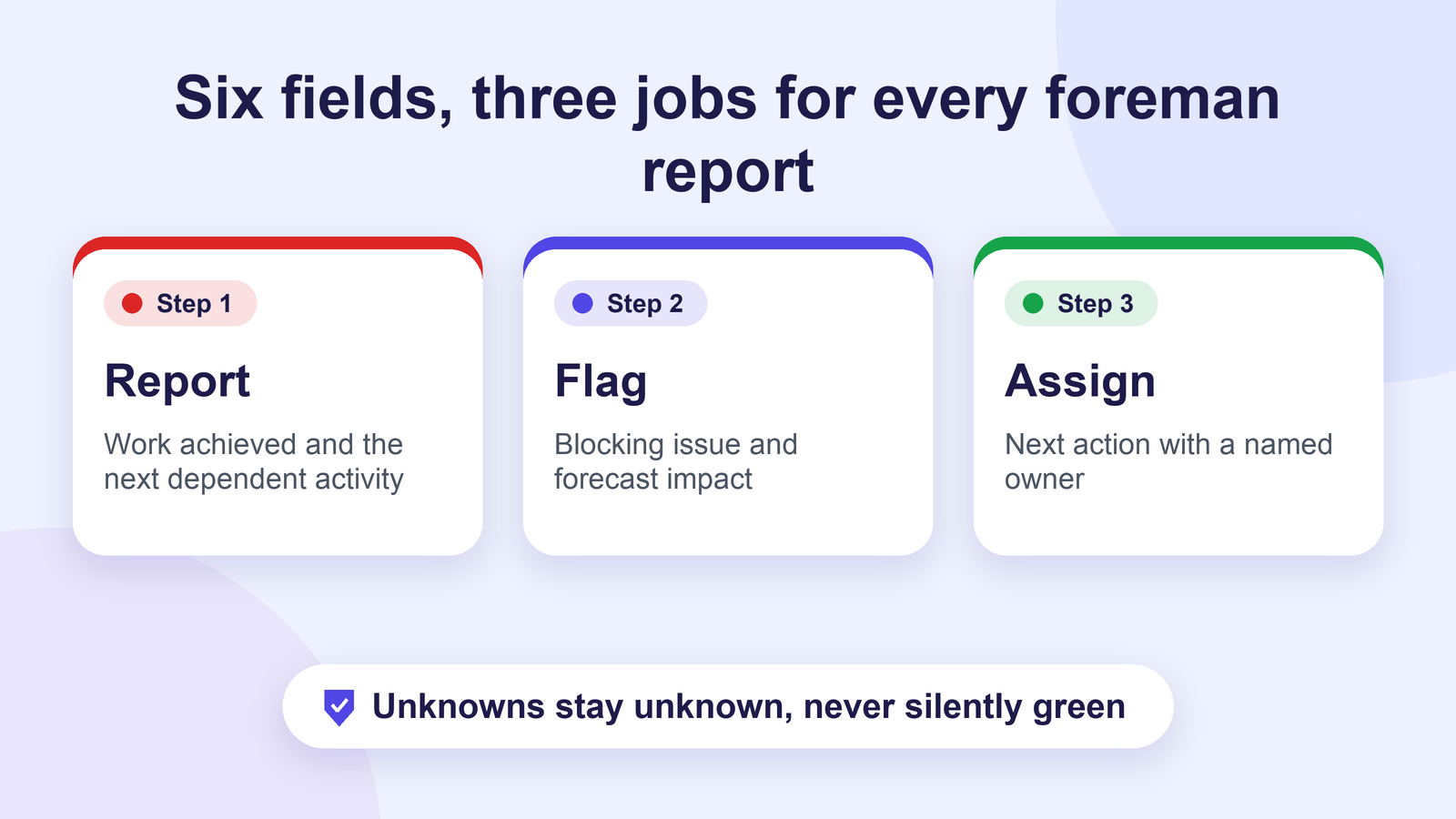
Standardise six fields across the portfolio
Use a brief reporting record that foremen can complete through their existing project process. The following is a proposed board design, not a claim about Autoza AI’s default fields.
| Field | What the foreman reports | What managers verify |
|---|---|---|
| Site and reporting window | Project, date and shift | Correct project and work item |
| Work achieved | Specific activities and approximate quantities | Site diary, photos or inspection records |
| Next dependent activity | Who needs the area next and when | Approved sequence and current programme |
| Blocking issue | Material, access, design, crew or equipment issue | Risk owner and authoritative source |
| Forecast impact | Whether the next milestone is at risk | Planner’s updated forecast, not a spoken promise |
| Next action and owner | Person responsible and next check-in | Acceptance and escalation path |
Keep the report small enough to be repeatable. Attach photographs and detailed quantities to the relevant system of record, not to an unstructured call transcript. A spoken ‘all done’ should never be treated as the equivalent of a signed inspection, closed safety observation or contractual notice.
Map each update to its own monday.com project item
If your company already manages construction tasks in monday.com, create a parent project or site portfolio view and individual site boards or groups. Use a stable site identifier, work-package identifier and responsible person so that one reported delay does not overwrite another project’s record. A foreman’s verbal update should map only to fields and items that the organisation has approved for update.
For example, an illustrative record could read: ‘Site North / Level 2 ceiling area / materials delivered, access still blocked by unresolved ceiling inspection / electrical supervisor to confirm by next coordination meeting.’ The report is useful because it identifies the location, dependency and owner. It does not assert that inspection is complete or allow the next team to begin work.
monday.com’s dependency-column guidance explains how predecessor and successor relationships can be represented on a board. Use these relationships to display where work is connected; still rely on qualified supervisors for field verification.
Ask the same questions, but allow meaningful exceptions
A foreman check-in can follow a consistent order: ‘Which work package are you reporting on? What changed since your last update? What must happen before the next trade starts? Is any planned work blocked? Where is the evidence recorded? Who owns the next action?’ A seventh, optional question can ask what decision is needed from the project manager and by when.
A good script allows the person to say ‘not sure’, ‘I need to check’ or ‘this is a safety concern’. Do not force ambiguous responses into ‘On track’. When a response is incomplete, leave the relevant status pending confirmation and route it to the named coordinator. Safety concerns should go directly through the site’s established reporting procedure, not wait for the next scheduled AI call.
Pick a reporting cadence that respects the work
Start with one structured foreman check-in tied to the working shift or critical handoff, not an automatic series of calls throughout the day. Increase the cadence only for a short period when a named dependency needs follow-up. For example, a concrete pour may justify a pre-start materials and access confirmation, but ordinary progress may be better captured in the daily site record. Ask crews which times are least disruptive.
Establish a fallback for missed calls. ‘No answer’ means contact was not achieved; it is not evidence that the crew is absent, late or unsafe. Route repeated unsuccessful contacts through the site’s normal supervisor escalation channel. OSHA’s contractor coordination guidance emphasises communication about hazards and control measures when multiple employers share a worksite.
Build a useful weekly portfolio review
The project manager should review the same few indicators each week: unresolved blockers by age, dependent activities affected, overdue owner responses, changes to the next committed milestone and items awaiting authorised acceptance. A heat map can help the discussion, but colour alone is insufficient. Each red item should show a person, a decision needed and a next review date.
Avoid treating a reported percentage-complete figure as a substitute for progress valuation or independent verification. For a mixed portfolio, managers may compare process health—such as time to acknowledge a blocker—without pretending that roofing, mechanical commissioning and foundations share a meaningful universal completion score.
Where scheduled AI calls may help—and where they should stop
AI Workflow Design describes Autoza AI for monday.com as a tool for scheduled check-in calls, summaries and board updates. An appropriate proposed workflow is to ask authorised status questions, capture the foreman’s answer and send mapped, non-sensitive information to the correct project item under approved rules. Review actual mapping and escalation features during a product demonstration; do not assume every field or integration is supported automatically.
Keep formal notices, change authorisations, permits, safety verification and payment certification in the organisation’s established approval systems. A phone call is a communication channel, not a substitute for those records. For a deeper look at the questions used before milestones, see our related guide to construction AI check-in questions.
A rollout checklist for the first two weeks
During the first week, select two sites with different conditions, agree the six standard fields, identify the supervisor who owns each status and create a small set of escalation reasons. During the second week, compare the reported answers with daily records, remove questions that produce vague answers and test a missed-call and safety-exception scenario. Only then consider a wider rollout. The goal is decision-quality reporting that foremen can realistically sustain—not a larger volume of phone calls.
Next step: If you already use monday.com to run several construction sites, request an Autoza workflow review to discuss which routine status calls and mapped updates can be configured, and which approvals must stay with your people.
Frequently asked questions
What should be standard across multiple construction sites?
Standardise the six reporting fields, issue categories, owner naming, evidence links and escalation thresholds. Allow different local tasks, inspections, contractor interfaces and permit requirements. A shared format improves comparison without forcing dissimilar projects into the same sequence.
How can calls avoid duplicate reporting?
Use existing project item IDs and ask only for information missing from the agreed record. If a foreman has already logged quantities and photos in a site diary, the call should capture a blocker or required decision—not ask the person to reproduce the whole diary verbally.
What belongs in the site diary instead?
Detailed day-by-day site observations, weather, labour records, inspection results, photos, formal instructions and other contractually required evidence should remain in the approved site diary or document system. A check-in can reference those records but should not replace them.
Does a missed check-in mean the crew failed to report for work?
No. It means the call did not obtain an answer. The person may be working, out of signal, on a break or unavailable for another legitimate reason. Follow the normal supervisor process before making an attendance determination.
Can an AI call approve completed construction work?
No. A status response can indicate that someone believes work is finished, but inspections, safety clearance, contractual acceptance and payment approval belong to authorised personnel and the proper records.
Related reading
- 7 Questions an AI Construction Check-In Should Ask Before a Milestone
- Pre-Inspection Follow-Up: Which Construction Tasks Need a Phone Call?
- Construction Daily Progress Updates: A Better Way to Hear From Field Crews
- Phone Calls vs monday.com Notifications for Subcontractor Updates
- Trade Handoff Readiness: A Checklist Before the Next Subcontractor Arrives
- Autoza AI for monday.com: scheduled status calls
- Workflow automation services
- Daily Check-in Agent