

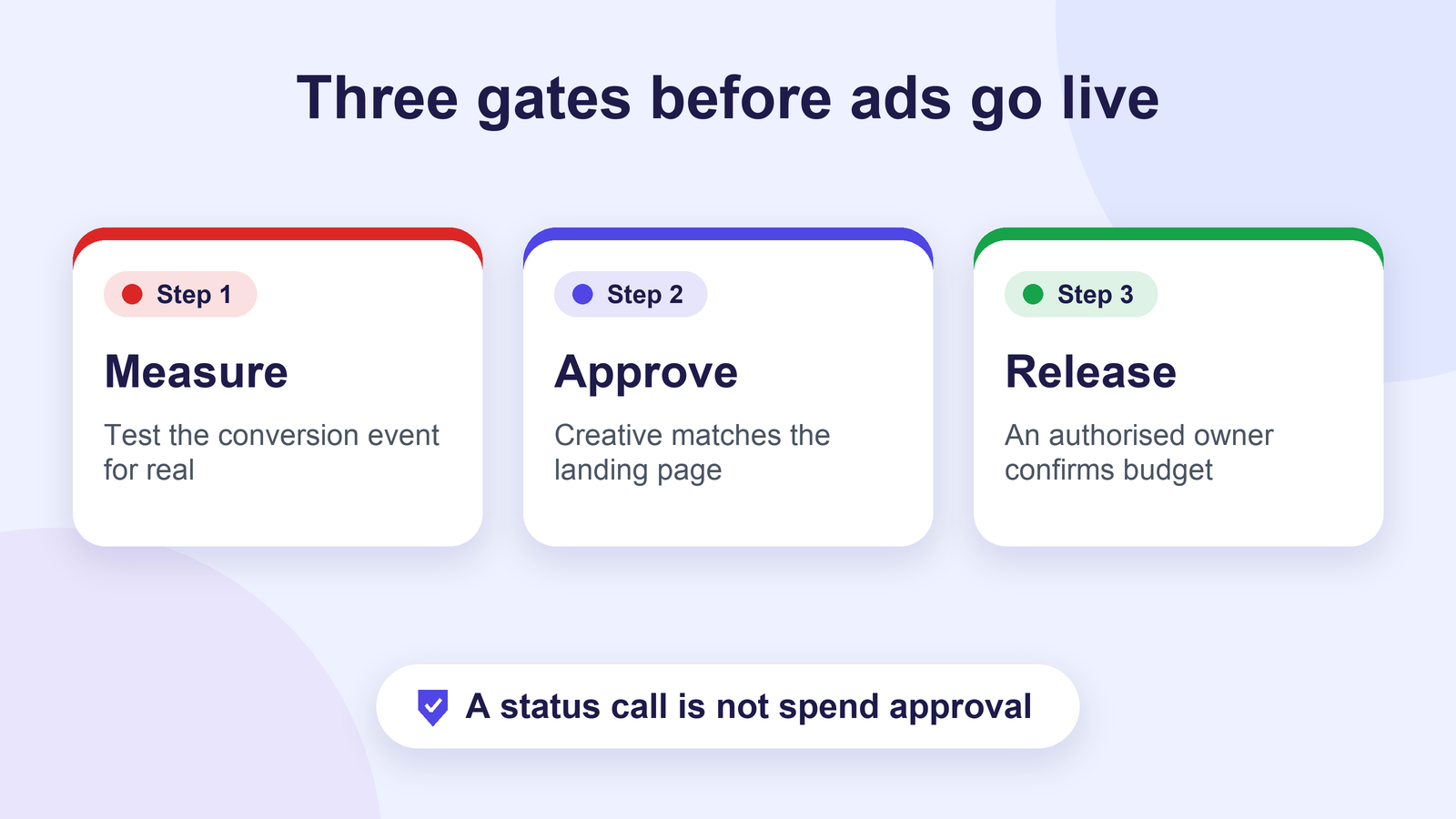
Answer in brief: A paid media launch should pass three independent gates: measurement is tested, creative and landing pages are approved, and budget plus targeting are released by an authorised owner. Capture evidence for each gate before the campaign is enabled. Automated status calls can surface missing checks and clarify ownership; they should not publish ads, authorise spend or declare tracking correct without a real test.
The hidden risk in ‘ready to launch’
Agencies often reach a launch meeting with nearly everything finished: the ads are uploaded, the landing page looks polished, and the client has signed off the message. Yet the final checklist reveals a wrong destination URL, an unverified conversion event, a missing exclusion or an outdated daily budget. Each problem belongs to a different specialist, so one overall ‘Ready’ status may conceal several blockers.
Build a release process in which the media buyer, analytics specialist, creative owner and client approver each confirm what they control. A request such as ‘Can you launch today?’ should trigger evidence collection, not a rush to click Publish. This is particularly important for multi-channel campaigns where Google Ads, Meta Ads and website analytics may measure conversions differently.
Gate 1: Prove conversion measurement works
Check the intended primary conversion action first: qualified lead submission, purchase, confirmed appointment or another real business outcome. Then test the path a user will take from ad click to landing page and through the form or checkout. A pageview or button click may be a useful diagnostic event but should not automatically replace a genuine lead event.
For Google Ads, Google’s Tag Assistant guidance recommends performing a test conversion and checking tag implementation when tracking status is inactive or unverified. Record what was tested, on which environment, the test timestamp and any known reporting delay. A tag shown as installed is not the same as proof that the intended conversion fires once and is attributed correctly.
Confirm consent behaviour and jurisdictional requirements where relevant. Review form errors, thank-you events, duplicate submissions and CRM handoff. If offline qualification is the true KPI, assign an owner to validate how lead quality will be reconciled later. Do not promise that a tracking test guarantees attribution perfection or future results.
Gate 2: Match approved creative to the destination
Check ad copy against the final landing page: offer, pricing, eligibility, product details, disclaimers, CTA and geography should agree. Verify spelling and editorial approval, image and video specs, mobile preview, accessibility basics, brand usage and the correct destination URL. A polished ad can still be noncompliant with the platform or misleading when the landing page says something different.
Retest landing pages after creative changes. Replacing an old promotional period in the ad without updating the destination can create a poor user experience and unnecessary disapprovals. Use one record for the approved version of every ad and one named person who confirms that the uploaded version matches that approval.
Gate 3: Review budget, audience and delivery controls
The media buyer should verify campaign objective, geographic areas, exclusions, language, schedule, attribution settings, bid or budget control, and whether the account has payment or policy restrictions. The authorised commercial owner should approve total spend and material changes to that spend. Define what happens if an asset is rejected or a campaign underdelivers; do not assume a missed release date gives a buyer authority to bypass an approval.
For account security, avoid placing credentials, tokens or sensitive client financial information into a generic status call or transcript. Use the platform’s appropriate role-based access and a separate secure approval record for commercial decisions.
Use a four-owner QA matrix
| Workstream | Required check | Evidence | Human release owner |
|---|---|---|---|
| Measurement | Intended conversion is tested | Tag Assistant or event test record | Analytics specialist |
| Creative and landing page | Final ad matches approved claim and destination | Approved version and preview URLs | Creative/client approver |
| Media configuration | Targeting, exclusions, objective and schedule checked | Campaign settings review | Media buyer |
| Budget and authorisation | Spend limit and changes approved | Recorded client/manager approval | Account or budget authority |
Add a launch coordinator who assembles the four outcomes and checks that none are pending. A suggested status set is ‘Not reviewed’, ‘Evidence supplied’, ‘Correction required’, ‘Approved’ and ‘Blocked’. These are proposed labels, not a claim about built-in Autoza settings.
Set up separate tasks rather than one launch checkbox
In monday.com, use the campaign as a parent item and create owned subitems for pixel testing, form validation, landing-page QA, ad approval, budget permission and activation. Give each task a reviewer, evidence URL, due date and escalation path. One task can be approved while another remains blocked; the roll-up view should not override a critical open issue.
Connect a task to the actual proof: a secure test log, versioned creative approval, redacted screenshot or link to a controlled account review. If sensitive advertising account details are involved, use the access controls in the designated system rather than pasting everything into public board comments.
What an operational status call should ask
A helpful check-in might ask the analytics owner, ‘Has the intended lead conversion been test-submitted end to end? Is any tag still unverified? Where can the launch coordinator find the result?’ The creative owner can be asked which asset version is cleared. The media buyer can state whether targeting, exclusions and schedule have been checked. The account director can report whether budget approval has been obtained.
These are status questions, not approval delegations. An AI response summary of ‘budget confirmed’ is not the signed budget authority unless the business has separately established and verified a compliant authorisation process. Where approval is missing, leave the launch blocked and notify the responsible human owner.
Avoid two frequent QA failures
First, do not confuse ‘test successful’ with ‘production working forever’. Site releases, consent-banner changes, tag-manager edits and redirect changes can break measurement later. Arrange a post-launch health check and an owner for investigating anomalies. Second, do not duplicate conversion actions that count one lead twice; compare the events and reporting settings before using them for automated bidding.
Google’s conversion-tracking troubleshooting guidance shows why a status such as ‘Unverified’ needs an implementation check. Pair the technical evidence with a business definition of a qualified lead so the campaign measures what the client actually values.
How Autoza fits the release process
Autoza AI for monday.com is marketed as a scheduled calling and status-update tool. An appropriate use is to follow up with a named launch owner who has not submitted an agreed QA response, then write authorised status information into the mapped project record. It should not replace your ad platform’s permission model, test events or client approval.
If your team is still defining task ownership, see how to structure agency tasks and subitems before automating the check-ins. Clear owners and evidence are more valuable than a high volume of automated messages.
Next step: Agencies managing repeated launches can request an Autoza workflow review to explore scheduled owner follow-up while keeping the final go-live decision with authorised people.
Frequently asked questions
Can an AI call publish an ad campaign?
A routine status-follow-up call should not do that. Launching ads requires account permissions, appropriate approvals and actual platform checks. The call can capture whether the authorised person reports a task as ready or blocked.
Which launch checks need evidence?
At minimum, record conversion tests, live landing-page tests, approved creative versions, campaign configuration review and budget authorisation. Add legal or industry-specific evidence where the advertiser’s products or jurisdictions require it.
Who owns budget release?
The named commercial authority defined by the advertiser or agency agreement. A media buyer can verify the configured settings, but spending approval should be separately documented by the authorised budget owner.
Is an installed pixel enough to declare tracking ready?
No. Test the actual desired event and the conversion path, including form submission or checkout. Review whether the event arrives in the intended destination and whether reporting settings risk double counting.
What if the client changes the offer immediately before launch?
Reopen the affected creative, landing-page, compliance and budget checks. Record the revised version and obtain the necessary reapprovals. Do not reuse an earlier sign-off for a materially different offer.
Related reading
- How to Structure Agency Tasks and Subitems for Reliable Follow-Up
- How to Follow Up on Creative Approvals in monday.com Without Endless Emails
- Campaign Launch Delays: 7 Status Questions to Ask Every Task Owner
- Content Production Handoffs: A Call Plan From Brief to Publish
- Multi-Market Campaign Assets: Tracking Translation and Local Approval
- Autoza AI for monday.com: scheduled status calls
- Workflow automation services
- Daily Check-in Agent