
Quick answer: A useful solar inverter firmware update checklist confirms the affected inverter model and serial number, the manufacturer’s approved release, the person authorised to make the change, site and owner permissions, a planned interruption window, a configuration backup where supported, test criteria and an escalation or recovery procedure. The administrative coordinator can chase these confirmations. The electrical or controls specialist must decide whether an update is technically appropriate and whether the system can safely return to service.
A solar array may have been operating quietly for years when a manufacturer announces a firmware change. The message reaches the asset owner, but the site contractor is unsure which serial numbers are affected. The operations manager books a convenient morning, while the monitoring vendor expects a connection outage at exactly that time. Nobody knows whether the new release changes communications settings or utility-facing controls. This is how a seemingly small software task turns into an avoidable operational incident.
A well-run update is not simply a download followed by a green status icon. It is controlled maintenance involving site hardware, electrical safety, cybersecurity, warranty arrangements and the parties responsible for power production. The process differs substantially between a residential string inverter and a utility-scale plant, so all details below must be adapted to the manufacturer’s guidance and the installation’s approved procedures.

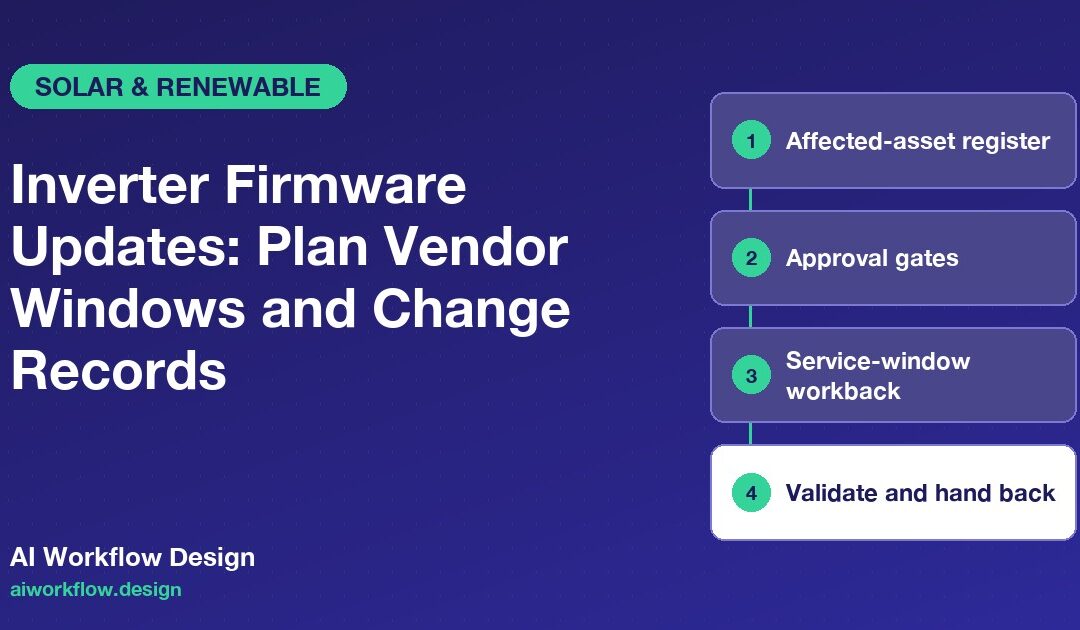
Start with an affected-asset register
List each inverter’s site identifier, manufacturer, model, serial number, current firmware, planned target version, grid connection context, monitoring platform, installer or maintainer, warranty contact and authorised asset owner. Note how the baseline firmware was established: a vendor portal reading, local device interface or technician inspection. If the status is uncertain, record it as unknown instead of copying a version number from a neighbouring unit.
Separate the power-conversion firmware from communications, battery management, gateway or monitoring software. These may have different owners and upgrade sequences. An instruction that applies to a specific inverter family should not be extended to other devices because their product names look similar. Capture the official release-notes URL and any manufacturer prerequisites, including whether a particular intermediate version or service tool is required.
Create a change ID for each update campaign and link individual equipment records to that campaign. A single site may require different work windows or validation steps for different equipment. This allows the asset manager to see what is complete without erasing unit-level evidence.
Establish the approval gates before anyone connects to equipment
The first gate is technical eligibility. A qualified technician, with manufacturer guidance in hand, confirms that the release matches the exact hardware and evaluates known issues. The second is operational authorisation. The owner or designated plant operator approves the date, possible output disruption and any site-specific restrictions. The third is execution readiness. The authorised service provider confirms access, personnel, electrical safety procedures, network path and required support contacts.
These gates are not interchangeable. An owner can approve a time window without being qualified to assess firmware compatibility. A vendor can recommend an update without having authority to interrupt a particular customer’s generation. A project board should therefore show distinct fields for recommendation, decision, scheduled work and return-to-service acceptance.
The US Department of Energy explains that connected inverters introduce cybersecurity concerns because they interface with energy production and control systems. NIST’s smart-inverter guidance likewise treats secure maintenance as part of the equipment lifecycle. Neither source implies that every firmware release should be installed immediately without testing.
Build a sensible service-window workback
Use the actual maintenance contract, grid or utility obligations and manufacturer instructions to set timing. The following checkpoints are an example planning sequence, not a universal service interval.
Before the window: baseline, backup and communications
Confirm device inventory, current operating state, accessible monitoring data and whether configuration export or recovery is supported. Collect the approved package from the designated vendor channel; verify it by the manufacturer’s recommended method. Agree how the customer will be notified of a temporary loss of generation or monitoring. Record weather and site-access constraints where those affect safe work.
At the start: acknowledge the go/no-go decision
A designated technical lead checks that site conditions still support the work, required permits and isolation procedures are in place, and support contacts are reachable. The operations owner then issues the approved go-ahead through the site’s normal change process. If the site experiences an unrelated electrical fault, maintenance may need to be deferred; an automated calendar invite is not a substitute for that decision.
During the window: record each device outcome
The technician records which device was attempted, the actual firmware outcome, notable alerts, any communication interruptions and whether the expected installation process completed. Avoid marking a whole fleet as updated on the basis of one vendor dashboard summary. Preserve failed attempts and intervention history in the record.
After the window: validate and hand back
The qualified owner checks the manufacturer’s specified post-update indicators, connectivity, alarms, approved configuration and any agreed performance verification. Confirm monitoring continuity and the handover contact for delayed faults. The work is closed only after the authorised person accepts the evidence, not merely when the updater reports success.
Make recovery planning a real gate, not a checkbox
A rollback option is not always available. Some products do not support downgrading, and restoring saved settings may not restore the firmware itself. Record the manufacturer’s supported recovery route, vendor support procedure, owner of that decision and any warranty implications. A plan that says “restore previous version” without confirming that it is possible creates false reassurance.
NIST’s operational-technology security guidance recommends controlled, documented patch management that accounts for testing, plant availability and reliability. That is relevant because inverters are equipment interacting with the physical world, not ordinary office laptops. A production problem should follow the site’s incident and electrical-safety procedures immediately; software updates must never be used to bypass protection settings or grid requirements.
Example: a remote update finishes, but telemetry disappears
Consider a hypothetical six-inverter commercial rooftop. The vendor portal reports the firmware package applied to all units, yet one inverter stops reporting output to the monitoring system. The coordinator records three separate facts: update reported complete, device telemetry unavailable, and post-update acceptance pending. They request the responsible technician’s assessment and notify the operational owner as required.
The team does not declare that the missing reading is harmless or claim the inverter has stopped generating. The field specialist checks the authorised diagnostic path and determines whether a communications setting, gateway issue or another condition is involved. Only after the specified verification is recorded can the change be accepted. If a vendor recovery procedure is needed, it is initiated by the authorised personnel.
Where AI status follow-ups belong
A scheduled administrative check-in may ask the vendor: “Is the update window confirmed? Has the equipment list been acknowledged? Has the completion report been uploaded? Is technical acceptance still pending?” Answers can be mapped to a controlled board, alongside the source, timestamp and task owner. Calls should not collect device credentials, ask technicians to recite access codes or remotely trigger firmware actions.
AI Workflow Design’s agent products include status-update capabilities, and custom workflow services can be evaluated for a site-specific integration. Product availability does not mean an inverter control-system integration already exists. An appropriate deployment would require permission design, vendor review, tested field mapping and a separate technical change-control process.
Measure completed validated updates
Track the number of applicable devices, approved campaigns, attempted changes, successful technical installations, independently accepted validations and open exceptions. Report the duration of agreed generation or monitoring outages, without assuming that every telemetry gap reflects lost energy. Calculate first-pass completion separately from later recovery work so failed deployments remain visible.
A monthly review can identify recurring issues with access permissions, wrong serial numbers, missing release notes or late owner confirmation. These improvements are often more valuable than shaving a few minutes off the update itself. A good tracker makes vendor communications timely while leaving electrical and cybersecurity decisions with competent people.
Final checklist before closing the work order
The asset and installed version are identified; the approved release and change owner are recorded; the site window and permissions are documented; the technical execution log is linked; exceptions have named owners; and the authorised operator has accepted the agreed post-update evidence. Only then should the administrative ticket move from Implemented to Validated and closed. The distinction is what turns a firmware log into an accountable maintenance record.
Next step
Want these follow-ups handled consistently? Explore Autoza AI for monday.com or talk to AI Workflow Design about scheduled, permissioned status follow-ups that leave approvals with the right people.
Frequently asked questions
What should a solar inverter firmware update checklist include?
Asset identity, existing and target versions, manufacturer release instructions, authorised approvers, access and outage window, configuration protection, technician record, verification steps and exception ownership.
Can a solar inverter update be scheduled without shutting down generation?
That depends on the specific device, update method and manufacturer requirements. The qualified service provider must determine safe operating conditions and any interruption or isolation steps.
Is firmware rollback always possible?
No. Some inverter platforms restrict downgrades or require manufacturer support. Document the actual supported recovery procedure rather than promising that every update can be reversed.
Does an update-complete message prove the inverter is operating correctly?
No. Installation status and acceptance are separate. Follow the manufacturer-defined validation process, including review of relevant alerts, configurations and monitoring.
Can an AI check-in agent install firmware?
The workflow discussed here is for authorised status collection and coordination only. Firmware decisions and device changes must remain with qualified, approved technical personnel.
Related reading
- Solar Installer Training Readiness: Confirm Qualifications Before Mobilisation
- PV Monitoring Activation: Confirm Alerts and Owner Access After Installation
- Solar Roof Warranty Coordination: Questions Before Panel Mounting Starts
- Failed Solar Inspection: Tracking Corrections and Reinspection Tasks
- Battery Storage Commissioning: A Safety-First Documentation Follow-Up Plan