
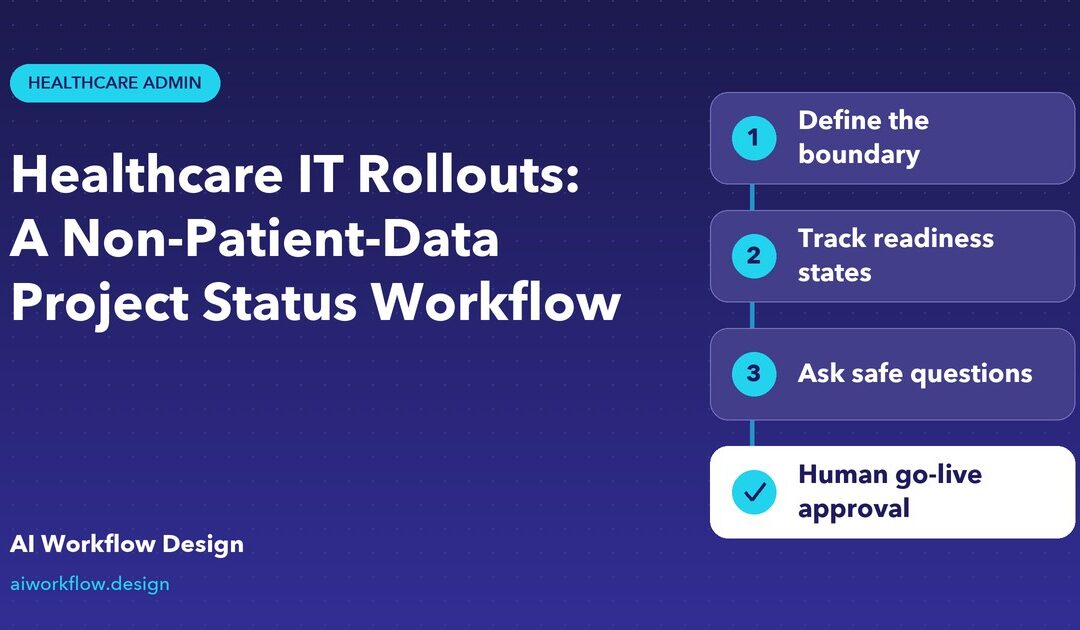
Quick answer: Hospital IT project task follow-up can track device delivery, approved work windows, access readiness, training schedules and assigned owners without handling patient data. Clinical validation, security approval and production go-live remain human decisions.
A hospital is rolling out replacement workstations across six departments. The IT team needs to know whether devices have arrived, approved maintenance windows are still available and department contacts are ready. None of those questions requires a patient name or medical record. A disciplined hospital IT project task follow-up workflow can gather those administrative facts while protecting the sensitive systems nearby.
The governing principle is straightforward: schedule and ownership data may be collected separately from patient information and clinical decisions. A voice-based reminder should never become an alternative channel for protected health information, credentials or emergency clinical communications simply because it is fast.

Define the boundary before asking anyone questions
Scope the workflow to non-patient project fields such as site, department contact, workstation count, delivery receipt, approved work window, assigned technician, general blocker and next administrative action. Prohibit names of patients, encounter identifiers, clinical notes, diagnoses, account credentials and screenshots containing health data.
This does not mean every deployment detail is harmless. Department names, floor access information, security-control failures and vendor contacts can still be sensitive. Follow the hospital’s security classification, least-privilege and vendor-management requirements. The HHS HIPAA cloud guidance explains why services that create, receive, maintain or transmit ePHI for a covered entity may have business-associate obligations. Do not assume an unreviewed AI calling service is suitable for PHI.
Separate readiness checks from acceptance and go-live
A system may be physically installed but not permitted for clinical use. Track at least hardware received, installation complete, technical verification in progress, security or clinical review pending, go-live authorised, and handover accepted as separate states. Who authorises each transition is a hospital policy decision; the administrative caller cannot infer a green light from “we finished the install.”
Go-live checklists may include approved test evidence, downtime and rollback planning, service desk readiness, cybersecurity review, clinical safety validation where applicable and accessible training. These should be housed in approved change-control or validation systems. The status board can show a secure reference and owner without copying confidential findings into broad notes.
Design a simple endpoint rollout owner matrix
For each deployment wave, define a department sponsor, local contact, IT delivery lead, device or software technician, security reviewer, clinical workflow owner if involved, and change manager. Avoid a vague owner called “hospital IT.” Give each milestone one next actor and an agreed communication route.
An illustrative board can contain wave ID, department, endpoint quantity, delivery date, technician, work window, current blocker, dependency, approved evidence link, review state and escalation contact. Keep sensitive assets and credential lists within an approved secure repository. Suggested fields are planning examples, not confirmed built-in Autoza data structures.
Ask short questions that do not invite protected information
A call script might ask: “Is the approved hardware delivery complete? Is the agreed work window still valid? Has the named department contact confirmed access? Are any administrative prerequisites preventing the technician visit? Who should the project manager contact next?” If a respondent starts discussing a patient or disclosing credentials, the caller should stop that topic and route it to the approved secure channel.
Avoid questions such as “Which patient records failed to open?” or “Read the password needed by the vendor.” Even when troubleshooting is urgent, an open voice transcript is not the appropriate default place for clinical details or authentication secrets. Provide a route to the help desk, privacy office, clinical escalation team or incident-response process when relevant.
Handle downtime, clinical risk and incident language carefully
A technician might say, “We cannot access the shared workstation.” That could be a routine IT blocker. “The clinical team cannot use a safety-critical system” is different: follow the hospital’s downtime or safety escalation process immediately. A project-status caller should not troubleshoot a clinical incident or assure staff the problem is safe. Human operators must use the institution’s priority rules, emergency communication channels and incident documentation procedures.
Likewise, a missed phone call cannot prove a department is unprepared or that a worker is absent. Record unconfirmed and follow the escalation path. In a care setting, repeated calls during clinical shifts may disrupt work; schedule calls with designated nonclinical contacts during agreed windows.
Use wave-based follow-up instead of a blanket daily call
Group rollout tasks by dependency: procurement first; then access, scheduling and installation; then validation and training; then formally authorised go-live. Call the person who can resolve the next actual blocker rather than every participant. One department may need an access confirmation, while another needs a human change-control decision.
A short end-of-wave review should ask which assets are confirmed installed, what evidence is outstanding, which issues require formal review and what the next wave must learn. Capture error patterns and process changes without mixing sensitive system logs into the coordination board.
Keep vendor and privacy approvals visible
Before a vendor or AI tool interacts with hospital workflows, IT security and privacy teams should confirm data flows, system access, retention, recording, contractual requirements and any required business associate agreement. The HHS business-associate guidance explains that contractors handling PHI can trigger HIPAA requirements. A public product page, even one using general healthcare marketing language, is not independent proof of a specific hospital’s compliance.
Do not promise that deleting identifiers in prompts guarantees privacy. Use appropriate access restrictions, information minimisation, approved technical controls and process design. The objective is to collect administrative task readiness, not to collect data and hope it can be anonymised later.
Make the first rollout a controlled, auditable pilot
Choose a noncritical administrative wave with clear department owners. Before any calls, run a scripted test in which the respondent accidentally offers patient details or a login credential; confirm the call flow stops collecting that information and provides a secure escalation route. Check that a failed call remains an unresolved task rather than a readiness confirmation. Review which people can see board updates, transcripts and evidence links, and set retention according to hospital policy. These safeguards are more meaningful than simply adding a privacy sentence to the script.
Where Autoza can be evaluated
Autoza AI for monday.com describes scheduled check-ins and board updates. Healthcare organisations can consider a pilot restricted to non-patient project coordination after their legal, privacy, security and procurement reviewers approve the proposed use and calling rules. The product should not be portrayed as performing patient record integration or clinical validation in this article.
Pilot one department’s device refresh, with explicit prohibited data categories and human escalation. Measure late access confirmations, missed installation windows, unresolved owner assignments and completion of the formal go-live checklist. A well-designed rollout brings administrative clarity while respecting the care environment it serves.
Frequently asked questions
Can healthcare IT status calls include patient information?
This proposed workflow deliberately excludes patient information. If a service would create, receive, maintain or transmit PHI, the organisation must conduct the relevant HIPAA, vendor, security and contractual assessment before any use; do not treat a routine status call as an approved PHI channel.
Who approves healthcare IT go-live?
The authorised hospital change, IT security, operational and clinical stakeholders specified in its governance process. A technician’s verbal completion update is not a replacement for tested evidence, formal approval or clinical safety decisions.
What should be escalated securely?
System-access incidents, suspected security breaches, clinical workflow disruption, sensitive test findings, credentials and any patient-specific issue should go through the hospital’s approved help desk, incident, security or clinical routes.
What can a non-patient-data rollout board track?
Site and department, approved work window, hardware receipt, named coordinator, installation status reported by the technician, outstanding non-sensitive dependencies and links to restricted approval records. Access to the board still needs governance.
How often should hospital contacts be called?
Use an agreed wave-based cadence around delivery, access and installation appointments. Avoid disruptive calls during care activity, keep alternatives available and escalate urgent issues through established human channels.
See the monday.com project follow-up workflow
For scheduled status calls and controlled updates to an existing project board, explore Autoza AI for monday.com. Request a workflow review to confirm call scope, field mappings, consent requirements, limitations and human escalation rules before deployment.
Related reading
- Facilities Compliance Training: Following Up on Administrative Task Completion
- Healthcare Vendor Follow-Up Calls Without Sharing Patient Information
- What an AI Healthcare Project Caller Should Never Ask
- Hospital Equipment Installations: A Non-Clinical Vendor Coordination Plan
- AI Calling Escalation Rules for Healthcare Administration Teams
- Explore workflows by industry
- Autoza AI for monday.com